56
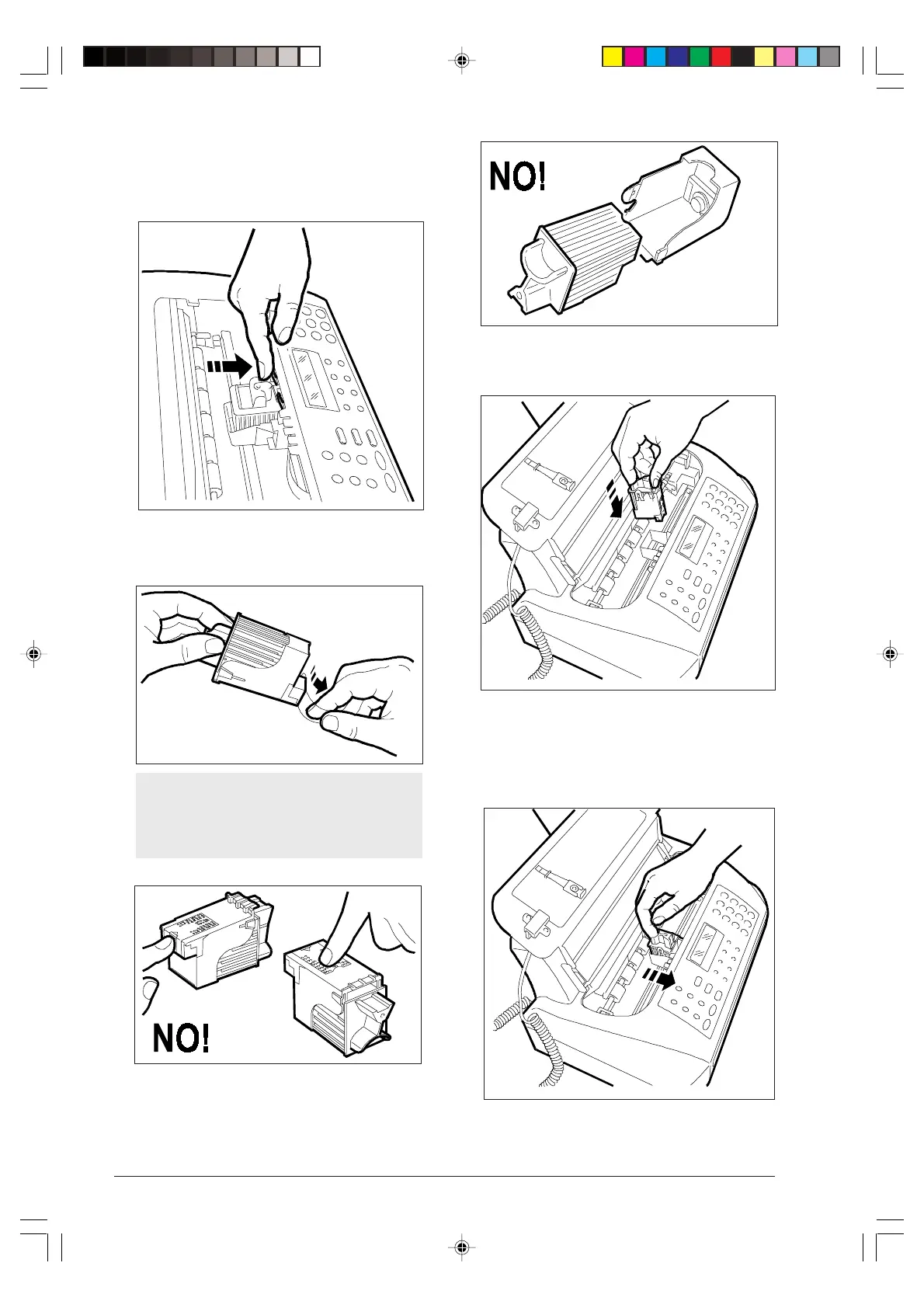
2. Release the print head (including the cartridge, if the
print head has an interchangeable ink cartridge) act-
ing on the lever, then remove it from its compart-
ment.
3. Remove the new print head from its package and,
holding it by the grip, peel off the protective film.
Avoid touching the nozzles and the electri-
cal contacts and, if the print head has an in-
terchangeable ink cartridge, do not remove the
cartridge from the print head.
4. Insert the print head in its housing with the electrical
contacts facing the front of the fax machine.
5. Push the print head in the direction of the arrow until
your hear the click confirming its correct insertion,
and close the print head compartment cover.
-8-55-66.p65 02/04/01, 9.2356



 To Next Page