2-4XYAA6338
2.4 INSERTING THE EXTERNAL
TRANSFORMER
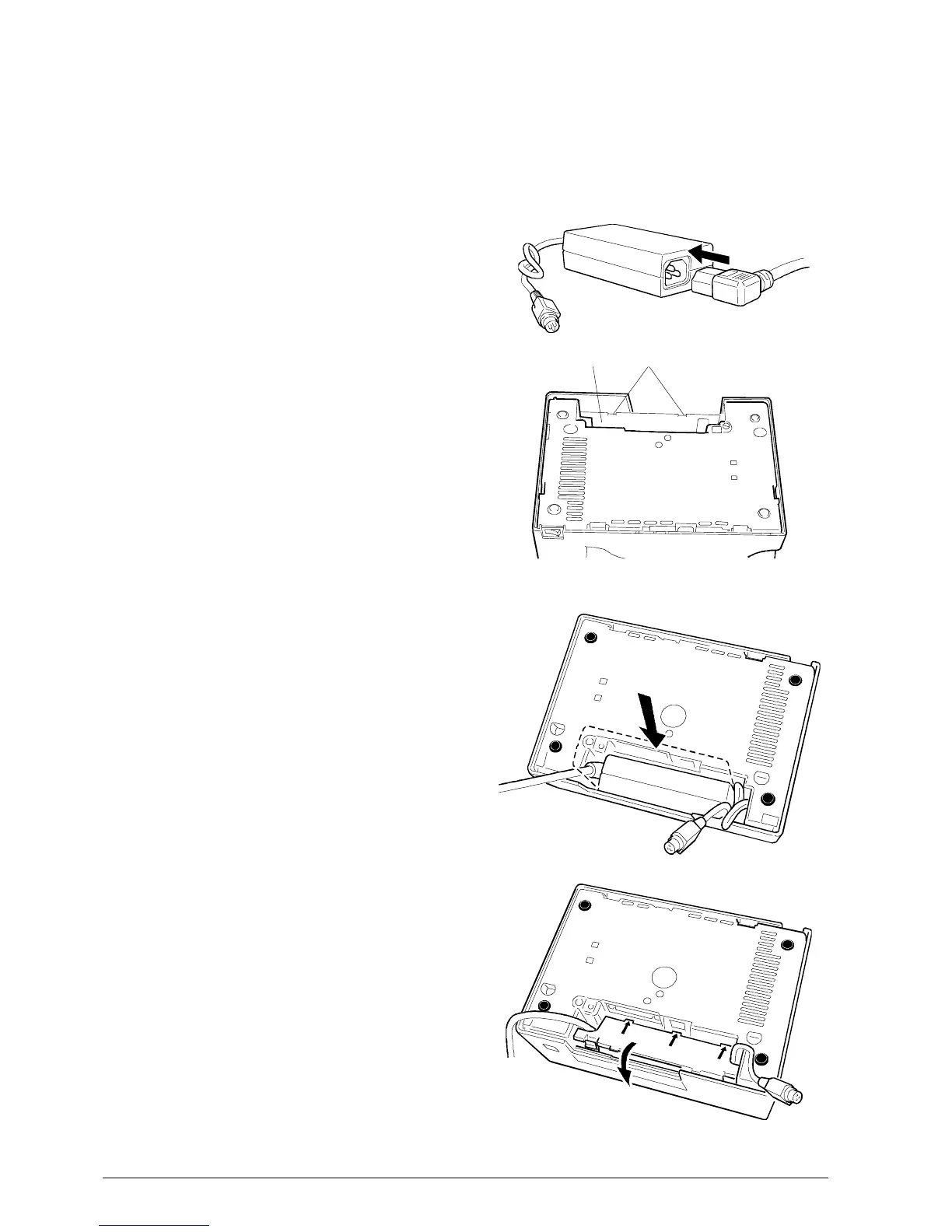
Proceed as explained below to insert the optional
external transformer into the printer:
1. Attach the power cord to the external transformer.
2. Release tabs A and lift off cover B located at the rear
of the printer.
3. Insert the transformer into its chamber.
4. Reposition and close the cover.
Fig. 2-4
AB



 To Next Page