XYAA6338 Service Manual 5-13
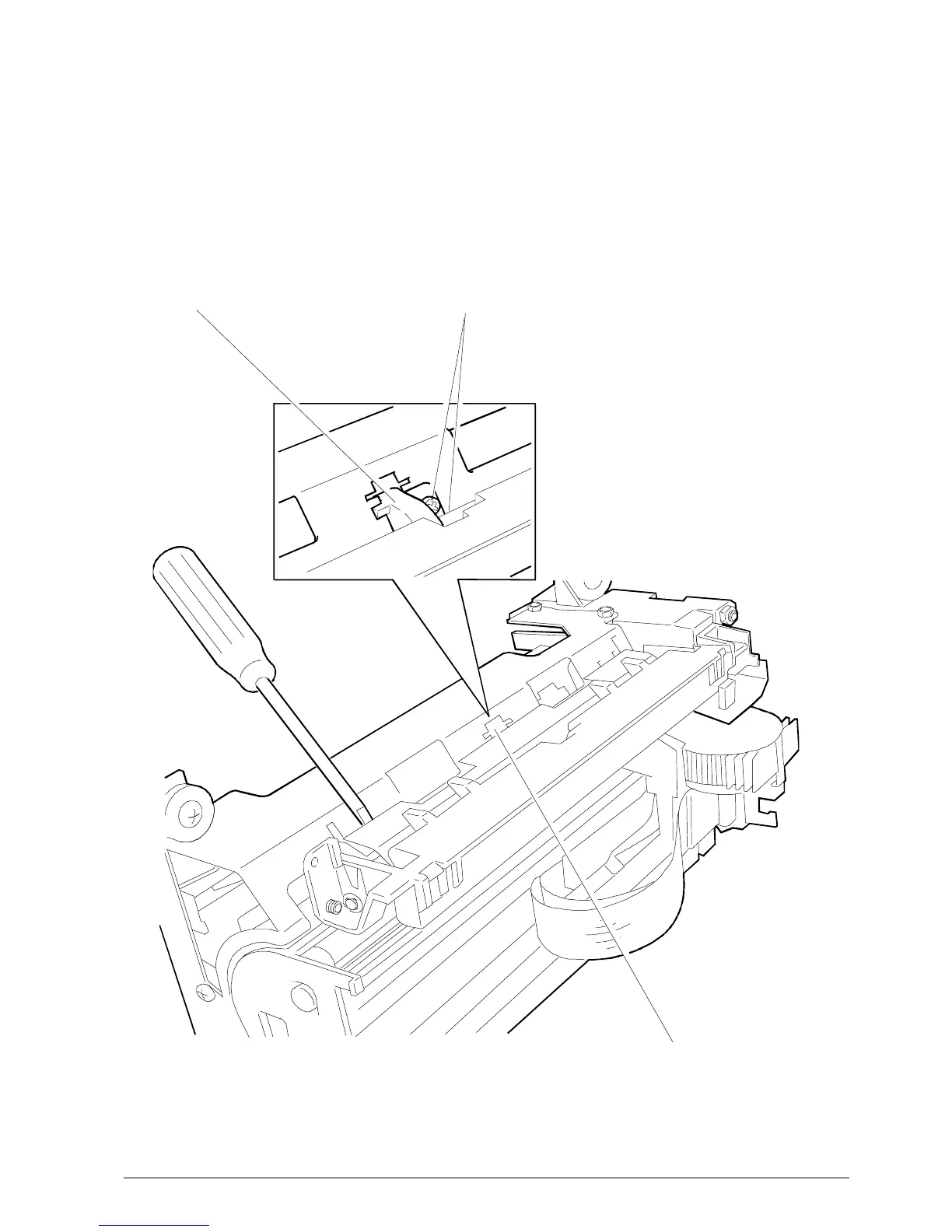
Fig. 5-12
5.10 REMOVING THE SLIP DETECTION
PHOTOSENSORS
• Remove the case (Section 5.2).
• Remove the print assembly (Section 5.4).
• Remove the paper guide plate in order to be able to
access the photosensor assembly.
PROCEED VERY CAREFULLY.
• Remove the assembly by unscrewing the securing
screw shown in the figure.
Note: The photosensor assembly must be adjusted
with respect to the platen as explained in the
section Adjusting the Photosensors
(Section 6.6.1).
PLATE
PR4
SECURING SCREW
SLIP DETECTION
PHOTOSENSORS



 To Next Page