XYAA6338 Service Manual 3-1
3. FUNCTIONAL CHECKS
3.1 LEDS
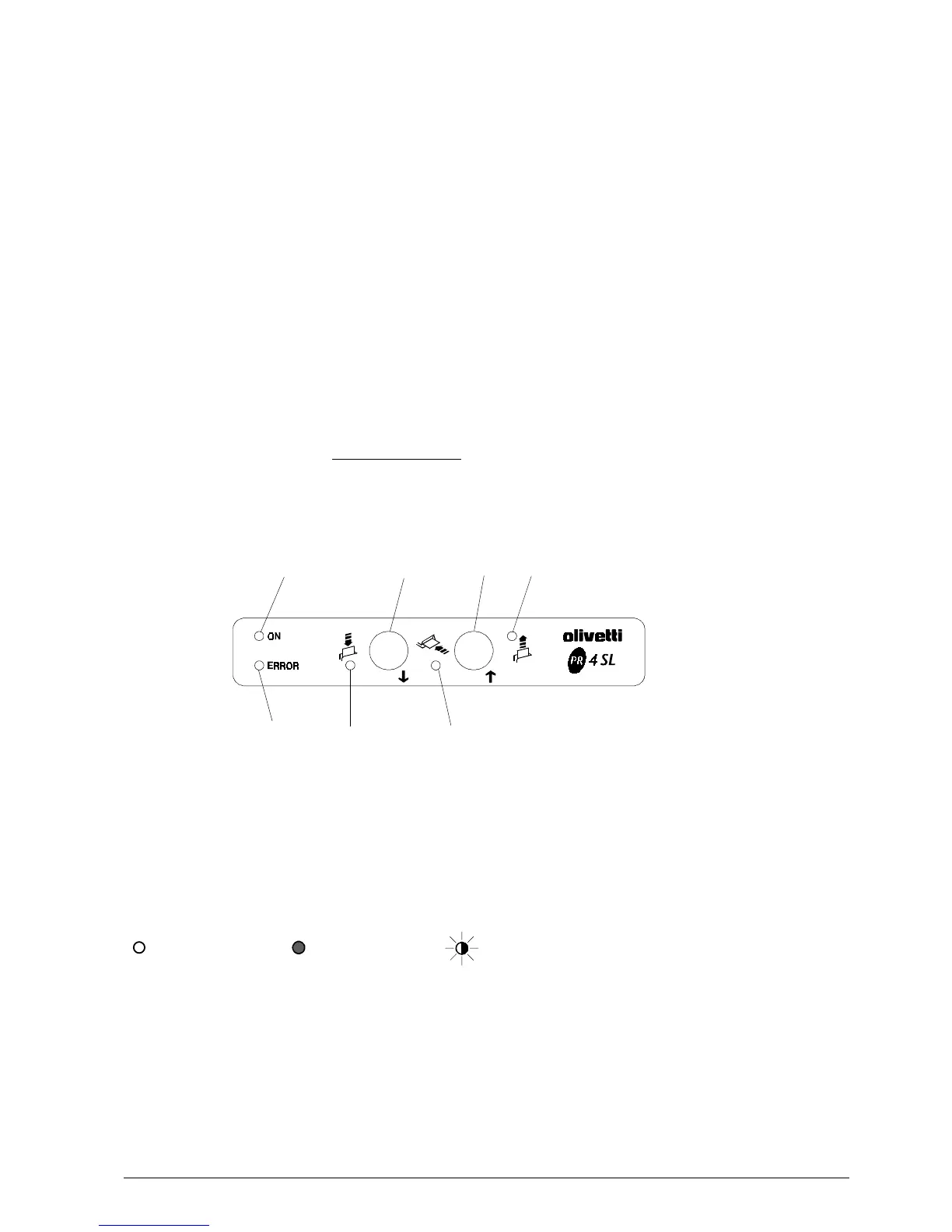
There are five LEDs on the console indicating,
respectively:
LED 1 - ON When on, indicates that the printer is powered.
LED 2 - error When on, indicates that the printer crashed.
When flashing, indicates a mechanical error.
(*)
LED 3 When on, indicates that the printer is waiting for a form to be inserted from the top.
LED 4 When on, indicates that the printer is waiting for a form to be inserted from the front.
LED 5 When on, indicates that a form was expelled from the top or from the front and has not
yet been removed.
(*) Also see the section entitled
Console Indications
, which explains the error conditions signaled by the LEDs
(errors or malfunctions) and gives the appropriate corrective actions.
LED 2
LED 1
LED 4
CONSOLE
LED 5 (SLIP)
Each LED on the console can indicate a condition in any one of the following ways:
off
on flashing
The way in which the five LEDs come on indicates the different failures (errors or malfunctions).
LED 3
Fig. 3-1
KEY 1 KEY 2



 To Next Page