XYAA6338 Service Manual 6-5
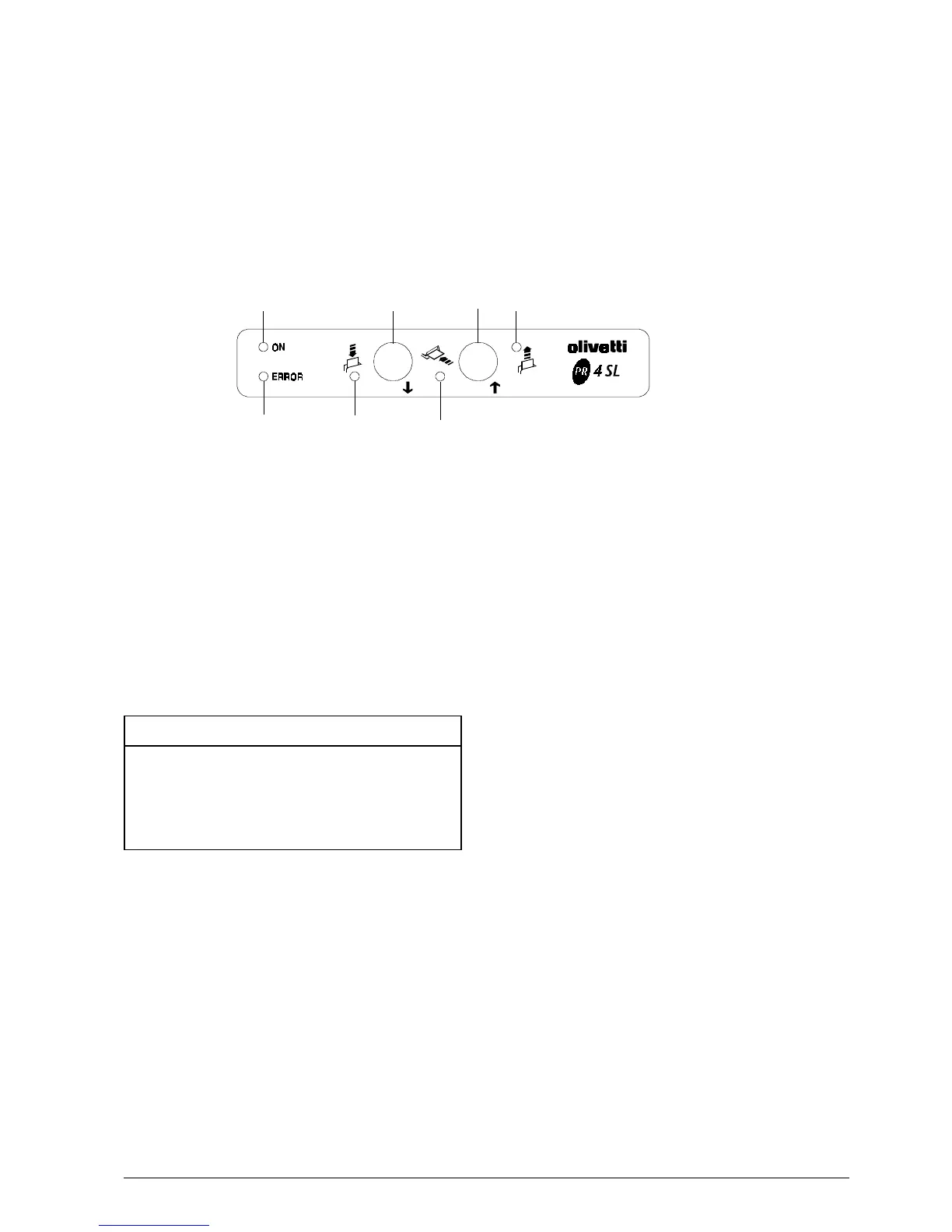
Fig. 6-7
LED 4
Key 5
Key 2
6.7 ADJUSTMENT MENU
To enter into the Adjustment Menu follow the
instructions explained in Section 4.
After the mechanical reset performed once the menu
is entered, the console will assume the following
configuration:
LED 2 ON
LED 3 OFF
LED 4 OFF
The adjustment mode can be accessed by pressing key
2 (OK); an acoustic signal will sound to indicate when
the printer is in this mode.
The keys have the following functions
Key 1 (left) ___________ SKIP
Key 2 (right) _________ OK
An acoustic signal will sound and the configuration of
the LEDs will change each time key 2 (OK) is pressed,
as indicated in the following table:
LED 2 LED 3 Adjustment
ON ON Photosensors
ON OFF Micr
OFF ON Carriage
OFF OFF Exit
LED 1
LED 2 LED 3
Key1



 To Next Page