© 2011 Omnicell, Inc. External Return Bin Installation and Service Guide/67-2038 Rev D
Installation Instructions 2-5
Setup
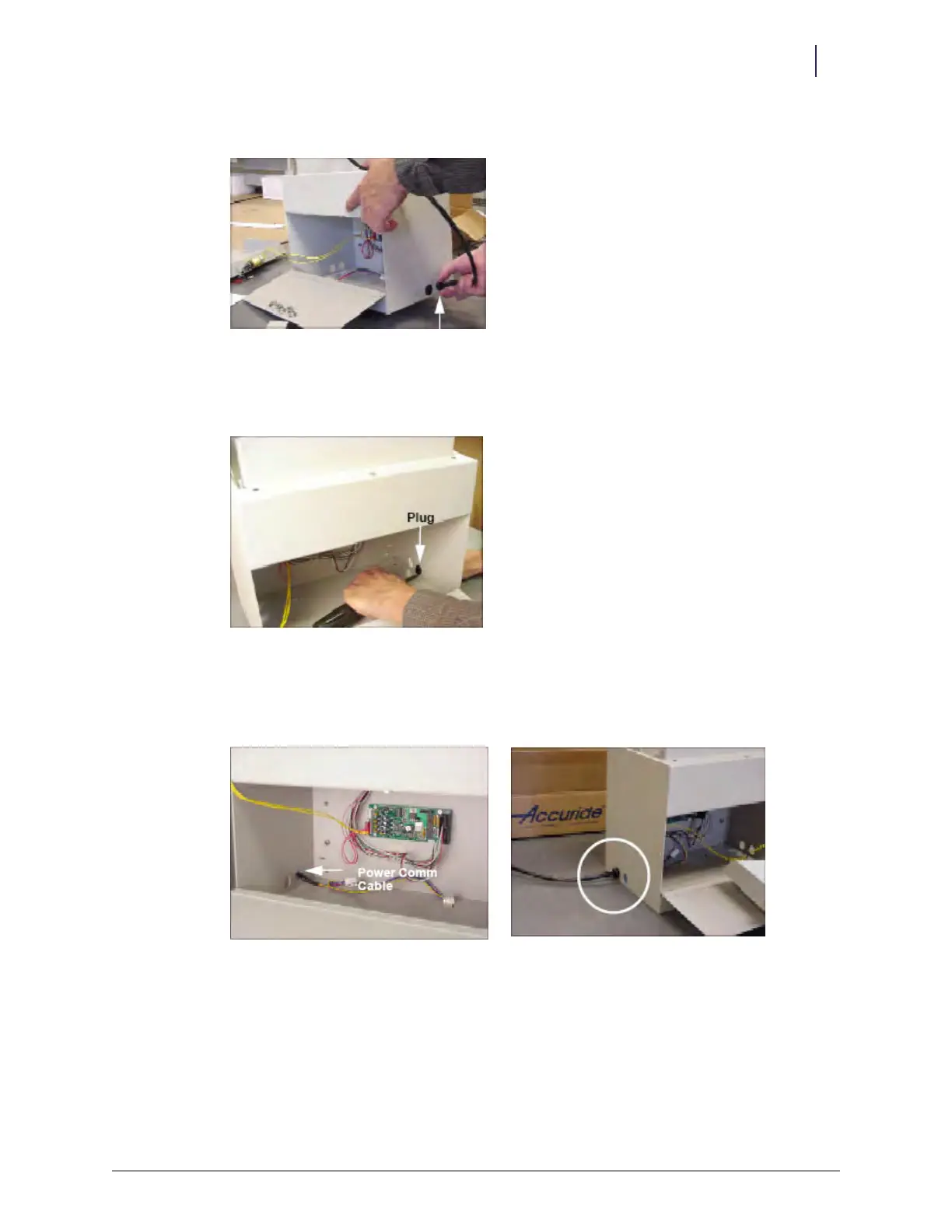
8. Remove the gray PowerCom cable from the right side of the ERB and set it aside.
Figure 2-11. Removing the PowerCom cable
9. Squeeze and pull the black grommet to remove it from the opening.
10. Remove the black plug cover by pushing against the groove from the inside with a screwdriver.
Figure 2-12. Removing the plug cover
11. Thread the PowerCom cable through the rear cutout on the opposite side of the ERB. The
correct orientation of the cable assembly exiting from the left side of the ERB is shown in the
figure below.
Figure 2-13. PowerCom cable routing



 To Next Page