EasyManua.ls Logo

Omron BU100RS - Page 53

Omron BU100RS
102 pages
Print Icon
To Next Page IconTo Next Page
To Previous Page IconTo Previous Page
Loading...
3 Check and start operation
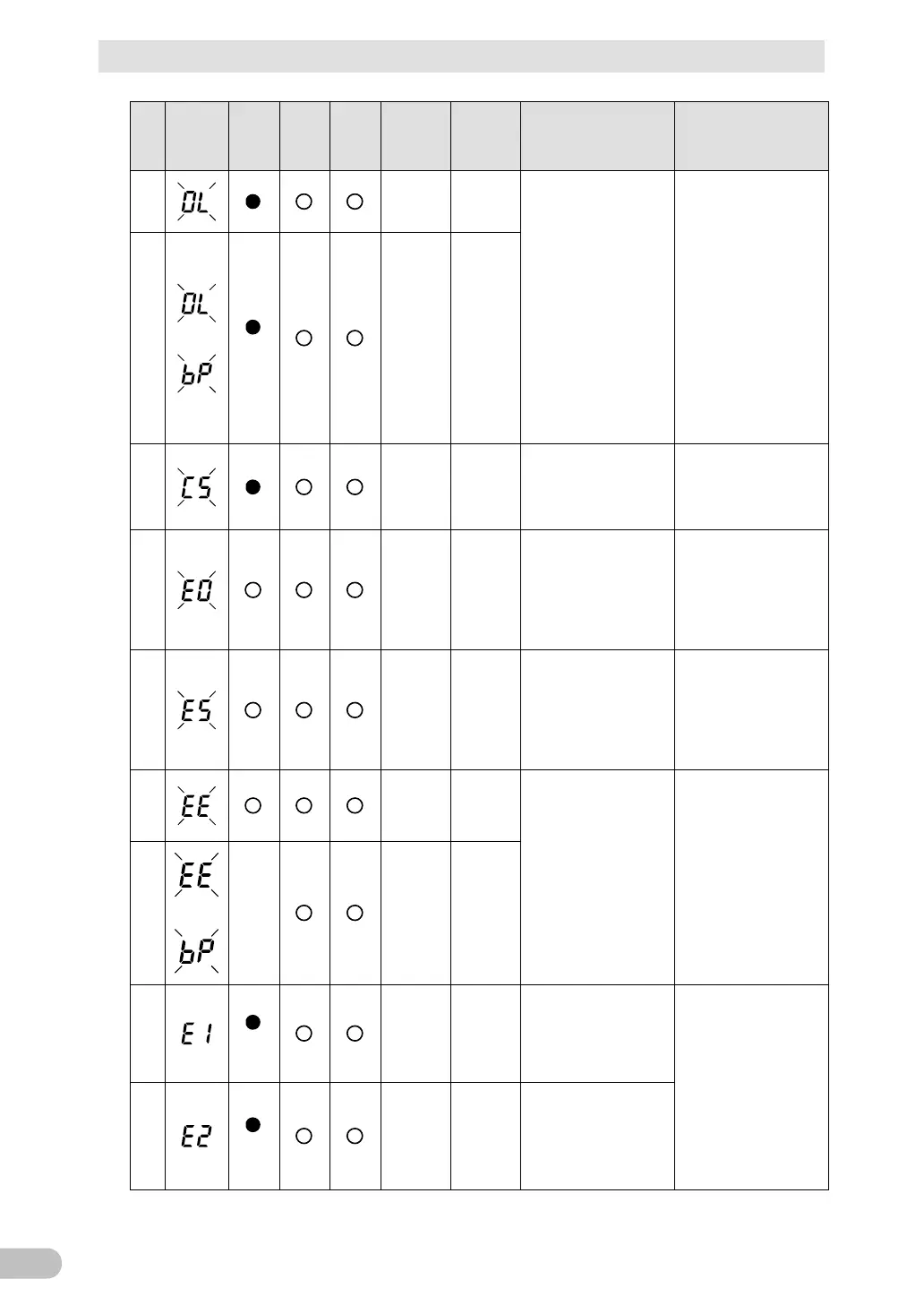
3-4 Interpreting beeps and displays
BU100RS
52
No.
Status
indicator
Power
supply
output
LED
Battery
mode
LED
Battery
replace
ment
LED
Beep Charging Description Solution
19
Intermittent
0.5-second
intervals
ON
Discharging
There are too many
connected devices and
the rated capacity is
exceeded. If this state
continues for as long as
or longer than the times
described below,
commercial power
continues to be supplied
through bypass
operation (Note 1)
When connection
capacity is at 110% or
higher: Bypass
operation begins
promptly.
Reduce the number of
connected devices until
the display appears as
in status No. 4
20
blinking
bypass
Intermittent
0.5-second
intervals
ON
Discharging
21
OFF OFF
Battery charge stopped
because the battery
ambient temperature of
40°C or higher was
detected.
Lower the ambient
temperature to less than
40°C.
22
Continuous
---
(Note 2)
Output stopped due to
exceeded connection
capacity.
Turn OFF the power
switches of all devices
connected to the unit
reduce the number of
connected devices, and
turn the “Power” switch
back ON again.
23
Continuous
---
(Note 2)
Check that the
connection capacity has
not exceeded the rated
capacity.
Check that the AC input
of connected devices is
not short-circuited, or
that the connection
capacity does not
exceed the rated
capacity.
24
Continuous OFF
Failure occurred. When
the Buzzer
Pause/Test switch is
pressed, the details of
the error are displayed
(No. 26 to 33).
Please follow the each
solution of No. 26 to 33
in accordance with the
display.
25
blinking
---
(N ote 2)
Continuous
---
(Note 2)
26
bypass
Continuous
---
(Note 2)
Switched to bypass
operation due to
abnormal rise in output
voltage. (Note 1).
Turn OFF this unit and
all connected devices.
Then, turn the “Power”
switch back ON for this
unit only. If the display
does not change, there
is a problem with this
unit. Contact the shop of
purchase or our
Electronic Systems &
Equipments Customer
Support Center.
27
bypass
Continuous
---
(Note 2)
Switched to bypass
operation due to
abnormal drop in output
voltage. (Note 1).

Table of Contents

Related product manuals