120
Maintenance Section 7-4
7-4 Maintenance
This section describes the routine cleaning and inspection recommended as
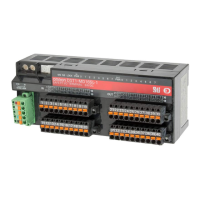
regular maintenance. Handling methods when replacing the DST1-series
Safety I/O Terminals are also explained here.
7-4-1 Cleaning
Clean the DST1-series Safety I/O Terminals regularly as described below to
keep the network in optimal operating condition.
• Wipe the DST1-series Safety I/O Terminals with a dry, soft cloth for regu-
lar cleaning.
• When dust or dirt cannot be removed with a dry cloth, dampen the cloth
with a neutral cleanser (2%), wring out the cloth, and wipe the DST1-
series Safety I/O Terminals.
• Smudges may remain on the DST1-series Safety I/O Terminals from gum,
vinyl, or tape that was left on for a long time. Remove these smudges
when cleaning.
Note Never use volatile solvents, such as paint thinner or benzene, or chemical
wipes to clean the DST1-series Safety I/O Terminals. These substances may
damage the surface of the DST1-series Safety I/O Terminals.
7-4-2 Inspection
Inspect the system periodically to keep it in optimal operating condition.
In general, inspect the system once every 6 to 12 months, but inspect more
frequently if the system is used in high-temperature, humid, or dusty condi-
tions.
Inspection Equipment
Prepare the following equipment before inspecting the system.
Equipment Required for Regular Inspection
Phillips screwdriver
A flat-blade screwdriver
A screwdriver for connecting communications connectors
A tester (or a digital voltmeter)
Industrial alcohol and a clean cloth
Other Equipment That May Be Required
A synchroscope
An oscilloscope
A thermometer or hygrometer


 To Next Page
 Loading...