EasyManua.ls Logo

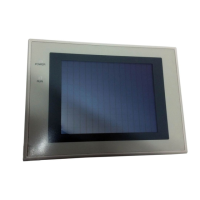
Omron NT31 - User Manual

Omron NT31
707 pages
Print Icon
To Next Page IconTo Next Page
Loading...
Cat.No. V043–E1–2
Programmable Terminal
NT31/31C
OPERATION MANUAL

Table of Contents

Other manuals for Omron NT31

Questions and Answers

  • J
    John PatelSep 18, 2025
    Why has the PLC mode changed to the monitor mode on my Omron NT31 Touch terminals?
    • A
      alicia93Sep 18, 2025
      This is an NT31/NT31C specification. When using a PLC that can also be connected using the NT Link method, use an NT Link connection (there is no mode change with the NT Link method).
  • A
    Adam BookerSep 18, 2025
    Why is the Omron NT31 touch panel not responding?
    • J
      Julia PerrySep 18, 2025
      If the Omron Touch terminal touch panel isn't responding, the issue might be external noise. Grounding work may resolve this. If grounding doesn't help, test the touch panel using the 'I/O Check' function in the MAINTENANCE MODE menu. If there's an error, it may indicate a broken touch panel.
  • P
    Pamela RamirezSep 18, 2025
    How to troubleshoot Omron NT31 when it cannot communicate with the Support Tool?
    • M
      mitchellwatsonSep 18, 2025
      If your Omron Touch terminals cannot communicate with the Support Tool, ensure the Transmit mode has been established by displaying the System Menu and selecting the Transmit mode. Check the connector cable installation, and verify that the PT model setting and direct connection setting in the Support Tool match the NT31/NT31C settings, using the “PT Configuration” settings of the Support Tool.
  • M
    Megan CarneySep 22, 2025
    What does '[Screen Data Error]' mean on Omron NT31 and how to fix it?
    • J
      Julie PetersonSep 22, 2025
      The '[Screen Data Error]' message on your Omron Touch terminals indicates that the screen data is corrupted, possibly because the power was switched OFF during screen data initialization, checking, or transmission, or that illegal data has been written to the screen data memory. Initialize the screen data memory via the System Menu, and then re-transmit the screen data.
  • P
    Paul RobinsonSep 22, 2025
    How to fix a dim display on Omron Touch terminals?
    • P
      Patricia JamesSep 22, 2025
      If the display on your Omron Touch terminals is dim, it may be due to insufficient contrast or brightness. Try increasing the contrast or brightness. Alternatively, the backlight might be defective or its life has expired, requiring a backlight replacement.
  • S
    Sarah GarnerSep 22, 2025
    What does '[Memory Table No. Error]' mean on Omron NT31 and how do I fix it?
    • M
      maurice54Sep 22, 2025
      The '[Memory Table No. Error]' message on your Omron Touch terminals indicates that the memory table number set with the Support Tool is outside the range for the number of memory tables set in the system memory. Either increase the number of memory tables in the “System” settings under “PT Configuration” at the Support Tool, or set the memory table number again within the established range.
  • S
    swolfSep 22, 2025
    What does '[No Comm. Protocol]' mean on Omron NT31 and how to solve it?
    • E
      Ethan JohnsonSep 22, 2025
      The '[No Comm. Protocol]' message on your Omron Touch terminals indicates that no communication protocol has been set, or the communication protocol and screen data type are mismatched. Using the memory switches, set the communication method to be used for communication with the host.
  • A
    albert05Sep 23, 2025
    What does '[Memory Switch Corrupted]' mean on Omron NT31 Touch terminals and how can I solve it?
    • R
      rodriguezmelindaSep 23, 2025
      The '[Memory Switch Corrupted]' message on your Omron Touch terminals indicates that the memory switches have been initialized due to discovery of an error in the memory switch settings. Set the memory switches again using the System Menu and the “System” settings under “PT Configuration” at the Support Tool.
  • L
    Lisa EllisSep 23, 2025
    What does '[No Screen Data]' mean on Omron Touch terminals and how to resolve it?
    • J
      Joe YoungSep 23, 2025
      The '[No Screen Data]' error on your Omron Touch terminals means that no screen data is registered. To resolve this, transmit screen data from the Support Tool.
  • D
    Derek CunninghamSep 23, 2025
    Why is the buzzer sounding and the RUN LED off on my Omron NT31 Touch terminals?
    • D
      Dawn RichardsSep 23, 2025
      If the buzzer has sounded and the RUN LED is OFF on your Omron Touch terminals, it may be due to malfunction caused by external noise. Try grounding the device.

Omron NT31 Specifications

General IconGeneral
Display TypeSTN LCD
Touch PanelAnalog resistive
Communication InterfaceRS-232C, RS-422/485
Power Supply24 VDC
Operating Temperature0 to 50 °C
Storage Temperature-20 to 60 °C
Display Size5.7 inch
Resolution320 x 240 pixels
CPU32-bit RISC
Humidity10 to 90% RH (non-condensing)
Shock Resistance15 G for 11 ms
Protection classIP65 (front panel)

Related product manuals