EasyManua.ls Logo

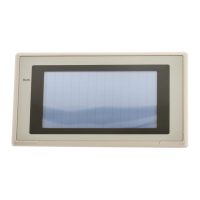
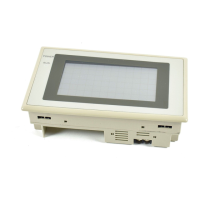
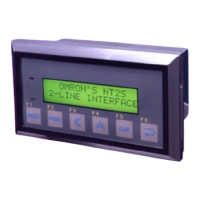
Omron NT31 - User Manual

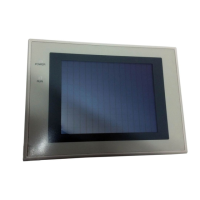
Omron NT31
707 pages
Print Icon
To Next Page IconTo Next Page
Loading...
Cat.No. V043–E1–2
Programmable Terminal
NT31/31C
OPERATION MANUAL

Table of Contents

Other manuals for Omron NT31

Questions and Answers

  • G
    gestradaSep 15, 2025
    What does '[Calendar Data Error] Calendar Data is incorrect' mean on Omron Touch terminals?
    • D
      Dylan FloydSep 15, 2025
      If your Omron Touch terminal displays the message '[Calendar Data Error] Calendar Data is incorrect', it could be due to a hardware fault or system program error. Set the calendar clock again from the System Menu. If the problem recurs, delete the program in the System Installer mode, then re-install the program.
  • A
    Andrea HaleSep 15, 2025
    What does '[Tool Transmit Error] Error detected while downloading' mean on Omron NT31 Touch terminals?
    • C
      Colleen CollinsSep 16, 2025
      If your Omron Touch terminal displays the message '[Tool Transmit Error] Error detected while downloading', it could be due to a defective connecting cable, so check the cable connection and perform a conductivity test, replacing the cable if there's a fault. Malfunction due to external noise is another possibility, so carry out grounding work.
  • H
    Helen HarrellSep 16, 2025
    What does '[Tool Transmit Error] Check Sum Error occurs while downloading' mean on Omron NT31 Touch terminals?
    • K
      knappcherylSep 16, 2025
      If your Omron Touch terminal displays the message '[Tool Transmit Error] Check Sum Error occurs while downloading', it might be due to malfunction caused by external noise. Carry out grounding work.
  • N
    Natalie LunaSep 16, 2025
    What does '[Tool Transmit Error] Time-out Error occurs while downloading' mean on Omron Touch terminals?
    • J
      Jimmy WilsonSep 16, 2025
      If your Omron Touch terminal displays the message '[Tool Transmit Error] Time-out Error occurs while downloading', it could be due to a defective connecting cable. Check the cable connection and perform a conductivity test. If there is a fault, replace the cable.
  • A
    Alan RichmondSep 16, 2025
    What does '[Tool Transmit Error] Reception was failed by Buffer Over Flow Error' mean on Omron NT31 Touch terminals?
    • D
      David BlevinsSep 16, 2025
      If your Omron Touch terminal displays the message '[Tool Transmit Error] Reception was failed by Buffer Over Flow Error', it means the receive buffer has overflowed. Retransmit the data from the Support Tool.
  • M
    melissa01Sep 17, 2025
    What does 'System Program not exist or incorrect' mean on Omron NT31 Touch terminals?
    • J
      James FoxSep 17, 2025
      If your Omron Touch terminal displays the message 'System Program not exist or incorrect', it means the system program has not been installed. Select 'Download System Program' and download the system program.
  • V
    Victoria GentrySep 17, 2025
    What does 'Unable to erase System Program' mean on Omron NT31 Touch terminals?
    • D
      Danielle CookSep 18, 2025
      If your Omron Touch terminal displays the message 'Unable to erase System Program', it indicates a hardware fault, or the flash memory (memory for storing the system program) has reached its life. If the same message is displayed on repeating selection of Download System Program and attempting to delete the system program several times, contact your OMRON service center.
  • T
    tsmithSep 18, 2025
    What does 'Unable to write System Settings' mean on Omron NT31 Touch terminals?
    • K
      Katherine FloresSep 18, 2025
      If your Omron Touch terminal displays the message 'Unable to write System Settings', it indicates a hardware fault, or flash memory (memory for storing the system program) has reached its life. If the same message is displayed on repeating writing of system settings several times, contact your OMRON service center. If writing is normally terminated after the error message was once displayed, the Memory Switch setting for the system program may have been altered. In such a case, check and re-set the setting in the Memory Switch menu of the Maintenance mode.
  • N
    Nathan TurnerSep 18, 2025
    What does 'Unable to erase Screen Data' mean on Omron NT31 Touch terminals?
    • N
      Natalie ZhangSep 18, 2025
      If your Omron Touch terminal displays the message 'Unable to erase Screen Data', it indicates a hardware fault, or flash memory (memory for storing the system program) has reached its life. If the same message is displayed on repeating screen data deletion several times, contact your OMRON service center.
  • T
    Timothy HaleSep 18, 2025
    Why is nothing displayed on the Omron Touch terminals screen?
    • J
      John FlowersSep 18, 2025
      If nothing is displayed on the Omron Touch terminals screen, it might be because Screen No. 0 has been read at the host side. Try changing the screen number. Alternatively, the system startup waiting time may not have elapsed yet; the display should appear after the waiting time is over.

Omron NT31 Specifications

General IconGeneral
Display TypeSTN LCD
Touch PanelAnalog resistive
Communication InterfaceRS-232C, RS-422/485
Power Supply24 VDC
Operating Temperature0 to 50 °C
Storage Temperature-20 to 60 °C
Display Size5.7 inch
Resolution320 x 240 pixels
CPU32-bit RISC
Humidity10 to 90% RH (non-condensing)
Shock Resistance15 G for 11 ms
Protection classIP65 (front panel)

Related product manuals