EasyManua.ls Logo

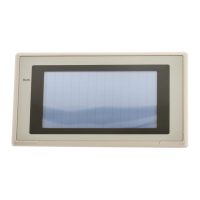
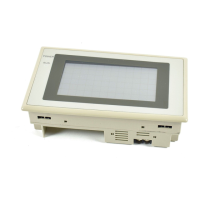
Omron NT31 - User Manual

Omron NT31
707 pages
Print Icon
To Next Page IconTo Next Page
Loading...
Cat.No. V043–E1–2
Programmable Terminal
NT31/31C
OPERATION MANUAL

Table of Contents

Other manuals for Omron NT31

Questions and Answers

  • G
    garciaronaldSep 23, 2025
    What does '[Calendar Data Error]' mean on Omron NT31 and how can I fix it?
    • B
      Brent VelasquezSep 23, 2025
      The '[Calendar Data Error]' message on your Omron Touch terminals indicates an error in the date/time values, possibly due to low battery voltage. Check the battery voltage by checking the color of the RUN LED and with the battery check in the System Menu; if the voltage is low, replace the battery with a new one. If the battery voltage is normal, set the calendar clock correctly from the System Menu.
  • J
    johnburnsSep 23, 2025
    What does '[Incorrect Screen Data]' mean on Omron Touch terminals and how to resolve it?
    • D
      Dr. Sonia ShermanSep 23, 2025
      The '[Incorrect Screen Data]' error on your Omron Touch terminals indicates that the type of registered screen data does not match that at the NT31/NT31C. Initialize the screen data memory, and then transmit the correct screen data.
  • J
    Jimmy StoneSep 23, 2025
    Why can't I input numeric values on my Omron NT31 Touch terminals?
    • K
      Katelyn BarreraSep 23, 2025
      If you cannot input numeric values on the Omron Touch terminals, the upper/lower (max./min.) limit check for numeric value input may be in effect. Check the screen data’s upper/lower (max./min.) limit check setting for numeric value input, and correct it if necessary.
  • A
    Angela MorseSep 23, 2025
    What does '[Backup Data Error]' mean on Omron NT31 Touch terminals?
    • H
      Heather DavisSep 23, 2025
      The '[Backup Data Error]' message on your Omron Touch terminals means initialization has been executed because of an error in the backup data area. Check the battery voltage by checking the color of the RUN LED and with the battery check in the System Menu; if the voltage is low, replace the battery with a new one. Re-transmit the memory table data from the Support Tool.
  • K
    kirstenriveraSep 23, 2025
    What does '[No Direct Connection Info.]' mean on Omron NT31 and how can I solve it?
    • A
      Anthony RogersSep 23, 2025
      The '[No Direct Connection Info.]' message on your Omron Touch terminals indicates that allocated words have not been set for the PT status control area and PT status notify area. Allocate words for the PT status control area and PT status notify area with the Support Tool and then transmit the direct connection information to the NT31/NT31C.
  • T
    Taylor LewisSep 23, 2025
    Why is the display too faint on my Omron NT31 Touch terminals?
    • S
      scotthenrySep 23, 2025
      If the display on your Omron Touch terminals is too faint, it's possible that the contrast is too high. Try reducing the contrast.
  • C
    christopher72Sep 23, 2025
    What does '[Address Setting Error]' mean on Omron Touch terminals?
    • R
      Rose CombsSep 23, 2025
      The '[Address Setting Error]' on your Omron Touch terminals indicates that the host side allocated words and bits set with the Support Tool are incorrect. Set correct words and bits after checking the area used at the host side.
  • K
    Kevin SmithSep 23, 2025
    What does '[Programming Console Error]' mean on Omron NT31 Touch terminals and how can I fix it?
    • T
      taylorpeterSep 23, 2025
      The '[Programming Console Error]' message on your Omron Touch terminals means that the communication settings are incorrect. Set the communication method/communication port as follows when using the programming console function: With C series PLC, use NT Link : 1 : 1; with CS1 series PLC, use NT Link : 1 : N.

Omron NT31 Specifications

General IconGeneral
Display TypeSTN LCD
Touch PanelAnalog resistive
Communication InterfaceRS-232C, RS-422/485
Power Supply24 VDC
Operating Temperature0 to 50 °C
Storage Temperature-20 to 60 °C
Display Size5.7 inch
Resolution320 x 240 pixels
CPU32-bit RISC
Humidity10 to 90% RH (non-condensing)
Shock Resistance15 G for 11 ms
Protection classIP65 (front panel)

Related product manuals