EasyManua.ls Logo

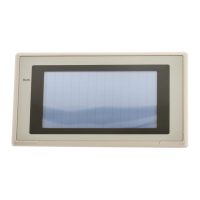
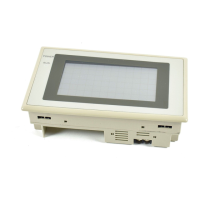
Omron NT31 - User Manual

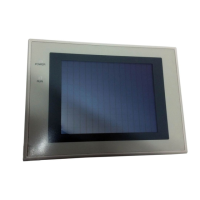
Omron NT31
707 pages
Print Icon
To Next Page IconTo Next Page
Loading...
Cat.No. V043–E1–2
Programmable Terminal
NT31/31C
OPERATION MANUAL

Table of Contents

Other manuals for Omron NT31

Questions and Answers

  • C
    craigrobinsonAug 29, 2025
    Why can't I input numeric values or character strings on my Omron Touch terminal?
    • S
      Steven MartinezAug 29, 2025
      If you cannot input numeric values/character strings on your Omron Touch terminal, bit 5 of the PT status control area (numeral/character string input) might be set to 1 (ON), or the interlock function is set for the input field and the controlling interlock bit is OFF. Set bit 5 to 0 (OFF). Inputs are prohibited in input fields when the corresponding interlock bit is OFF. Check the status of the corresponding interlock bit and turn it ON.
  • C
    Christopher StewartAug 29, 2025
    Why is the window screen not opening on my Omron Touch terminal?
    • S
      stephanie09Aug 29, 2025
      If the window screen does not open on your Omron Touch terminal, bit 6 of the PT status control area (PT window opening) might be set to 1 (ON). Set bit 6 to 0 (OFF).
  • M
    Maria EstradaAug 30, 2025
    Why can't I switch screens with touch switches on my Omron Touch terminal?
    • R
      Robert ThorntonAug 30, 2025
      If you cannot switch screens with touch switches on your Omron Touch terminal, bit 4 of the PT status control area (PT screen switching) might be set to 1 (ON). Set bit 4 to 0 (OFF).
  • P
    Pamela RamirezSep 18, 2025
    How to troubleshoot Omron NT31 when it cannot communicate with the Support Tool?
    • M
      mitchellwatsonSep 18, 2025
      If your Omron Touch terminals cannot communicate with the Support Tool, ensure the Transmit mode has been established by displaying the System Menu and selecting the Transmit mode. Check the connector cable installation, and verify that the PT model setting and direct connection setting in the Support Tool match the NT31/NT31C settings, using the “PT Configuration” settings of the Support Tool.
  • G
    garciaronaldSep 23, 2025
    What does '[Calendar Data Error]' mean on Omron NT31 and how can I fix it?
    • B
      Brent VelasquezSep 23, 2025
      The '[Calendar Data Error]' message on your Omron Touch terminals indicates an error in the date/time values, possibly due to low battery voltage. Check the battery voltage by checking the color of the RUN LED and with the battery check in the System Menu; if the voltage is low, replace the battery with a new one. If the battery voltage is normal, set the calendar clock correctly from the System Menu.
  • M
    Michael BellSep 12, 2025
    What does '[Screen Data Error] Screen Data corrupted. Initialize Screen Memory, and download Screen Data again' mean on Omron Touch terminals?
    • N
      Nicole PerezSep 12, 2025
      If your Omron Touch terminal displays the error message '[Screen Data Error] Screen Data corrupted. Initialize Screen Memory, and download Screen Data again,' it indicates that the power was switched OFF during screen data initialization, checking, or transmission; transmission of screen data was interrupted; or illegal data has been written to the screen data memory. Initialize the screen data memory by operation at the System Menu, then re-transmit the screen data. If the problem persists, contact your OMRON service center.
  • A
    Ann BellAug 31, 2025
    Why do the digits in numeral display come out as * on Omron Touch terminal?
    • W
      Wendy RiveraAug 31, 2025
      The digits in the numeral display come out as asterisks because the number of digits of a numeric value in a numeral memory table exceeds the set number. Confirm the values of the PLC words allocated to the numeral memory table. Allocate one PLC word to each numeral memory table.
  • R
    Robin RiveraAug 31, 2025
    Why is "**" or "***" displayed in the numeral display on my Omron Touch terminal?
    • M
      Maria HoffmanAug 31, 2025
      "**" or "***" is displayed in the numeral display or numeral input field because the numeric value in the numeral memory table exceeds the number of display digits. Check the values of the PLC words allocated to the numeral memory table entry. Allocate only one word to each numeral memory table entry if the numeral display or numeral input field has 4 digits or less.
  • C
    Carolyn BennettAug 31, 2025
    How to resolve 'No Comm. Protocol' error on Omron Touch terminal?
    • F
      fgarciaAug 31, 2025
      The '[No Comm. Protocol] Set the comm. Protocol by MAINTE- NANCE MODE' error appears because no communications protocol has been set or the communications protocol and screen data type are mismatched. Using the memory switches, set the communications method to be used for communications with the host.
  • A
    Amy HernandezSep 1, 2025
    How to fix 'Screen Data Error' on Omron Touch terminal?
    • L
      Lindsay StewartSep 1, 2025
      The '[Screen Data Error] Screen Data corrupted. Initialize Screen Memory, and download Screen Data again' error appears because the power was switched OFF during screen data initialization, checking, or transmission; transmission of screen data was interrupted; or illegal data has been written to the screen data memory. Initialize the screen data memory by operation at the System Menu, then re-transmit the screen data. If the problem persists, contact your OMRON service center.

Omron NT31 Specifications

General IconGeneral
Display TypeSTN LCD
Touch PanelAnalog resistive
Communication InterfaceRS-232C, RS-422/485
Power Supply24 VDC
Operating Temperature0 to 50 °C
Storage Temperature-20 to 60 °C
Display Size5.7 inch
Resolution320 x 240 pixels
CPU32-bit RISC
Humidity10 to 90% RH (non-condensing)
Shock Resistance15 G for 11 ms
Protection classIP65 (front panel)

Related product manuals