5. OPS PC Setup
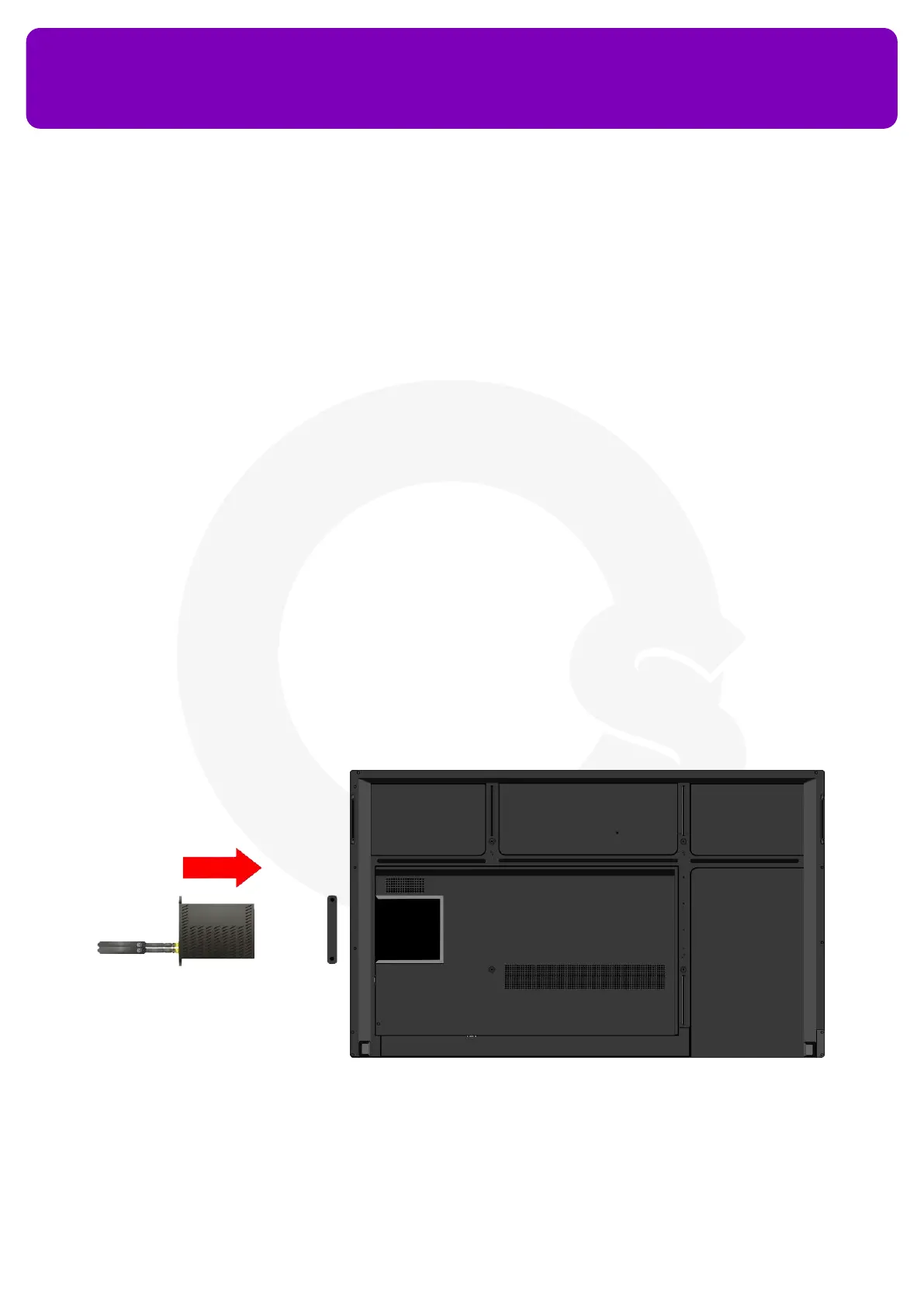
The OPS PC (Open Pluggable Source) is a small computer that can be inserted into your HL7 to access
Windows functionality on your OneScreen without the need to connect a PC externally using cables.
Follow the steps below to set-up the OPS PC on your OneScreen.
1. Remove the OPS PC Plate cover on the right side of the panel
2. Slide the OPS PC into the OPS PC Slot. Please ensure that the OPS PC vents are facing the backside of the
screen while inserting so the OPS may have proper ventilation during service
3. Press the Power Button labeled ‘PWR’ present next to the antenna ports of your OPS PC to power it on
4. Swipe up at the bottom - center of the screen
5. Press the ‘More’ Button
6. Press the ‘PC’ button to access the OPS PC input on your OneScreen HL7
OneScreen
HL7
7


 To Next Page