36
OneScreen
HL7
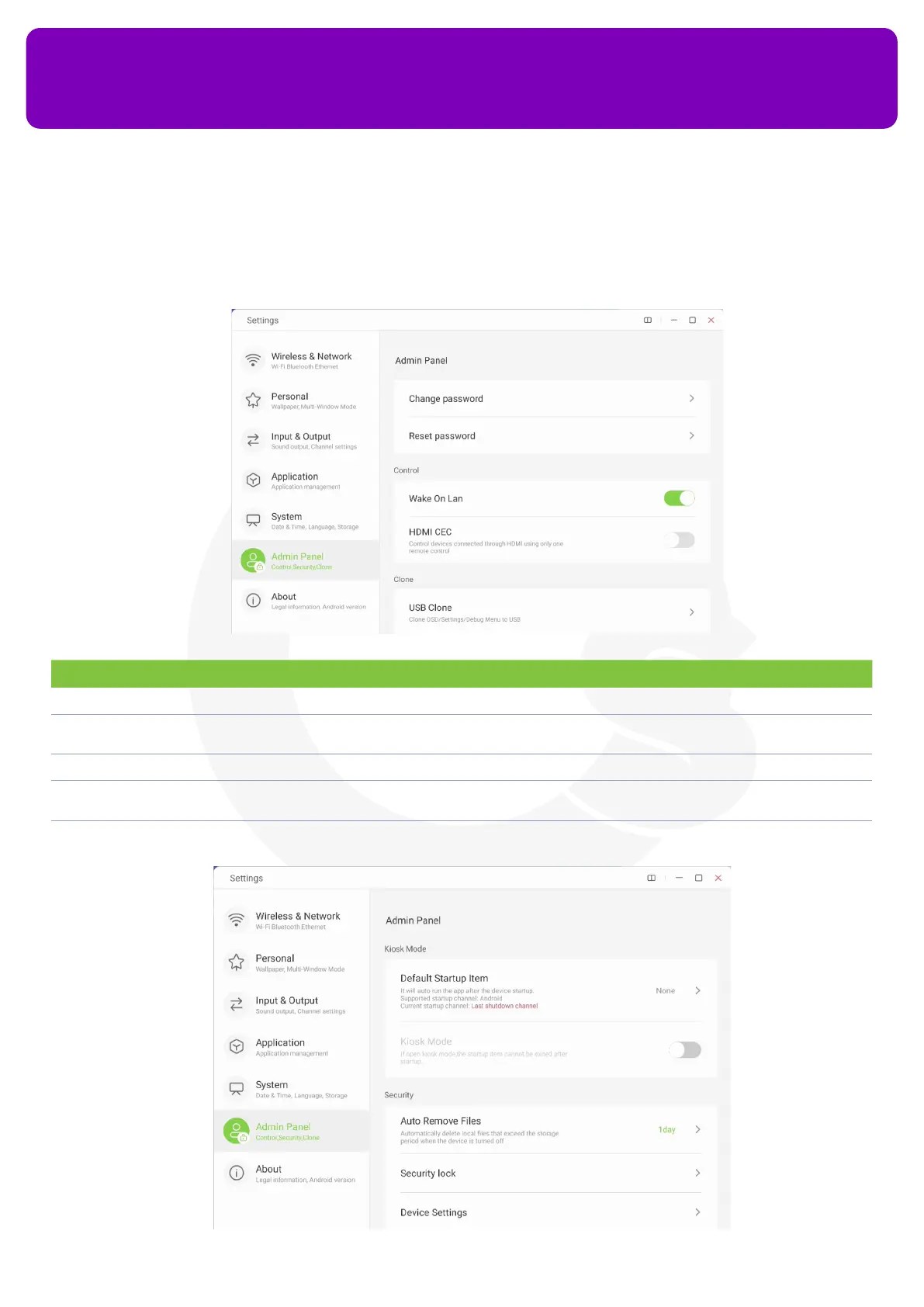
13.6 Admin Panel
This panel can only be accessed by the admin of the screen by typing in a password. It allows you to access
settings like USB Clone, Security Lock, Device Settings etc.
No. Description Function
1 Change Password You can change the password for your admin panel using this option
2 Reset Password Allows you to reset the password of your admin panel by typing in a master password that you can get
from OneScreen Support Team
3 Wake On LAN Turns your device on from standby whenever a LAN Cable is plugged i
4 HDMI CEC Allows you to control both your connected devices via HDMI having HDMI CEC Capability and OneScreen
through a single remote of your OneScreen
5 USB Clone Allows you to clone the settings of one panel and export them onto a USB. The settings can then be
imported to another panel to make a clone of the rst panel


 To Next Page