13
OneScreen
HL7
10. Connecting OneScreen HL7 with the Internet
You can connect your OneScreen HL7 to a Wi-Fi Network through Wi-Fi or an Ethernet Cable.
10.1 Connecting via Wi-Fi
10.2 Connecting via Ethernet Cable
Connect your device to a network using ethernet by simply plugging in an ethernet cable into the LAN-In
(RJ-45) Port located on the left side of your OneScreen. Once you have the cable connected, you will be able
to access the internet on your OneScreen.
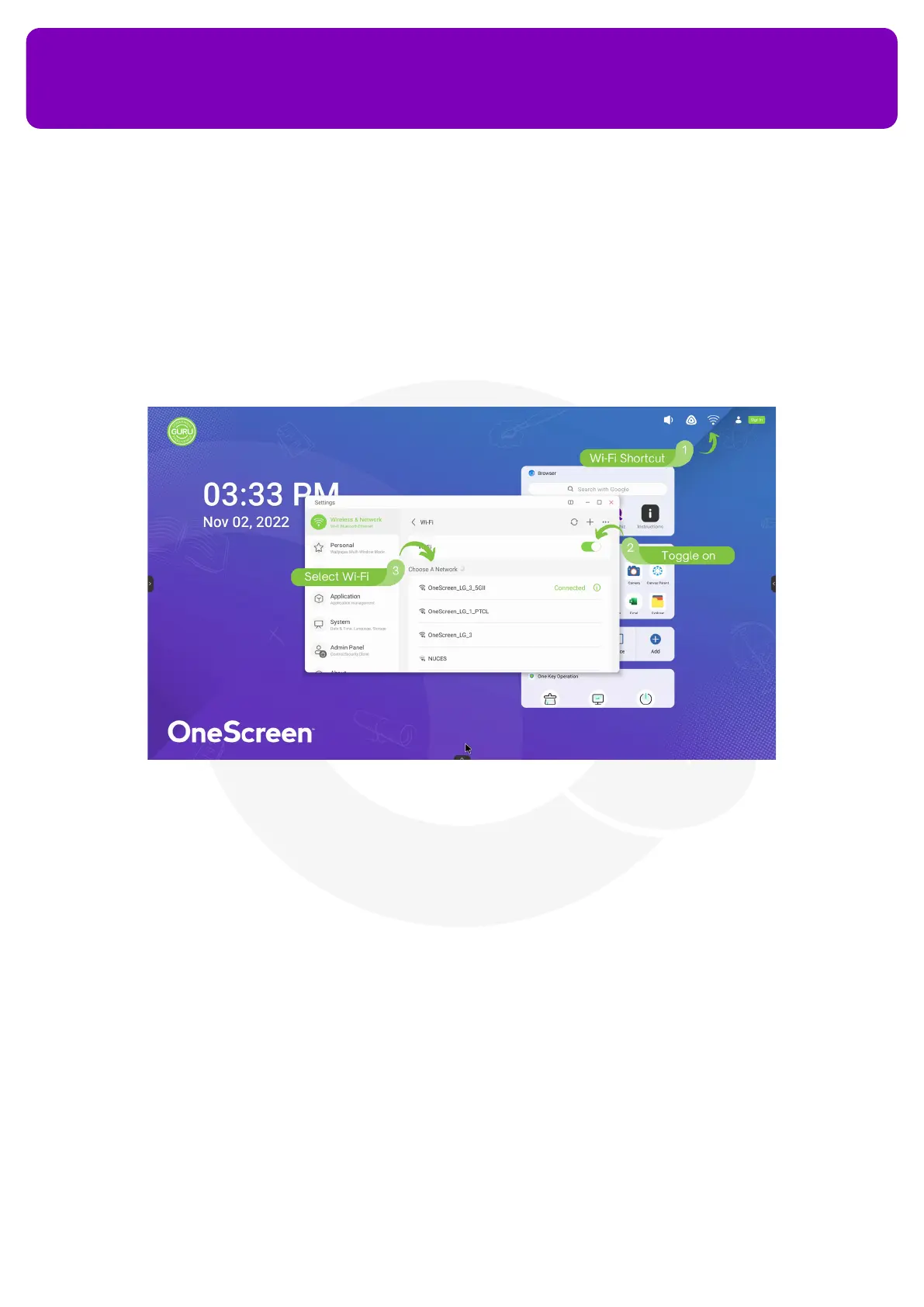
1. Press the Wi-Fi icon at the top right of your screen
2. Toggle on the Wi-Fi to see all the available networks
3. Select the network that you want to connect to
4. Enter the Password and press Connect


 To Next Page