OneScreen
HL7
11
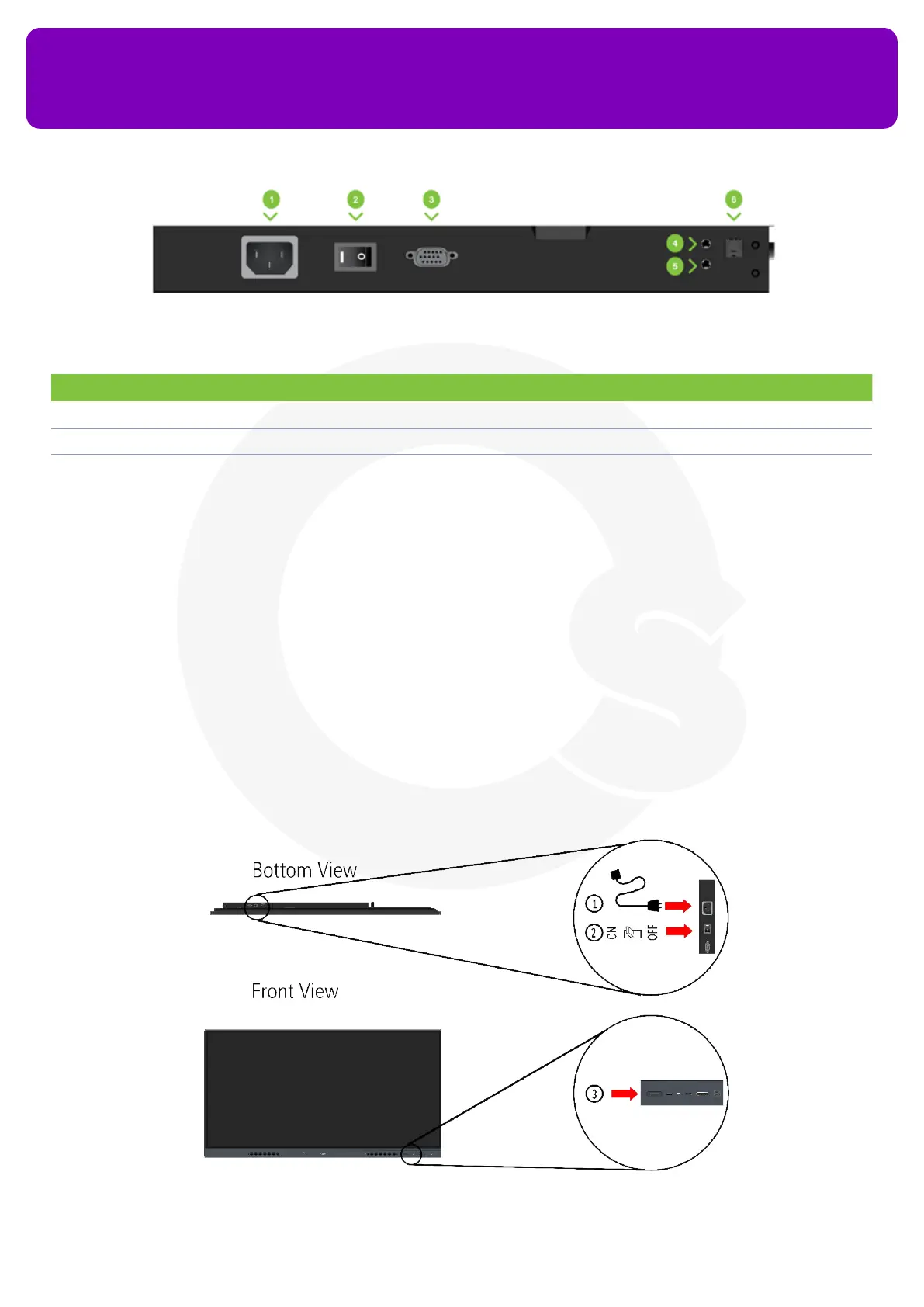
No. Description No. Description
1 Power Port 4 Audio In port
2 Power Switch 5 Audio Out port
3 VGA IN port 6 SPIDF port
Bottom Ports of OneScreen HL7
8. Turning on your OneScreen HL7
Follow the steps below to power on your OneScreen HL7:
1. Connect the power cable to the power inlet present at the bottom of your OneScreen
2. Turn on the power switch present right next to the power inlet
3. Press the power button on the bottom right of your OneScreen to power on your OneScreen HL7


 To Next Page