16
OneScreen
HL7
1. Press this button to edit your OneScreen Homepage widgets
2. Change the order of widgets
3. Add a widget to the Homepage
4. Remove a widget to the Homepage
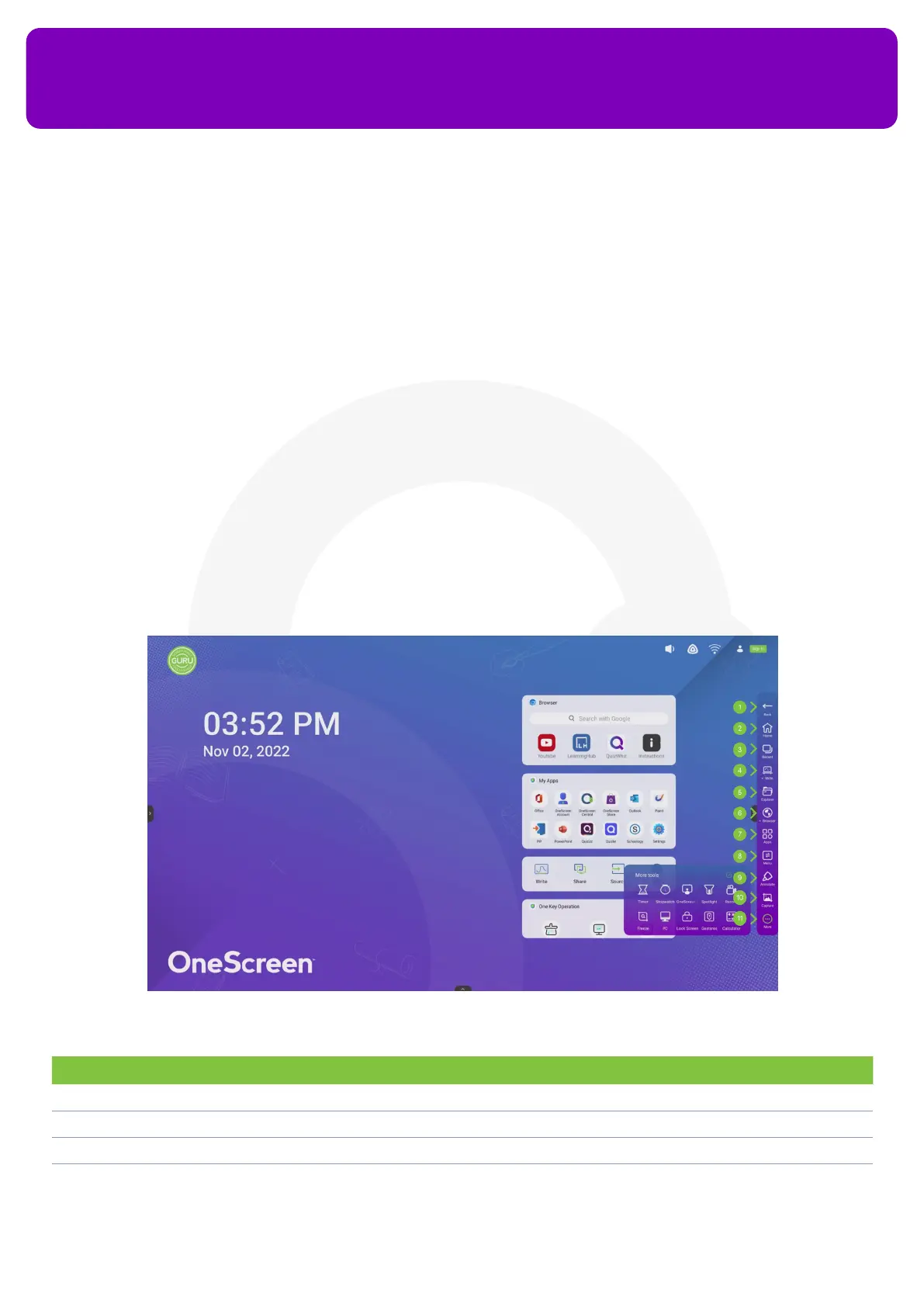
11.2 Navigation toolbar on your OneScreen HL7
The navigation bar on your OneScreen HL7 is accessible from both sides or the bottom of the display. Simply
tap on the arrow icons on the left and right side of your display to access the navigation bar on the sides or
tap the arrow icon on the bottom of your homepage to make the navigation bar pop up from the bottom of
your display.
No. Description Function
1. Back This takes you back to your previous window/app
2. Home Takes you to the Home Page of your OneScreen HL7
3. Recent To access all the applications running in the background of your OneScreen
4. Write Opens your OneScreen Write whiteboard to make annotations


 To Next Page