35
OneScreen
HL7
No. Description Function
1 Date & Time Allows you to change your date and time format, switch between automatic or manual, and select a
time zone for your device
2 Language &
Keyboard
You can choose between multiple languages for your device and switch your on-screen and physical
keyboards
3 Region Allows you to select the region of your device
4 Storage You can access your storage stats from here
5 System Update System updates allow you to update the rmware of your OneScreen HL7. You can choose between OTA
(Over the air) updates which allows you to download the updates via internet or Local updates allowing
you to update the rmware on your OneScreen through a USB containing the rmware les
6 Eye Protection Mode You can toggle it on to add a yellow tint to your display for enhanced eye protection
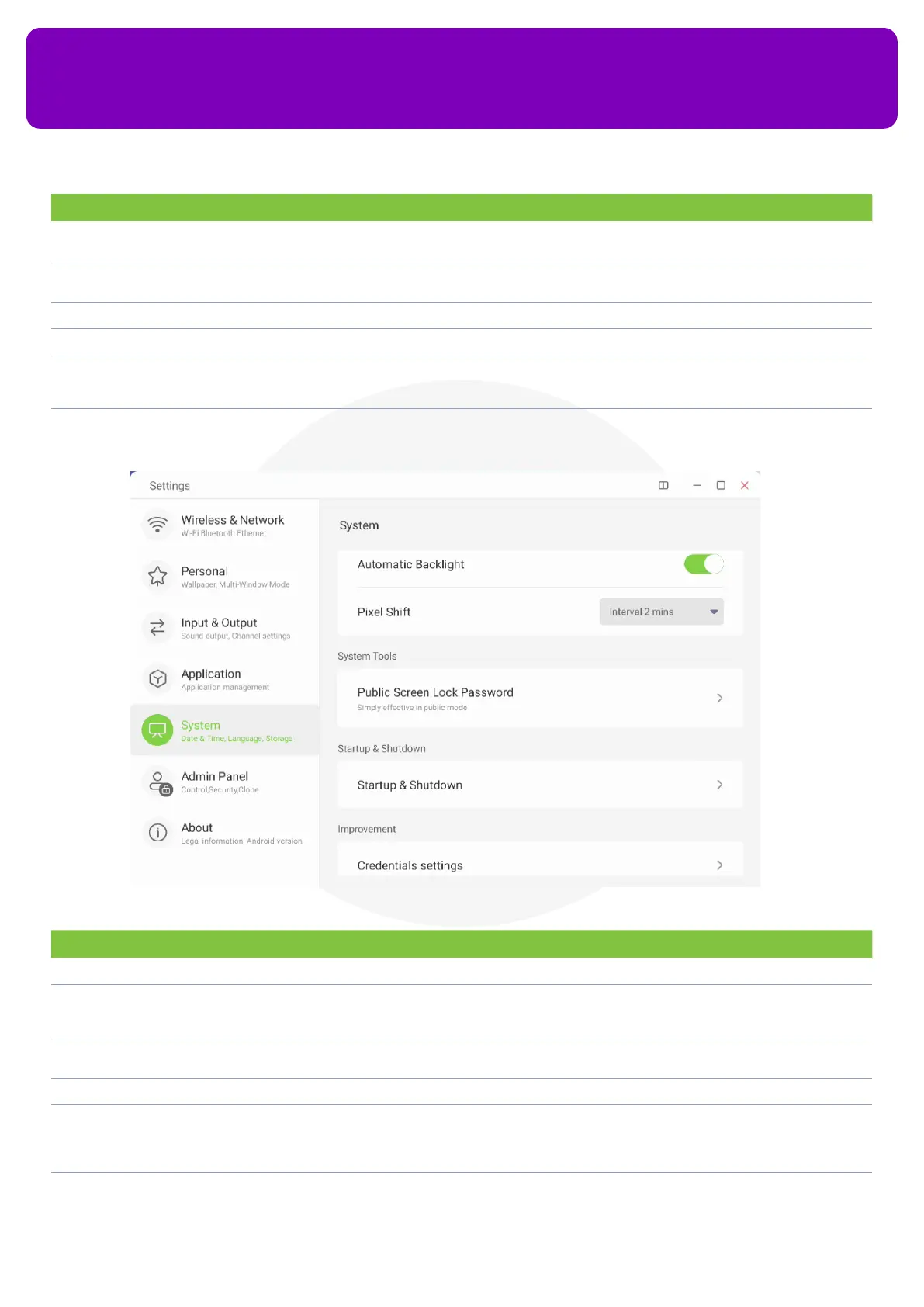
No. Description Function
7 Automatic Backlight It allows your screen to adjust its brightness according to the room’s lighting conditions
8 Pixel Shift This option allows your pixels to shift according to the usage conditions to enhance the HL7 panel
life and to avoid the possibility of color burning (recommended for users who run static content for
prolonged hours)
9 Public Screen Lock
Password
Allows you to put a password on your screen. Users cannot access the screen without putting in the
password
10 Email You can add your email account here to log into all the apps that require email login
11 Startup & Shutdown You can congure your startup channel, enable your screen to on standby after starting up, change your
boot logo and animation, turn on energy saving settings such as Auto Standby and Auto Power O, Turn
Power O reminders on and schedule your screen to turn o or turn on at a specied time via Add Boot
Task and Add O Task
12 Credentials Settings Allows you to see your trusted credentials, your user credentials and install certicates from your
screen’s storage


 To Next Page