User Manual
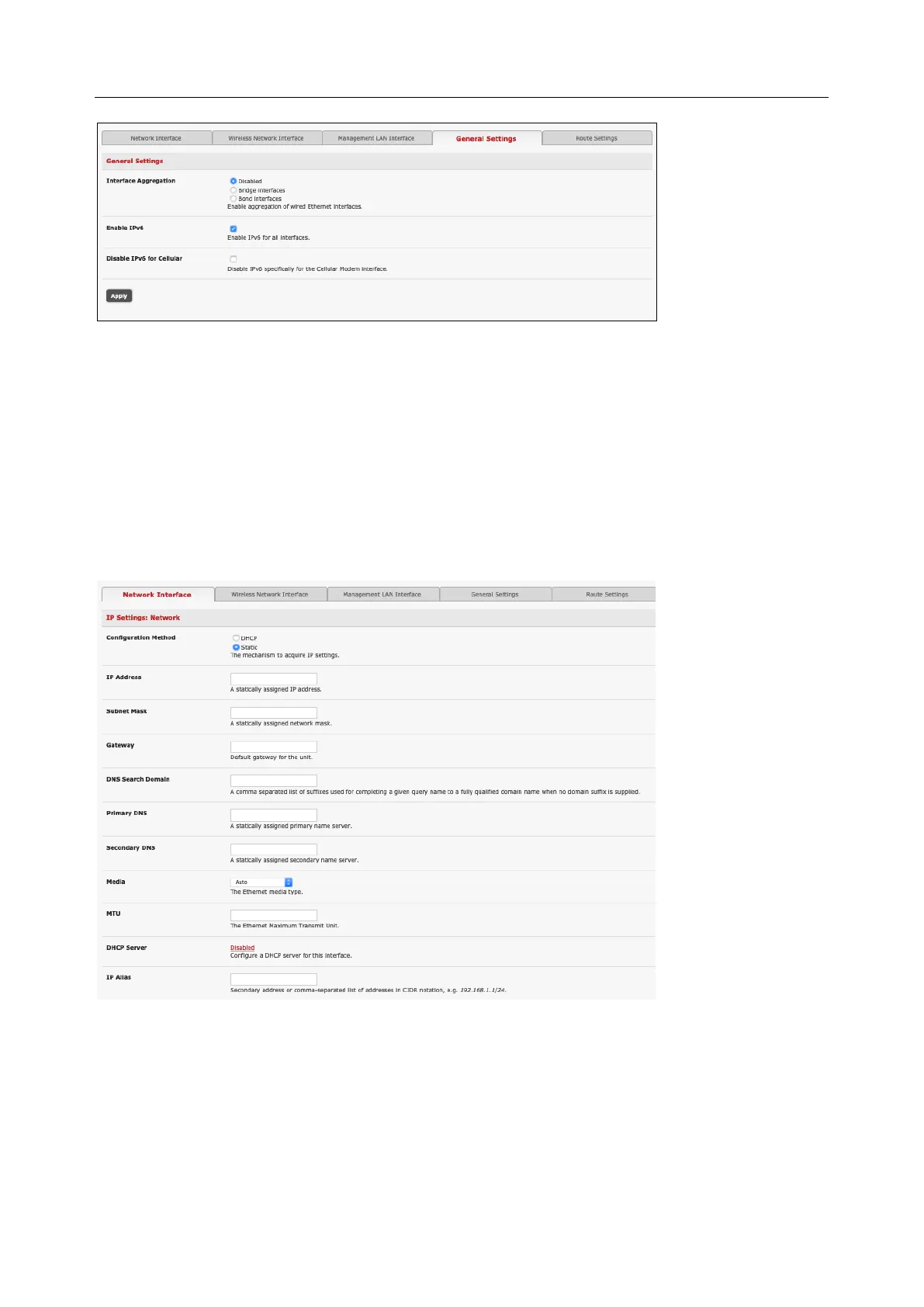
• By default, Interface Aggregation is disabled on the System > IP > General Settings menu
• Select Bridge Interfaces or Bond Interfaces
o When bridging is enabled, network traffic is forwarded across all Ethernet ports with no
firewall restrictions. All the Ethernet ports are all transparently connected at the data link
layer (layer 2) so they retain their unique MAC addresses
o With bonding, the network traffic is carried between the ports but present with one MAC
address
Both modes remove all the Management LAN Interface and Out-of-Band/Failover Interface
functions and disable the DHCP Server
• In aggregation mode all Ethernet ports are collectively configured using the Network Interface
menu
2.6.5 Wi-Fi Wireless LAN
To activate and configure the Wireless Access Point functionality, navigate to the System > IP page. Click
the Wireless Network Interface tab. Uncheck the Disable box.


 To Next Page