Chapter 3: Serial Port, Device and User Configuration
58
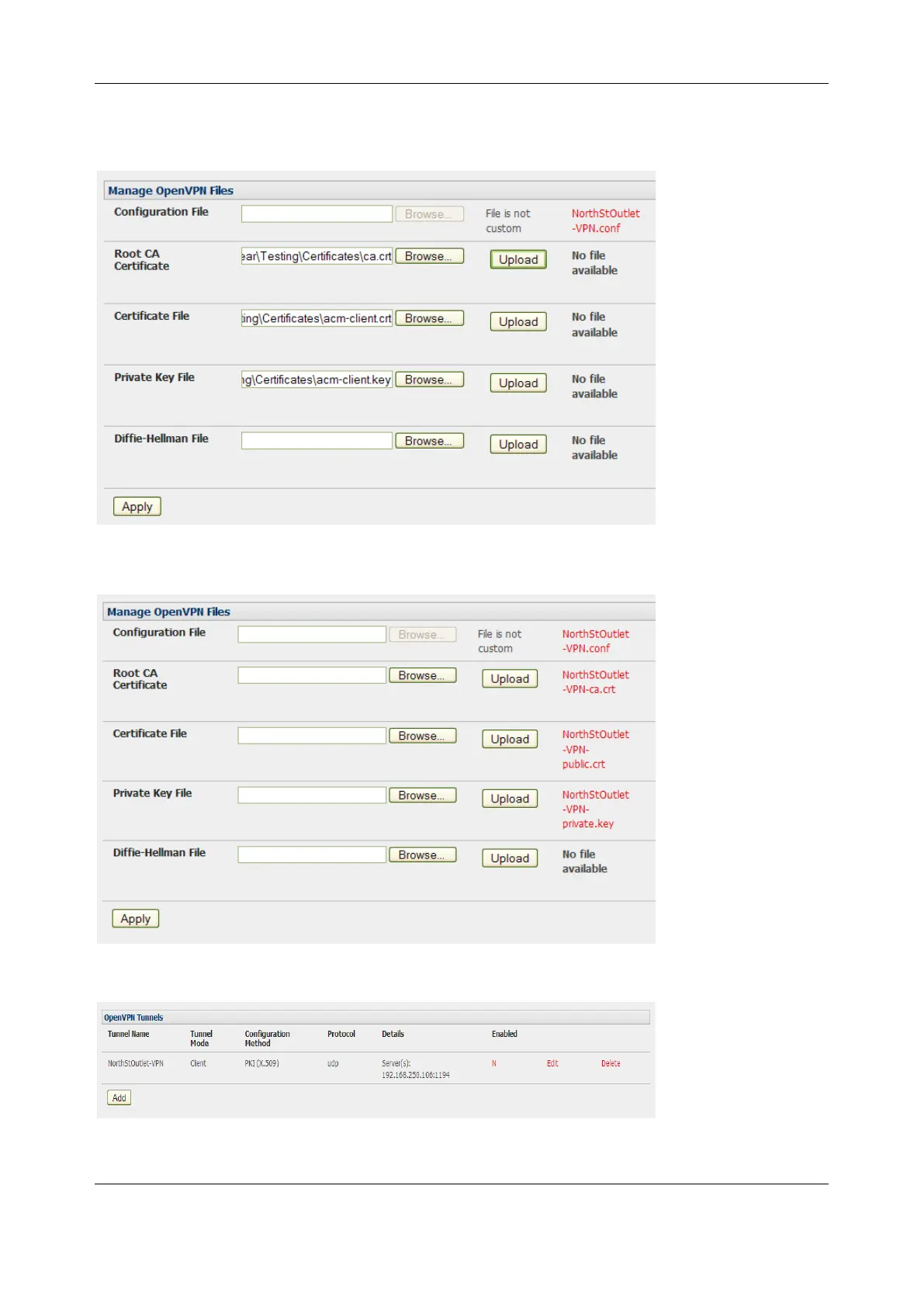
3. To enter authentication certificates and files, select the Manage OpenVPN Files tab. Upload or
browse to relevant authentication certificates and files.
4. Apply to save changes. Saved files are displayed in red on the right-hand side of the Upload
button.
5. To enable OpenVPN, Edit the OpenVPN tunnel


 To Next Page