User Manual
3.10.2 Configure as Server or Client
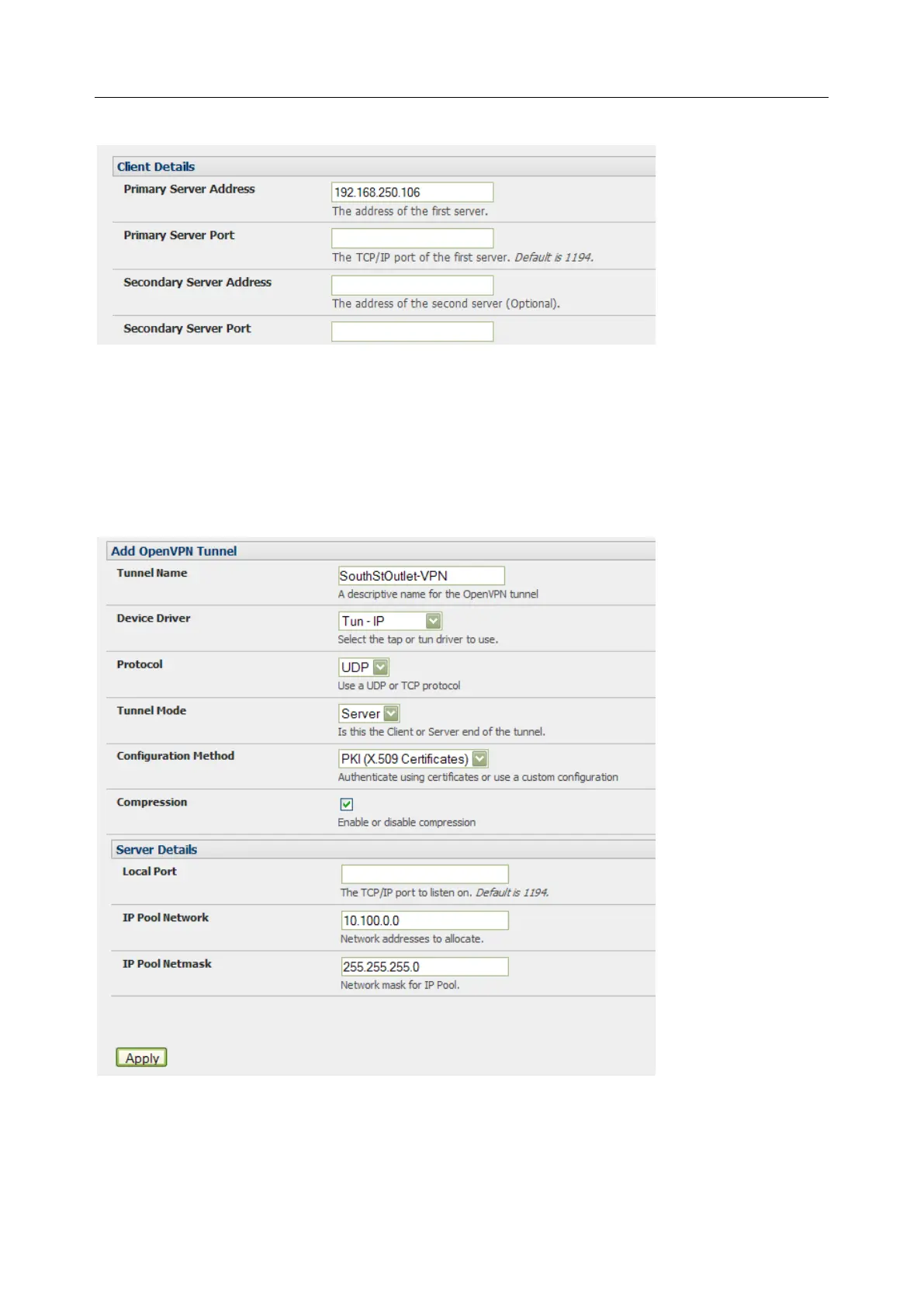
1. Complete the Client Details or Server Details depending on the Tunnel Mode selected.
o If Client has been selected, the Primary Server Address is the address of the OpenVPN
Server.
o If Server has been selected, enter the IP Pool Network address and the IP Pool Network
mask for the IP Pool. The network defined by the IP Pool Network address/mask is used
to provide the addresses for connecting clients.
2. Click Apply to save changes


 To Next Page