User Manual
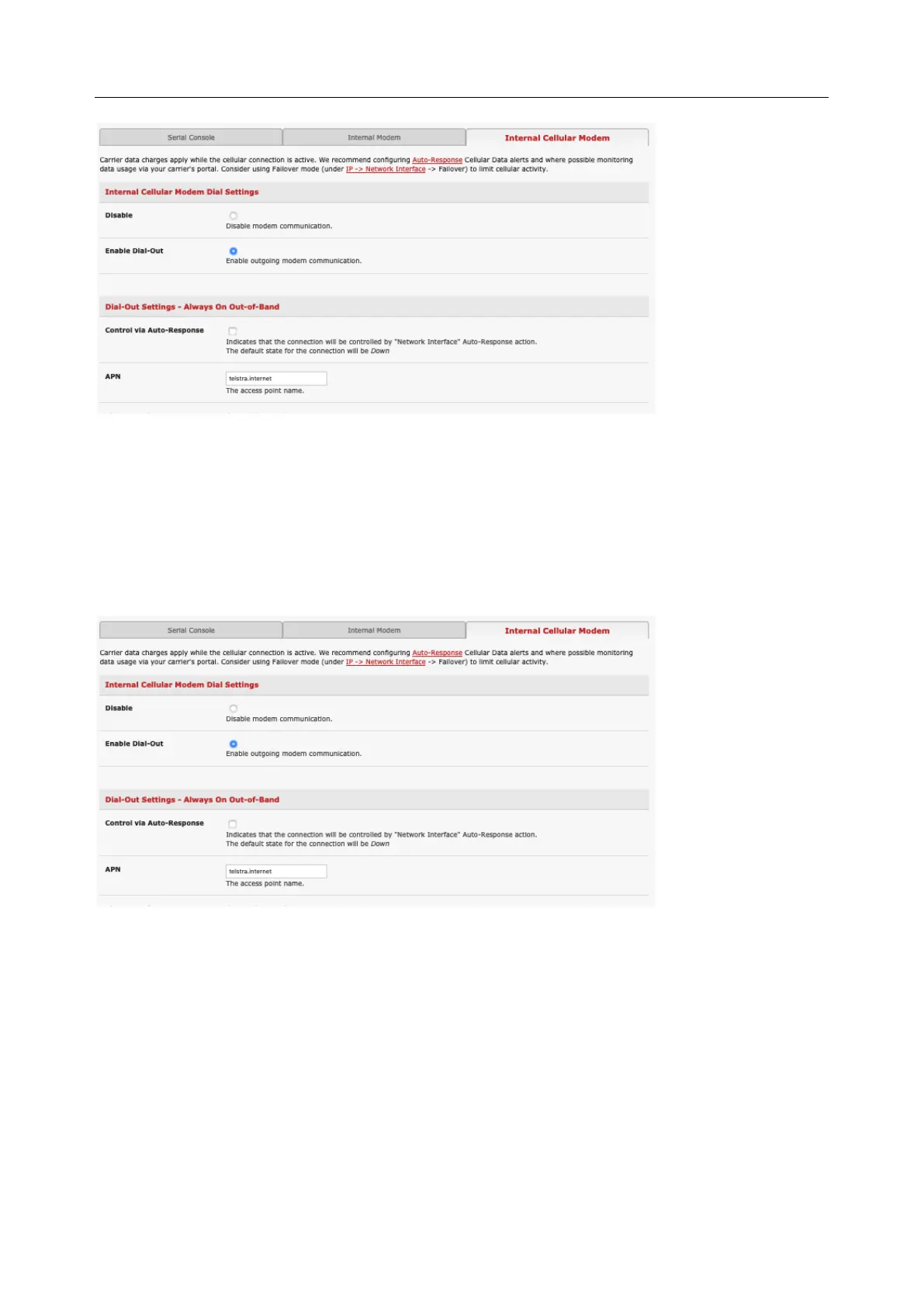
4. Enter the carrier’s APN
5. If the SIM Card is configured with a PIN Code, unlock the Card by entering the PIN Code.
You may also need to set Override DNS to use alternate DNS servers from those provided by your carrier.
6. To enable Override DNS, check the Override returned DNS Servers box. Enter the IP of the DNS
servers into the spaces provided.
7. Check Apply. A radio connection is established with your cellular carrier
4.6.4 Verifying the cellular connection
Out-of-band access is enabled by default so the cellular modem connection should be on.
• Verify the connection status from the Status > Statistics
o Select the Cellular tab and under Service Availability verify Mode is set to Online
o Select Failover& Out-of-Band and the Connection Status reads Connected


 To Next Page