2 Operating the System
August 2010 AS-Series Operator Manual 2-21
NOTE: Feed documents with the correct side up. When searching for/reading
MICR lines, OCR lines, and mark boxes, the scanner will assume the
documents are being fed face up, with the bottom edge towards you.
As the scanner processes documents, check to make sure:
• Documents are being scanned properly.
• All critical information (MICR line, OCR line, etc.) is being collected properly.
• Documents are being sorted to the correct bin.
Scanning tips
Make use of these techniques for properly handling paper and feeding documents:
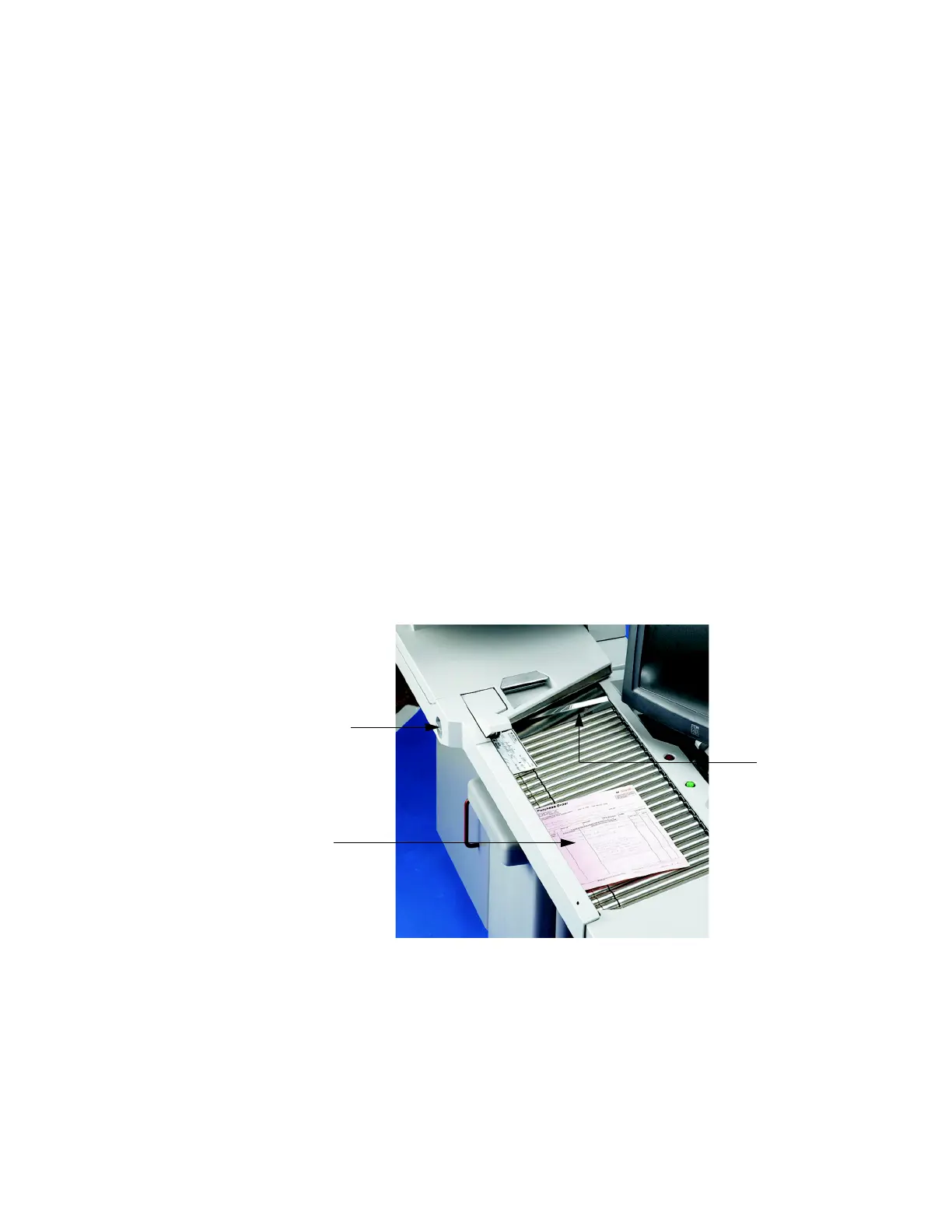
• Make sure documents are unfolded and place them on the conveyor directly in
front of the point of extraction. This will give the machine a chance to justify each
page dropped against the common edge and will assist in deskewing the
document before it reaches the feeder. For maximum effect, the paper should be
unfolded so that it is flat and makes contact with the conveyor rollers and feed
rings.
• Packets of paper (2-20+ sheets of paper) can be placed on the conveyor. The
conveyor rollers will carry the packet over to the packet feeder where the top piece
will be singulated from the top of the stack and fed into the scanner. The feeder
will continue to pull the top page from the stack until the last page is fed. The
retard pad switch needs to be engaged for the feeder to perform separation.
However, if documents are torn or damaged, they may be damaged further with
the retard pad engaged.
Since the feeder pulls from the top of the stack, the lead sheet in the stack must
be the first to reach the feeder. If the bottom piece reaches the feeder first, a paper
misfeed is likely to occur. There are techniques for learning to drop packets of
paper consistently and effectively. The documents do not have to be perfectly
Retard pad switch
Drag Finger
Ideal drop area



 To Next Page