2 Operating the System
2-4 Eagle Operator Manual - OPEX Corp. Use Only - Not for Distribution
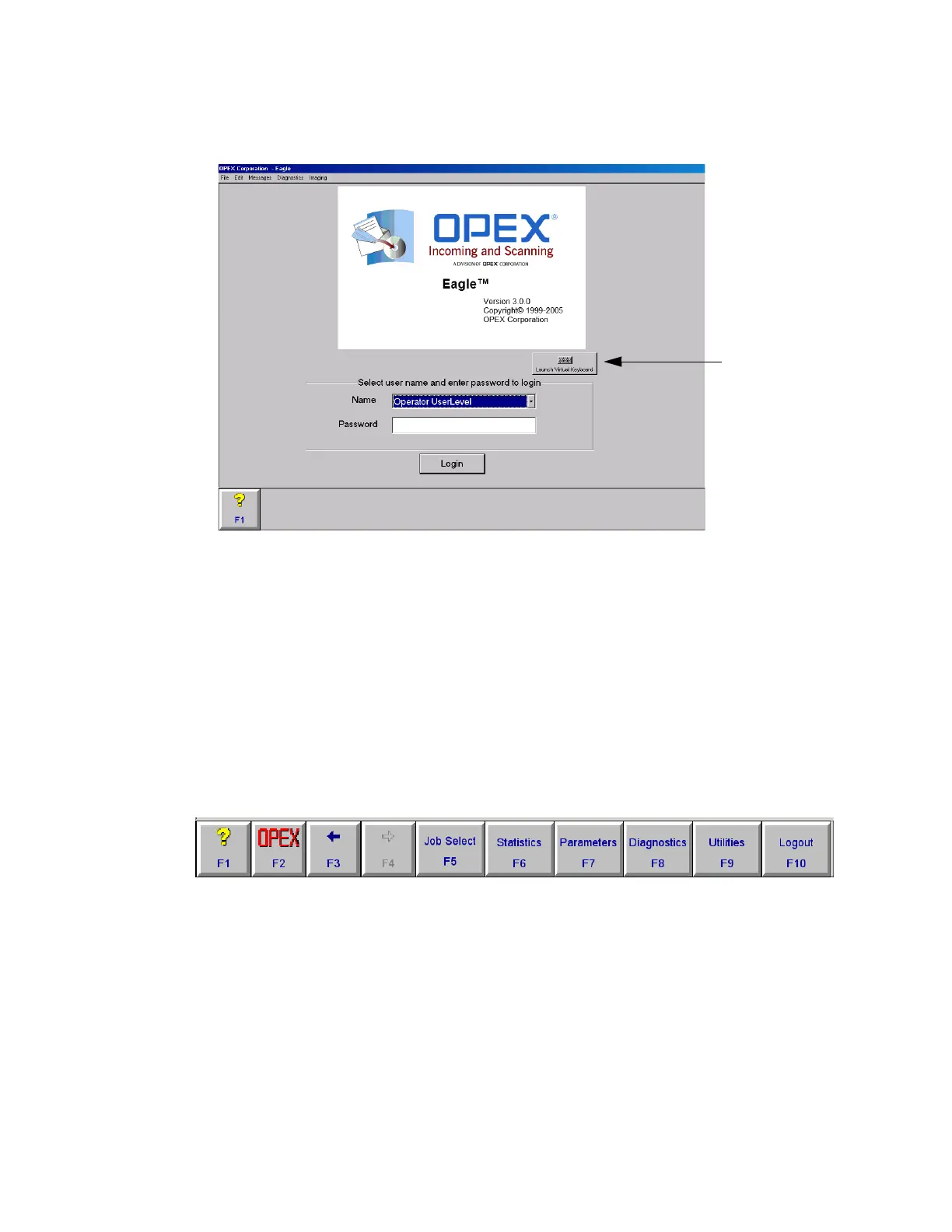
2 Click Login (F5) on the Explorer bar at the bottom of the screen OR click OPEX (F2),
then click the resulting Login button.
FIGURE 4: Opening screen
3 Select your user names from the Name dropdown list.
4 Use the keyboard in the operator cockpit or the on-screen “Virtual Keyboard” to
enter your password.
5 Click Login. The Host software displays the Job Select screen.
Navigating the Host software
The Explorer bar always appears at the bottom of the screen when the Host software
is running. Use the Explorer bar buttons to quickly access the various functions of
the software. An example of the Explorer bar is shown in Figure 5.
FIGURE 5: Explorer bar
The buttons on the Explorer bar may change, depending on what function the
software is performing. The following four buttons always appear:
? (F1) Accesses the online help. This button is not in use at this time.
OPEX (F2) Provides quick access to all of the features of the Host software.
← (F3) Go back to the previous screen.
→ (F4) Move forward one screen. Works if you have previously pressed ←
(F3).
Open the on-screen
keyboard



 To Next Page