2 Operating the System
2-10 Eagle Operator Manual - OPEX Corp. Use Only - Not for Distribution
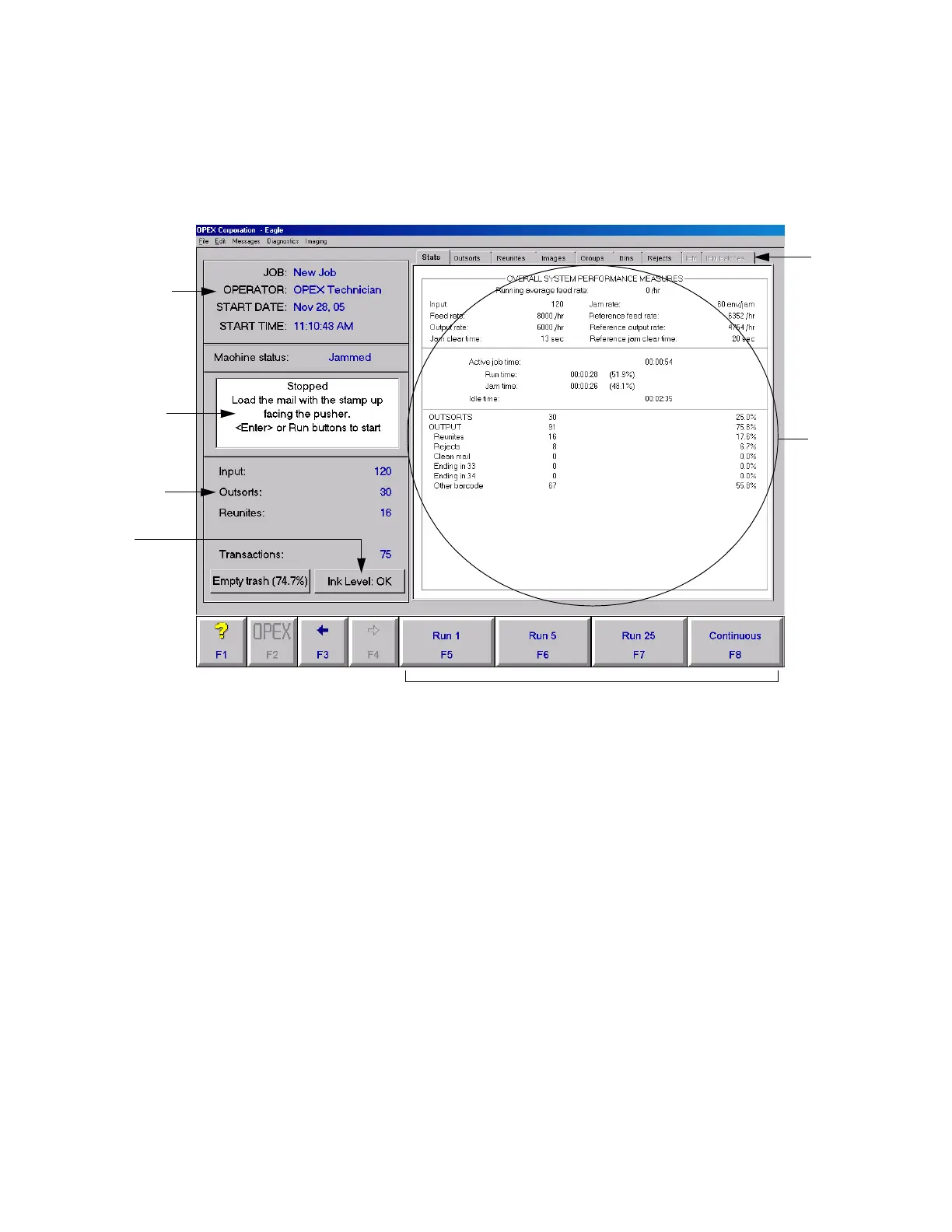
Running the job
Once you have selected a job and loaded the feeder with envelopes, you are ready to
start the job. Use the Run screen to start and stop running jobs and view important
information on your job.
FIGURE 12: Run screen
Click one of the following buttons on the Run screen to begin the run:
Run 1 Runs one envelope.
Run 5 Runs five envelopes.
Run 25 Runs twenty-five envelopes.
Continuous Runs envelopes until the feeder is empty.
Starting with the stacker module and moving toward the feeder module, the Eagle
starts running all its motors. When the conveyor motor is ready, it starts feeding
envelopes into the paper path for processing.
Main
Tabs
Run buttons
Current job info
Status display
Run summary
windo
Ink level
indicator/button



 To Next Page