2 Operating the System
2-5Eagle Operator Manual - OPEX Corp. Use Only - Not for Distribution
Exiting the Host software
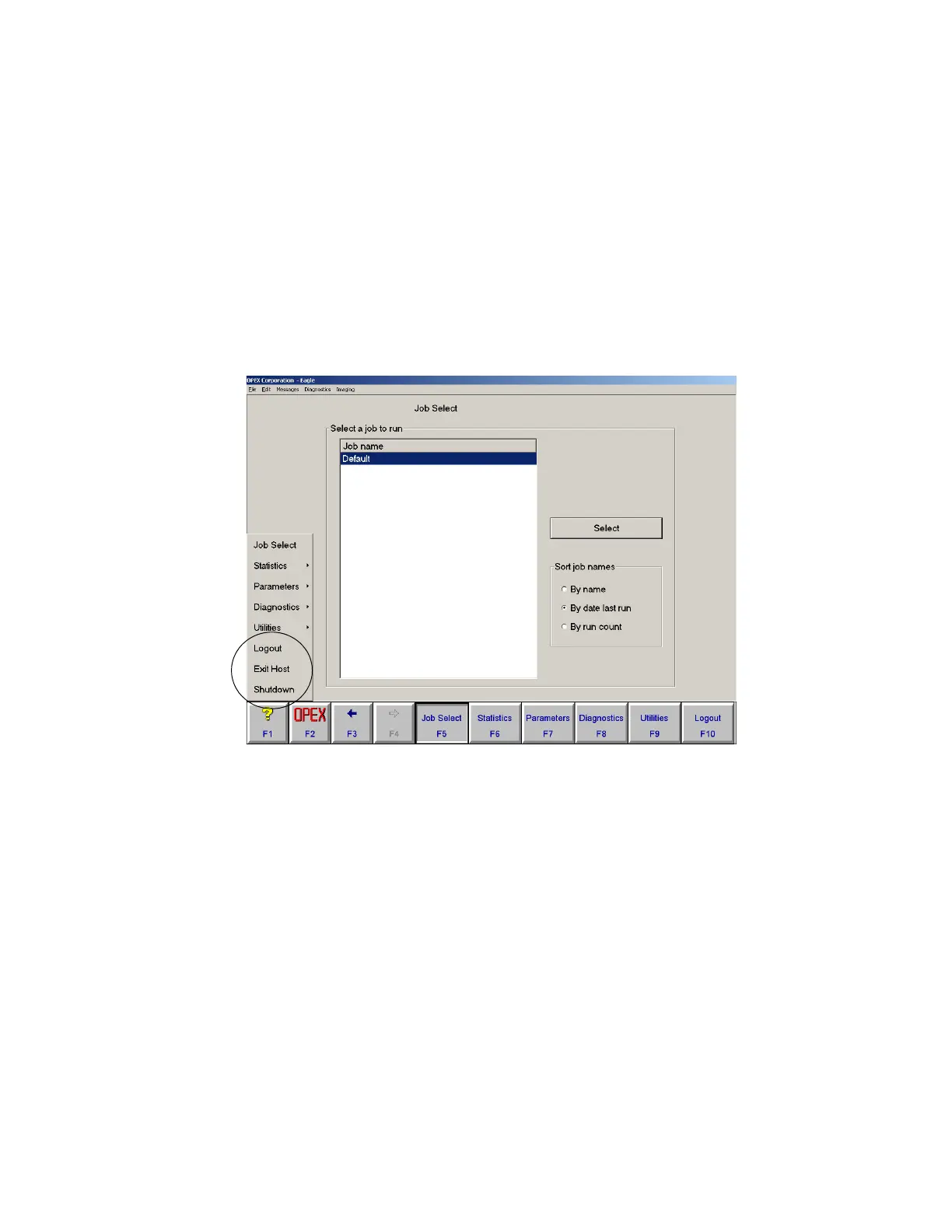
There are three ways to exit the Host software:
Logout Log out the current user. This returns you to the opening screen.
Exit Host Exit out of the Host software and return to the Windows NT desktop.
Shutdown Exit the Host software and shut down the Host PC.
To close the Host software
1 Click OPEX (F2). A menu appears listing several options, including the options for
exiting the Host software.
FIGURE 6: Exit options
2 Select an exit option.



 To Next Page