A Statistics
A-6
Eagle Operator Manual - OPEX Corp. Use Only - Not for Distribution
Restore statistics
You can restore statistics back to the Eagle Host PC. These statistics can be from
either:
• Floppy drive - 3.5-inch floppy disk
• Another location - Zip drive, or network drive.
To restore statistics:
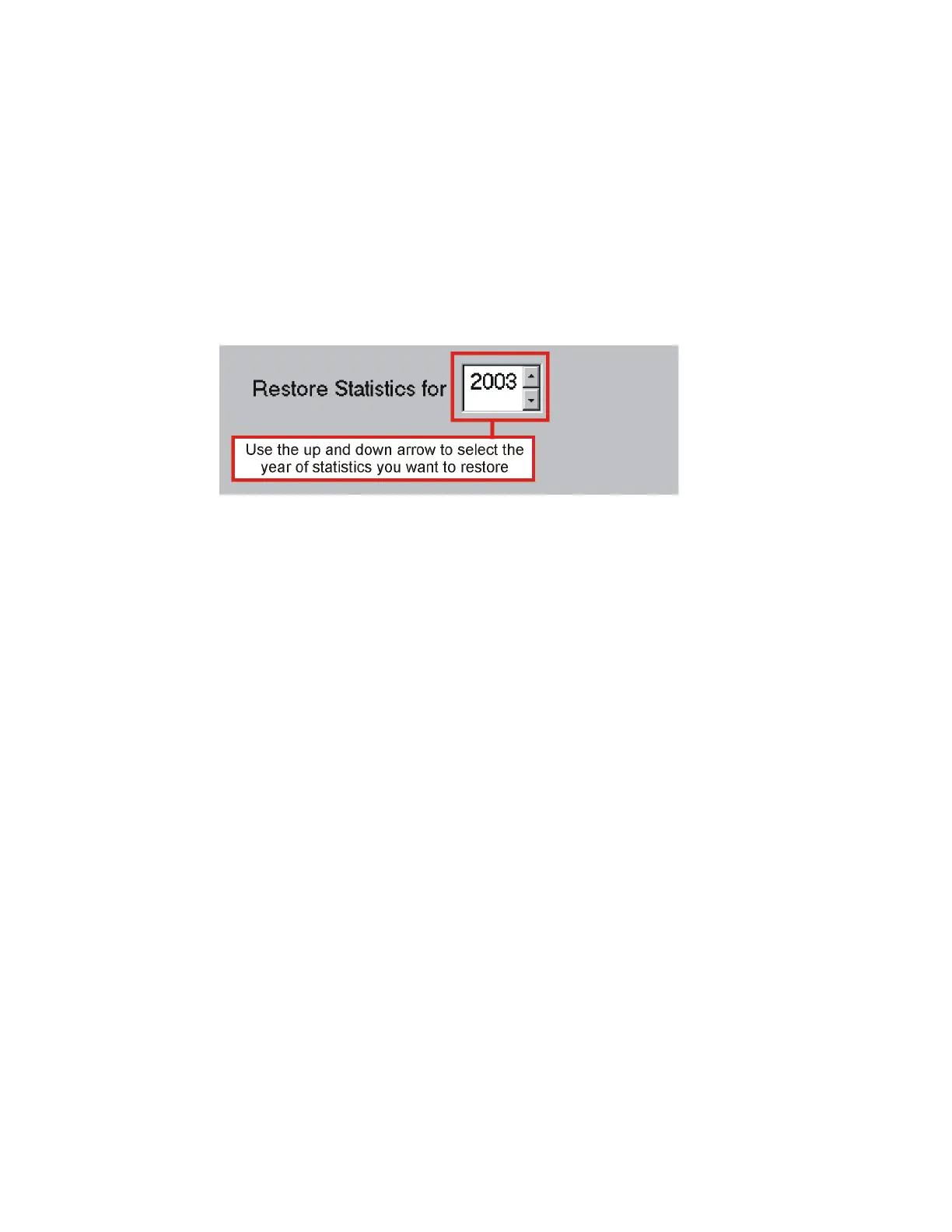
1 In the Restore Statistics for field, use the up and down arrow to select the year of
statistics you want to restore.
2 Select the appropriate radio button. You can select either:
- Restore from Floppy Drive - To restore statistics from a 3.5-inch floppy disk.
- Restore from Another Location - To restore statistics from a Zip disk or the
network drive.
3 If you selected Floppy Disk in Step 2, insert the disk into the Eagle Host PC and
click Restore.
OR
If you selected Another Location in Step 2, you must select the location of the
statistics file you want to restore:
a. Click Restore.
b. In the Browse for Folder dialog box, double-click the drive that contains the file
you want to restore.
c. Navigate to the folder of the statistics file you want to restore.
d. Click OK.
e. If a dialog box appears, warning you that you runs already exist for that time
frame, click Yes. The Eagle restores the statistics file.



 To Next Page