3 Operational Maintenance
3-10 Eagle Operator Manual - OPEX Corp. Use Only - Not for Distribution
Printer Cartridge Maintenance
Replacing printer cartridges
The Eagle audit trail printer’s HP ink cartridges will run out over time and are easily
replaced. The ink level indicator/button on the Run screen (Figure 12 on page 2-10)
will read LOW, indicating that one or both of the ink cartridges needs to be replaced.
NOTE: Check the expiration date of the new cartridge you plan to use. The Eagle
printer cartridges, when stored in sealed containers, have a shelf life of two
years from the date of manufacture.
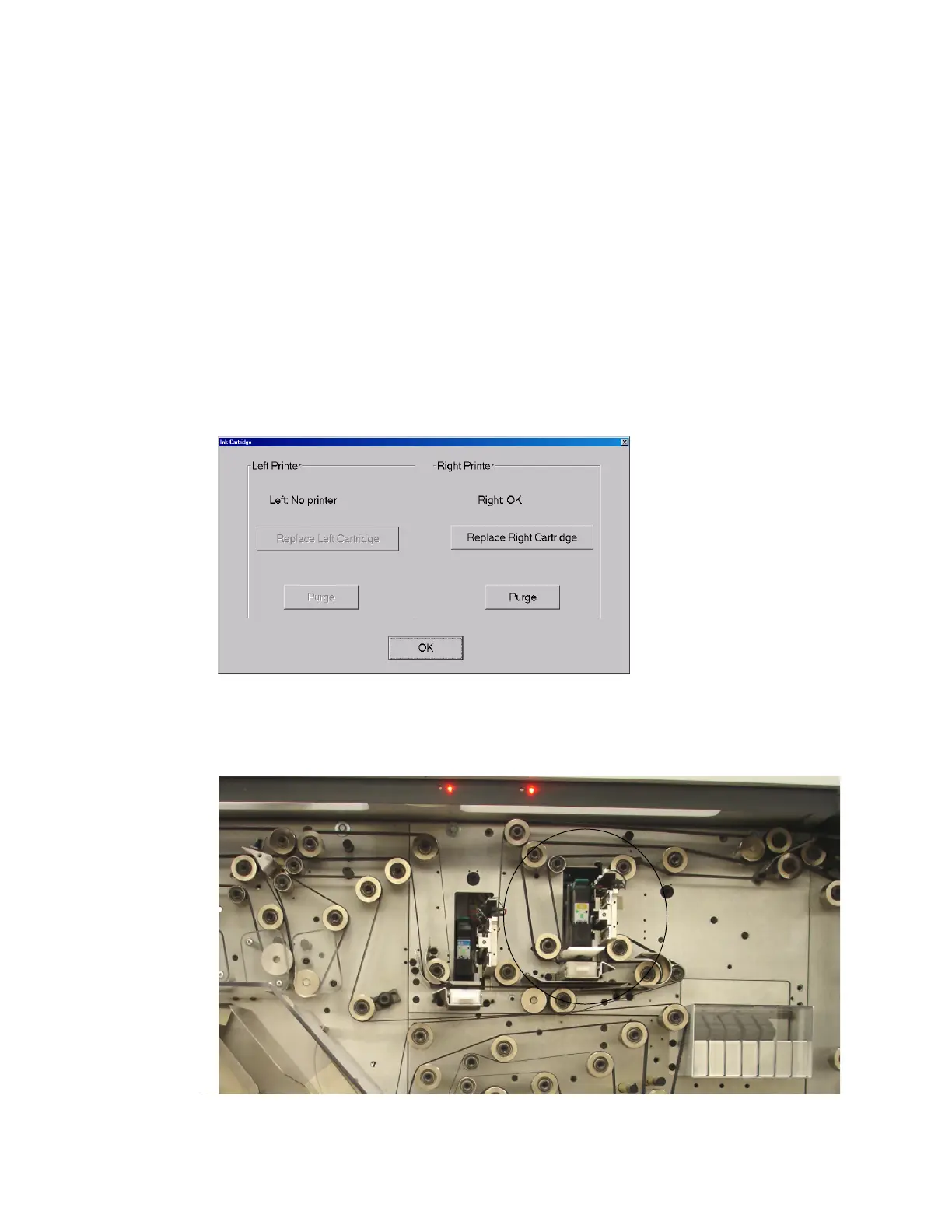
1 Press the ink level indicator/button on the run screen (when the machine is
stopped) to open the ink cartridge maintenance screen. The ink cartridge
maintenance screen will indicate the status of the installed printers and provide
the option to replace cartridges and purge the print heads (see page 3-12).
FIGURE 34: Ink cartridge maintenance
2 Press the appropriate Replace button. The print head will extend forward for you to
replace the cartridge.
FIGURE 35: Extended print head



 To Next Page