3 Operational Maintenance
3-8 Eagle Operator Manual - OPEX Corp. Use Only - Not for Distribution
Managing Operator Accounts
NOTE: Keep in mind that only operators with Supervisor level accounts can create
and modify operator accounts.
Creating operator accounts
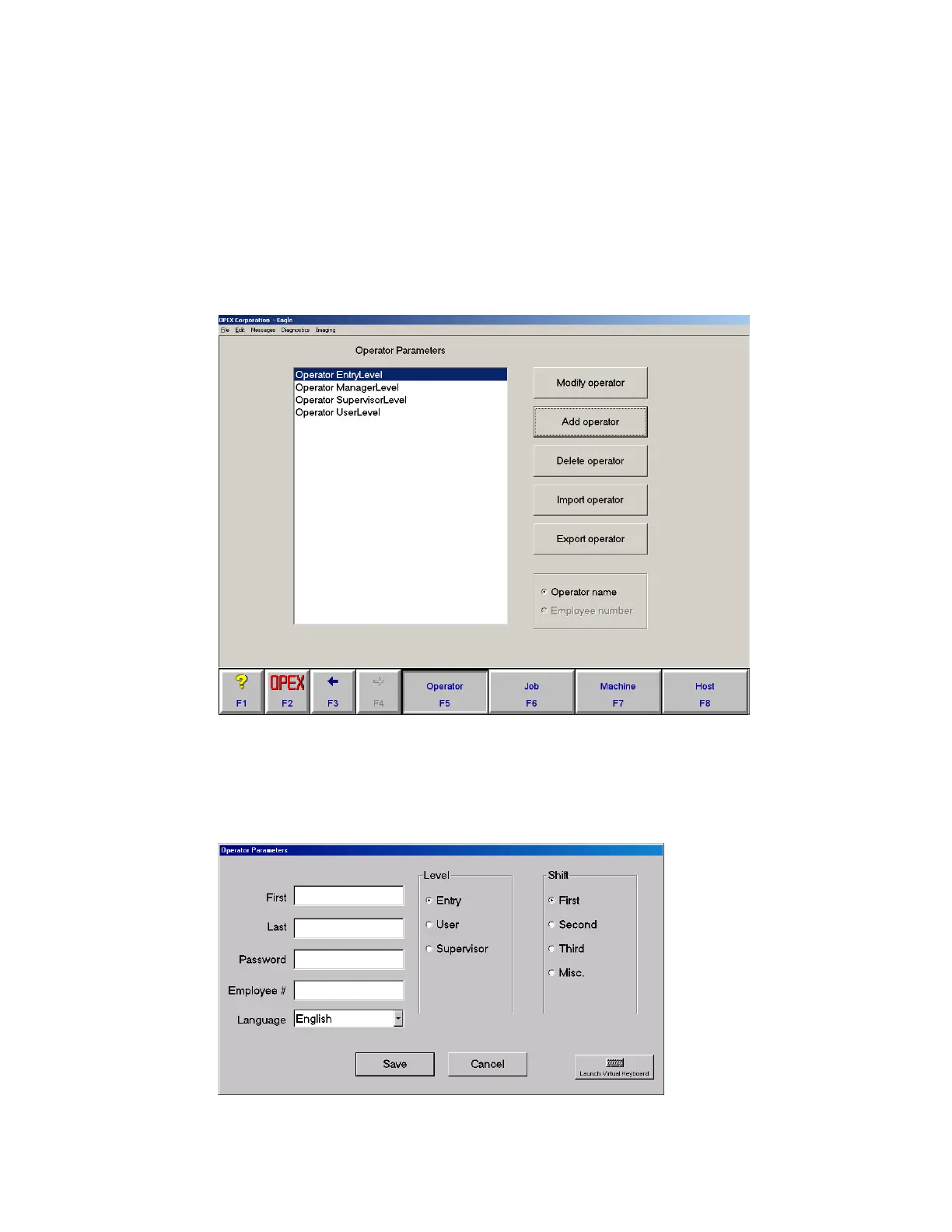
1 Open the Operator Parameters screen by clicking OPEX > Parameters > Operator.
FIGURE 32: Operator Parameters screen
2 Click the Add Operator button.
3 Fill in the operator information and click Save. The new operator’s name will
appear in the Login list.
FIGURE 33: Operator information



 To Next Page