A Statistics
A-1
Eagle Operator Manual - OPEX Corp. Use Only - Not for Distribution
Statistics
The statistics provide information on jobs run on the Eagle system. This section
provides information on:
• Statistics reports
•Backing up statistics
• Restoring statistics
Statistics reports
Customers use the statistics reports to evaluate the efficiency of jobs they have run.
The Eagle system can generate either:
• Individual Report - Provides information on the last job run.
• Summary Report - Provides information on a job range defined in the Statistics
Report Criteria window.
The Individual Report and the Summary Report are very similar. The following table
defines many of terms you find in both of these reports.
TABLE 3: Statistics reports terms
Active Job Time
Time the Eagle was either actively running or was halted due to a jam. Active
Job Time is broken down by:
•Run Time
•Jam Time
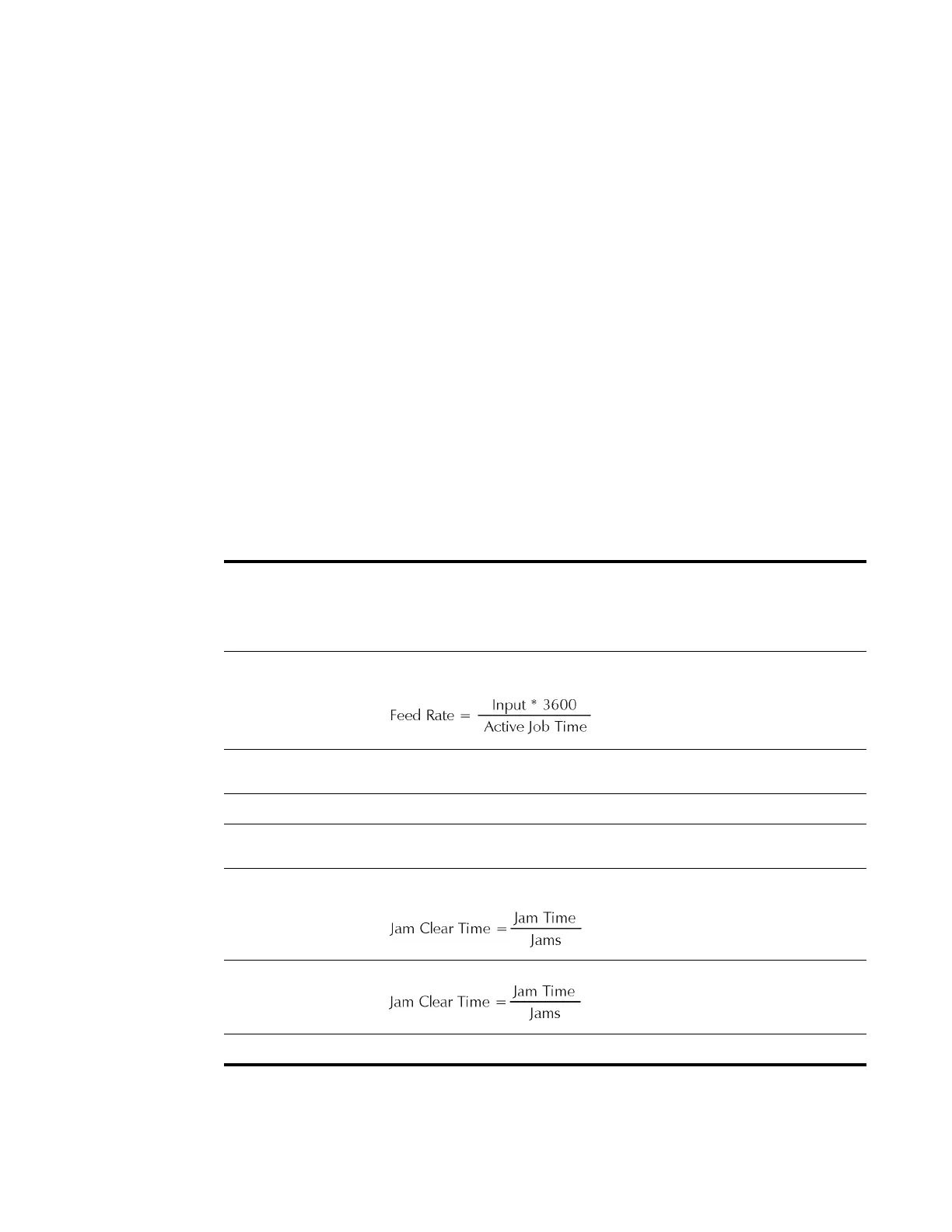
Feed Rate
Number of envelopes per hour the Eagle is currently feeding. The formula for
the Feed Rate is:
Idle Job Time
Time the operator was in the Run Job window, but the Eagle was not
processing mail.
Input
Number of envelopes to enter the Paper Path via the Feeder Module.
Jams
Reports occasions when run was halted due to a paper jam or a processing
problem that was machine related.
Jam Clear Time
Average time the Eagle was halted while the operator was clearing a jam.
The formula for the Jam Clear Time is:
Jam Rate
Number of jams per run. The formula for the Jam Rate is:
Jam Time
Total time the Eagle system was halted for a jam.



 To Next Page