2 Operating the System
2-3Eagle Operator Manual - OPEX Corp. Use Only - Not for Distribution
Turning the power on/off
Power up the machine
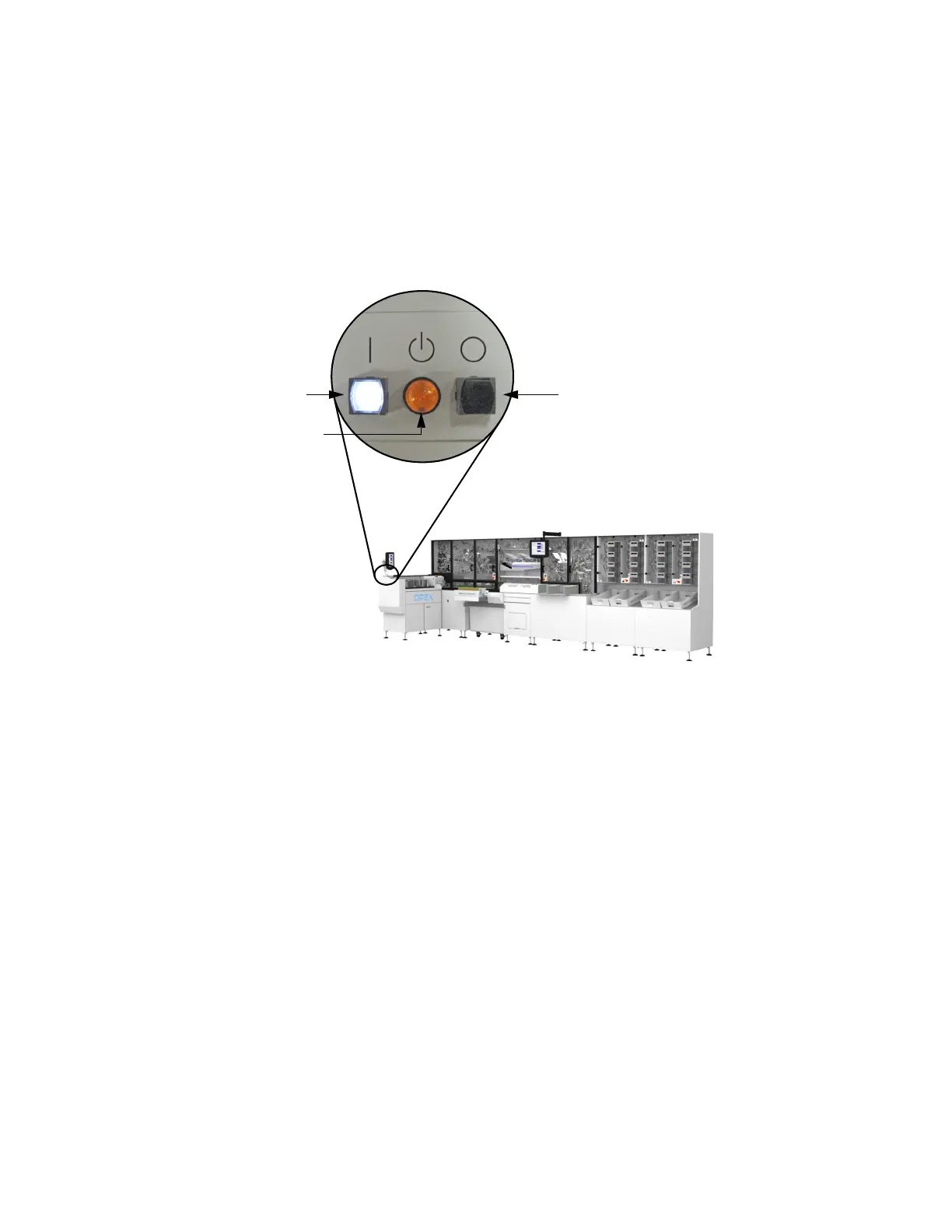
1 Turn the breaker switch to the On position. The standby light will begin to blink.
2 Press the white On button. The On button will light up and the standby light will
remain solid. The machine will begin its power up routine and the PC and monitor
will come on.
FIGURE 3: On/Off button locations
3 Log in to Windows.
Turn the machine off
1 Press the black Off button (see Figure 3). The standby light will blink.
2 Turn the breaker switch to the Off position.
Opening the Host software
The Eagle Host PC will launch the Host software as part of the system’s start-up
routine. If you mistakenly close the Host software or, for some reason, the Host
software does not start with the machine, you can start it manually.
Open the Host software
1 If the Host software is not already running, double-click on the Eagle icon on the
desktop OR click Start > Programs >
OPEX > Eagle to open it.
On button Off button
Standby light



 To Next Page