3 Operational Maintenance
3-11Eagle Operator Manual - OPEX Corp. Use Only - Not for Distribution
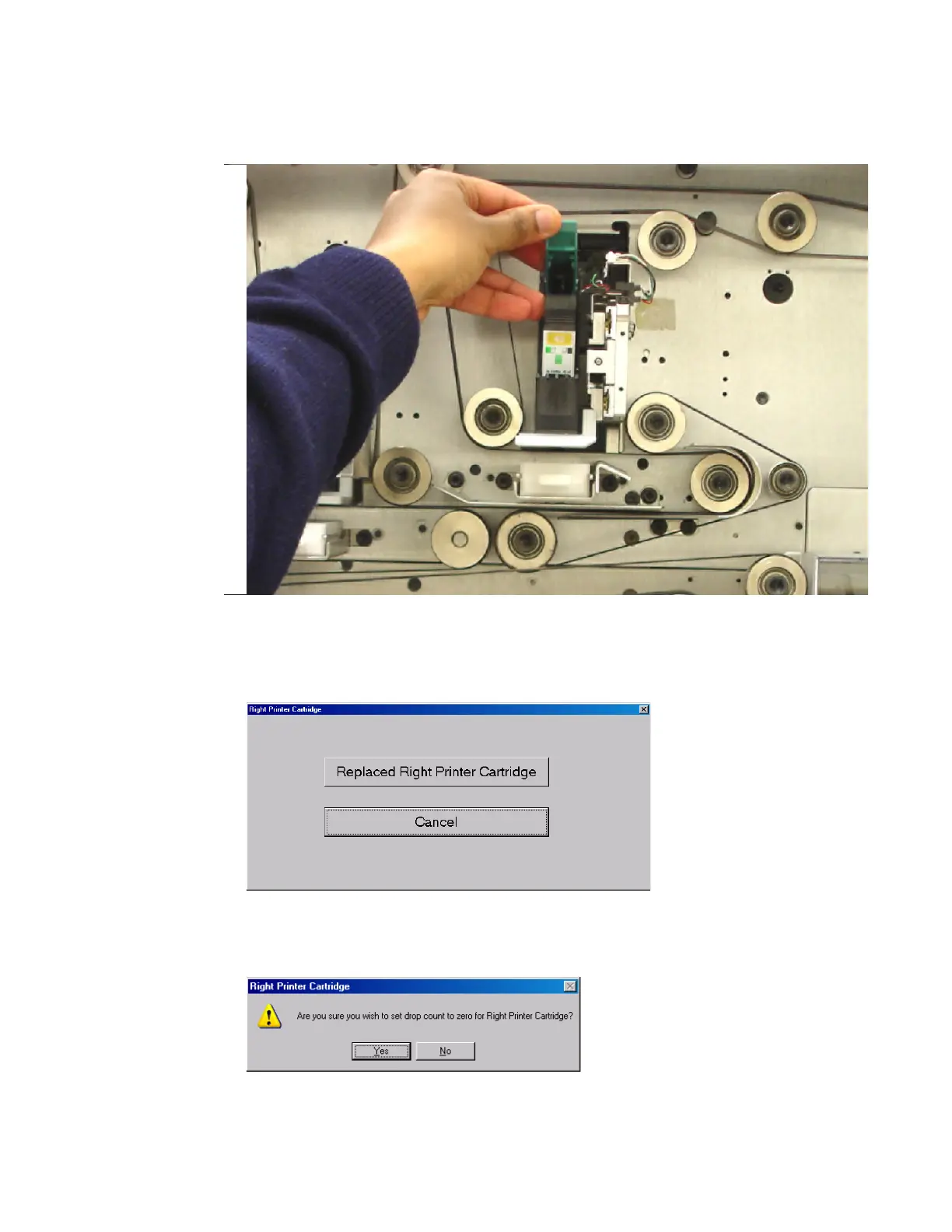
3 Lift the latch holding the printer cartridge in position and remove the cartridge by
lifting it up and away from the machine.
FIGURE 36: Removing the printer cartridge
4 Install the new cartridge in the old cartridge’s place.
5 Press the Replaced Right/Left Printer Cartridge button on the screen.
FIGURE 37: Replace printer cartridge confirmation
6 Press Yes when asked to reset the printer cartridge’s drop count.
FIGURE 38: Reset the drop count



 To Next Page