2 Operating the System
2-7Eagle Operator Manual - OPEX Corp. Use Only - Not for Distribution
Run types
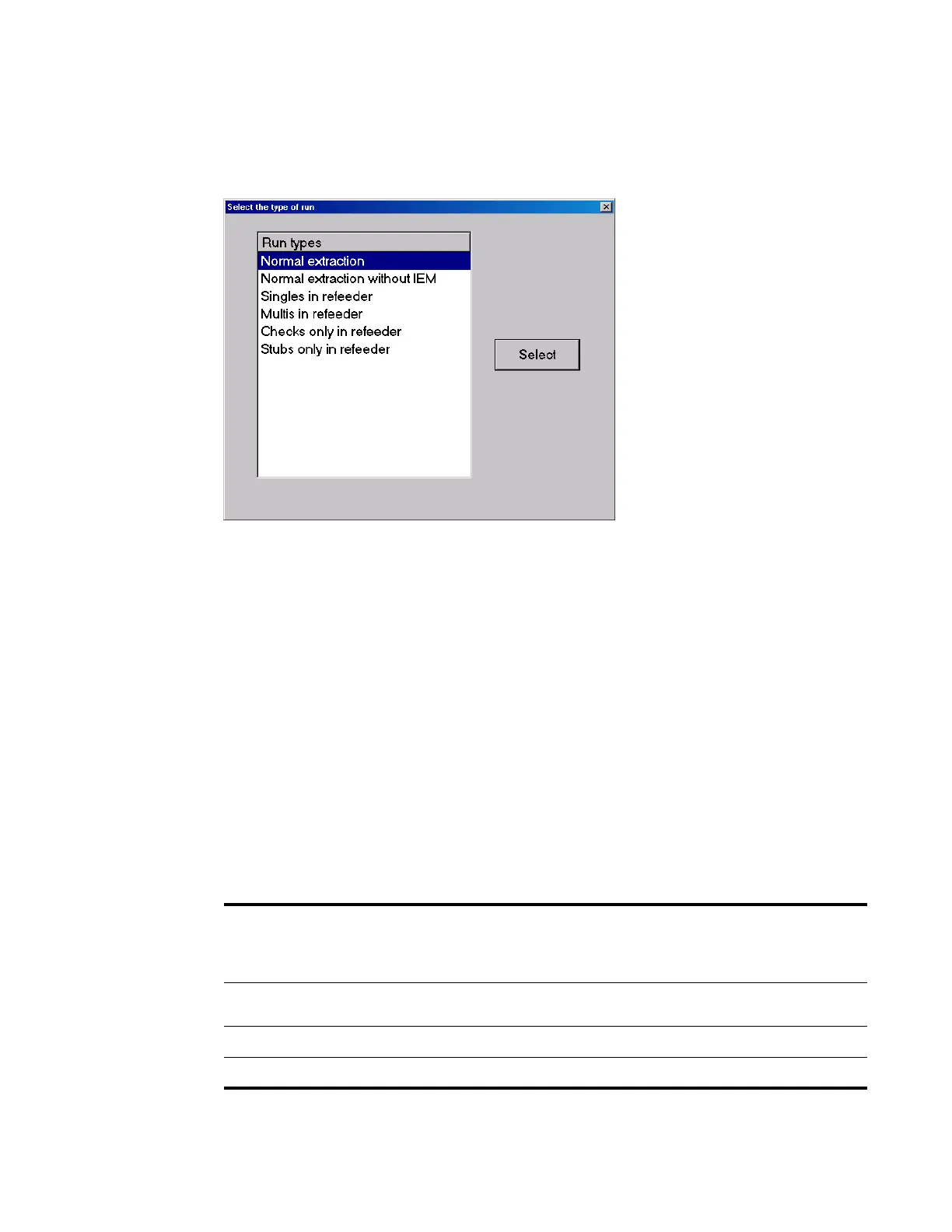
Select a type of run for the selected job. The different run types activate and
deactivate certain machine functions depending on your intended usage.
FIGURE 8: Select a run type
Normal extraction
The Normal extraction run type will run the job as it was originally set up. Envelopes will
feed from the main feeder and contents will be imaged and sent to the network for
processing.
NOTE: Fill the batch ticket feeder with batch tickets when running in Normal extraction
mode. The Eagle will automatically feed batch tickets where necessary.
Select Normal extraction without IEM to run the job without the IEM functionality.
Refeeder
The Eagle refeeder provides the option of imaging stubs and checks that have already
been extracted from their envelope. The refeeder run modes are run as a separate
operation and are not dependant on the system’s extractor functions. Select a
refeeder run type for what you plan on running.
TABLE 1: Refeeder run types
Singles in refeeder
Singles transactions include one stub followed by one check. These
are the most commonly run refeeder transactions. The operator must
arrange the stubs and checks accordingly before feeding them into the
refeeder and running the job.
Multis in refeeder
Multis transactions include one or more stubs followed by one or more
checks.
Checks only in refeeder
Only sending checks through the refeeder.
Stubs only in refeeder
Only sending stubs through the refeeder.



 To Next Page