4.2
MEDICAL DEVICE COMPONENTS
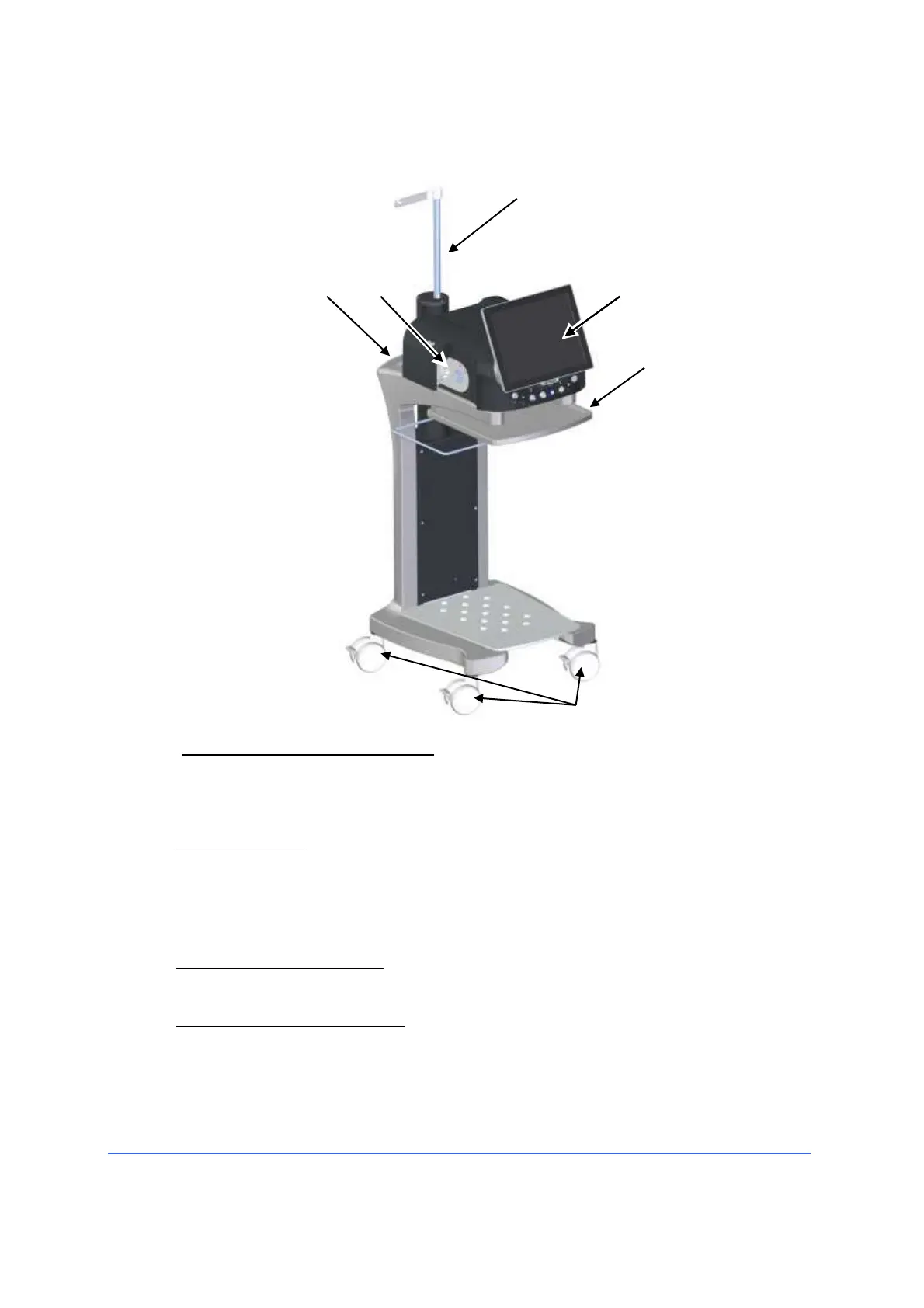
4.2.1 Overall view (optional trolley with tray and electric IV pole)
1 15" monitor with touch screen
The monitor with touch screen allows the operator to set the parameters
and read their current value. The touch screen can be covered with a
suitable fabric to be used in a sterile environment.
2 Instrument tray
The instrument tray allows the surgeon or nurse to prepare the surgical set
and the necessary accessories. The tray is connected to an articulated arm.
For a sterile use, OPTIKON 2000 S.p.A. provides a disposable cover sheet. If
the instrument tray is not used, it can be stored in its housing.
3 Case I/A and pump plate
The I/A cassette must be installed in this position.
4 Wheels with locking system
R-Evo Smart systems have four pivoting wheels that allow easy positioning of
the instrument in the operating room. The locking tabs are used to prevent
the Medical Device from moving.
To position the device, at least two locking tabs must be pressed downwards.



 To Next Page