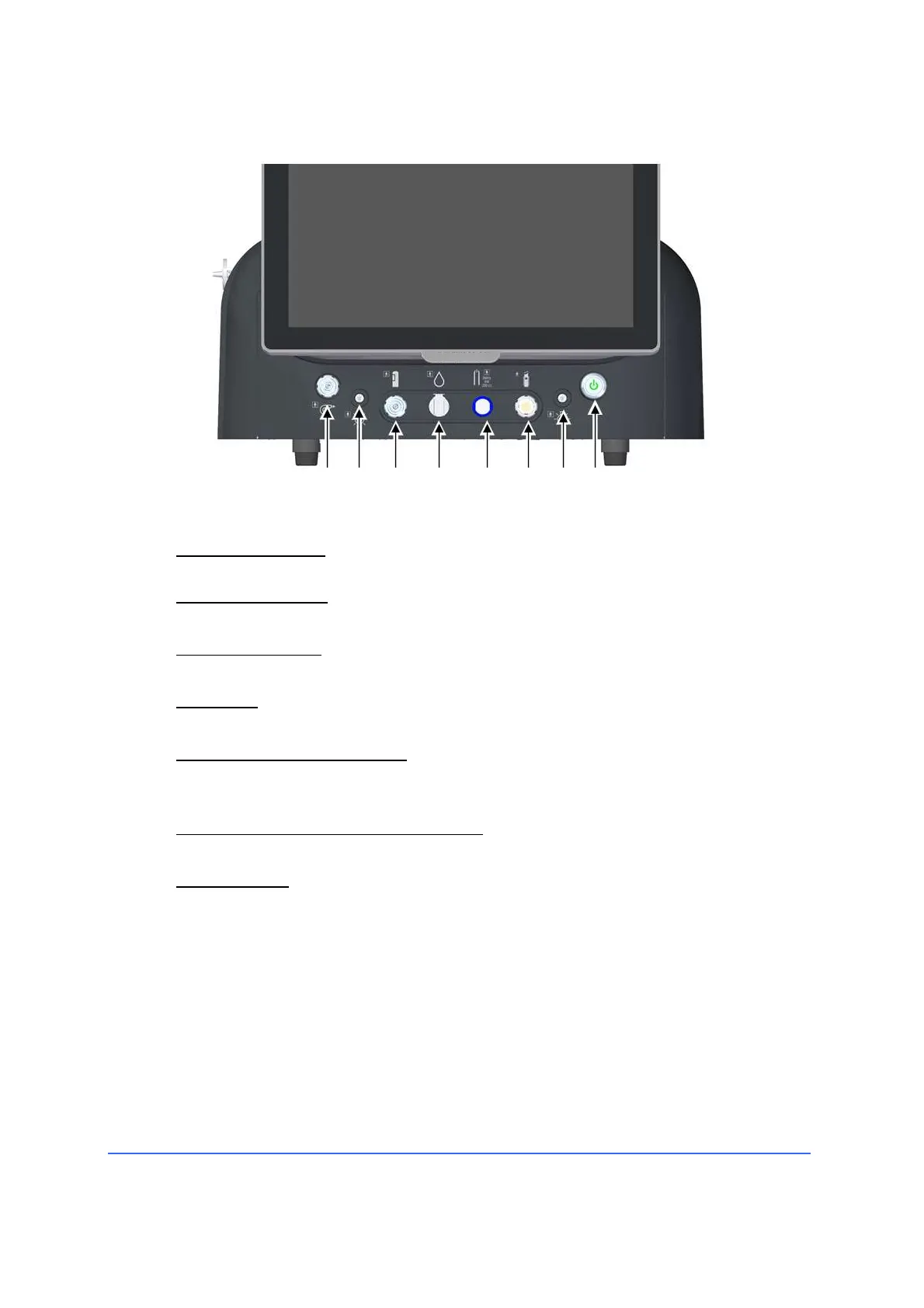
4.2.2 Front panel connectors and control elements (CR)
1 US socket (Phaco)
The connector of the phaco handpiece connects to this socket
2 Vitrectomy socket
The connector of the vitrectomy handpiece connects to this socket.
3 Diathermy socket
The connector of the bipolar diathermy handpiece connects to this socket.
4 Air Intake
The air hose connector with the filter connects to this socket.
5 Silicone oil injection socket
The connector of the silicone oil tamponade system connects to this
socket.
6-7 LED light sources with filters sockets
The fibre optic connector connects to this socket.
8 Power button
This key with indicator light allows the instrument to be switched on and
out of stand-by mode. The mains switch on the rear panel must be in the
(I) on position. The device must be switched off using the software
button on the touchscreen.



 To Next Page