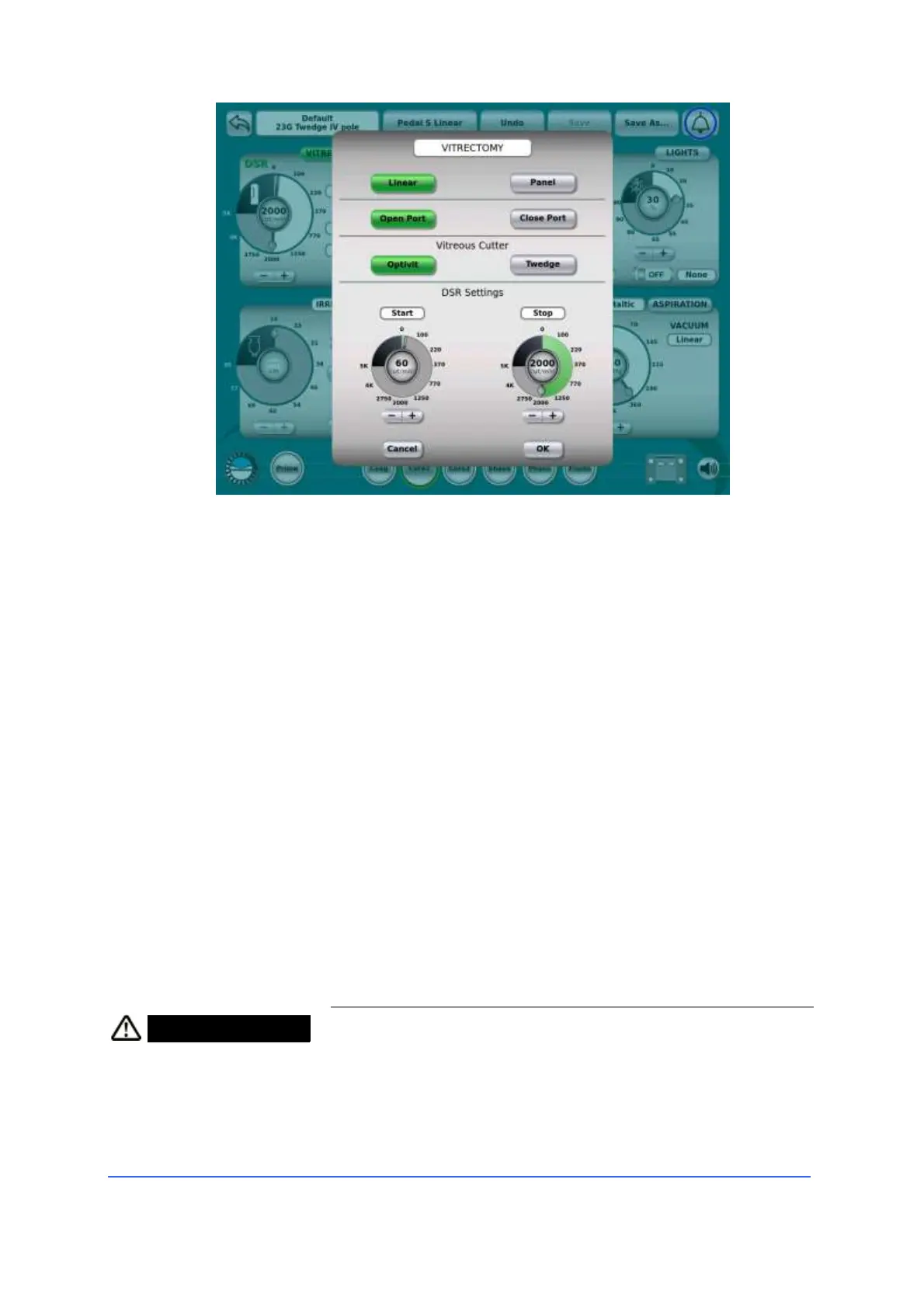
Touching the "Vitrectomy" button accesses the vitrectome settings.
It is possible to choose the rest position (pedal not pressed) of the cutting port
between "port open" and "port closed".
The duty cycle of the vitrectome can be set to one of three levels ("Low", "Medium",
"High"). This affects the speed at which the vitreous is removed (at a higher duty
cycle, this means greater removal capacity).
The cut rate can be controlled either in "Panel" or "Linear" mode. If “Linear” control
mode is chosen, cutting frequency can be linearly controlled by system footswitch
depression or rotation from a “Start” power to a final “Stop” power (DSR mode). Note
that “Start” frequency can be set either smaller or greater than “Stop” frequency.
4.5.5 Illumination
The R-EVO SMART is equipped with an endo illumination
system with LED lights with two independent light sources.
The lamps are equipped with filters for reducing the blue
component and a green filter.
• Connect the optical fibre for illumination to the
desired fibre light socket on the front panel.
WARNING Risk of injury to the patient's eye!
• Although the fibre optic endo-ocular illumination
system does not emit infrared and ultraviolet rays, to
avoid possible damage to the retina, always use the
minimum intensity sufficient for the surgical
application.



 To Next Page