Modular audio matrix
with IP connection
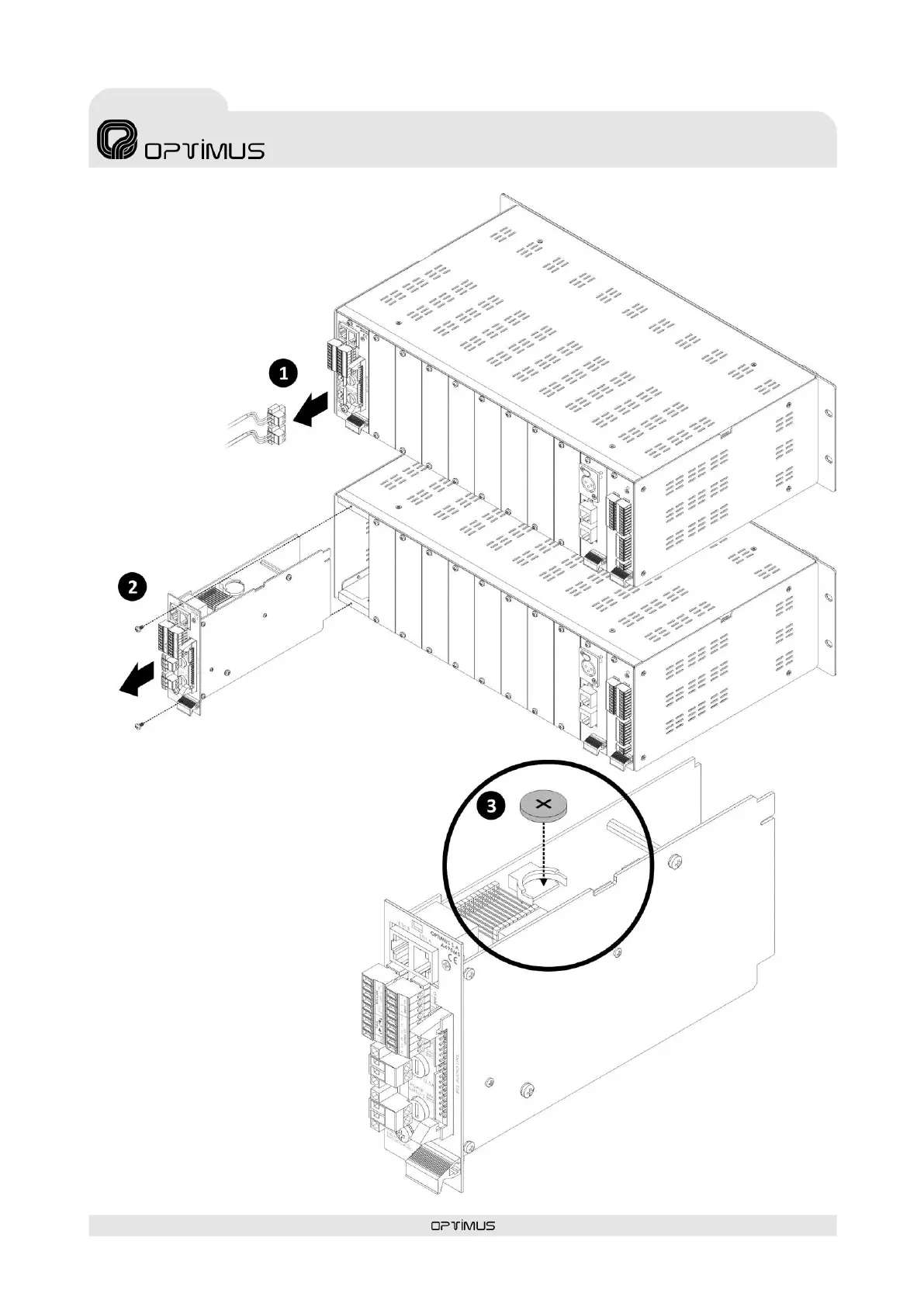
Battery placement procedure:
1) Disconnect the power strips (POWER
SUPPLY 1 and POWER SUPPLY 2).
2) Remove the control module.
3) Insert the battery respecting the polarity indicated in
the attached drawing (positive + at the top).
4) Once placed, insert the control
module again and turn on the power.



 To Next Page