Modular audio matrix
with IP connection
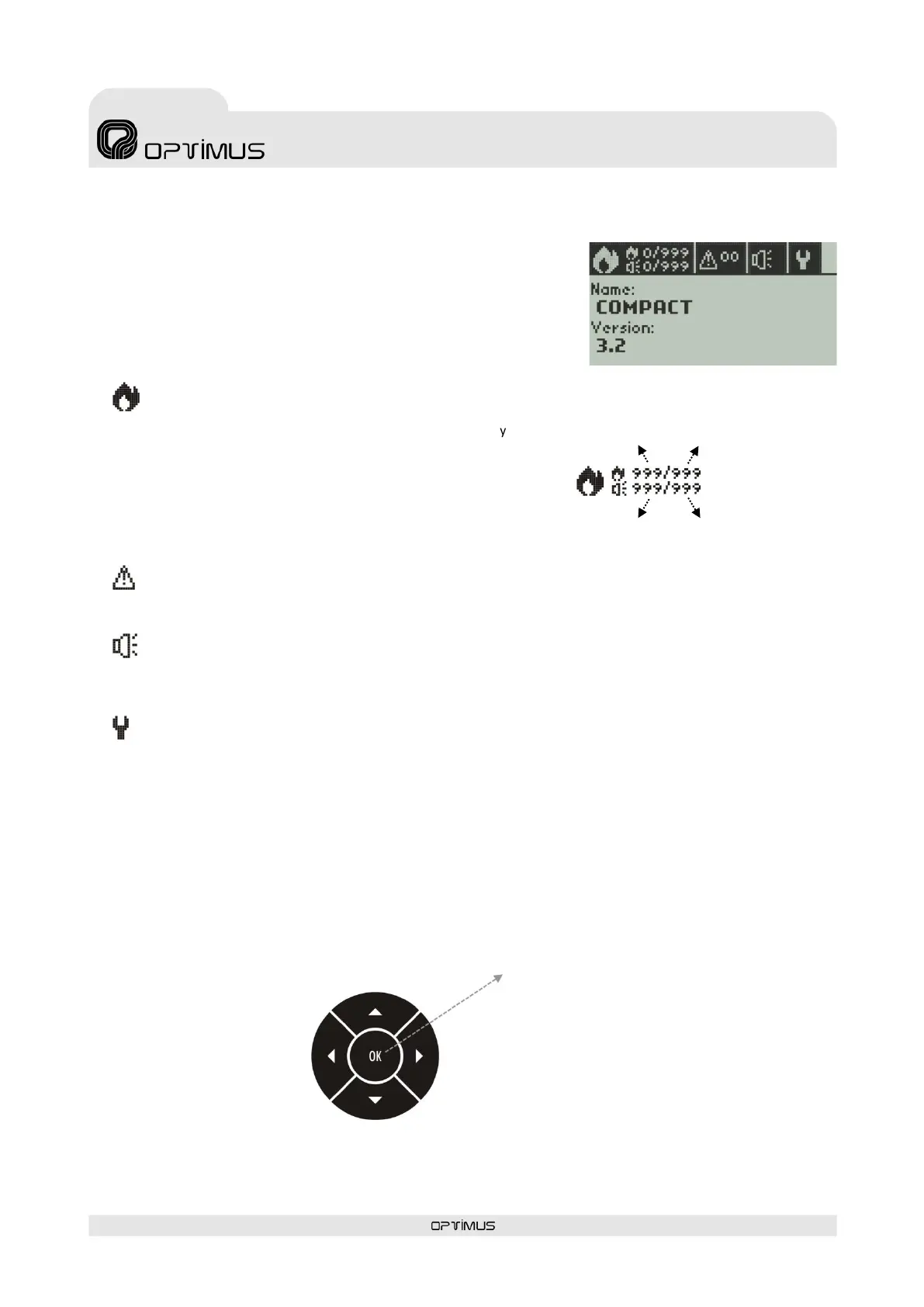
9. DISPLAY, GENERAL VIEW
In standby, the unit displays the following information:
Name: Name, identifier of the unit in the installation
Version: Version of the unit firmware
4 tabs identified by icons are displayed on the top line:
EMERGENCY
This menu allows viewing the units as well as the zones that are
in emergency mode. The following information is displayed by
the tab:
SYSTEM ALARMS
Enables to display the alarms in the system, showing the unit generating the alarm and the type of alarm.
SELECTION OF ZONES
Allows viewing the zones status, modify the zones volume, and if the unit has an ME-200B module, select zones to
make an announcement using the front microphone (ME-200B).
SETTINGS
Allows modifying certain parameters of the unit (IP address, Netmask...), change user, check status of the unit or
monitor channels.
10. NAVIGATING THROUGH THE MENUS
Using the navigation buttons you can access the different menus of the COMPACT.
Basic navigation through the menus:
- Move between tabs
(previous tab)
- Return to the top level menu
- Move between options in a menu
(previous item)
- Move between options in a menu
(next item)
Number of zones in Emergency Mode
that are making announcements
Total number of zones
in the installation
Total number of zones
in the installation
Number of zones
in emergency mode
- Enter the selected menu
- Confirm a data entry
- Confirm a chosen option
- Move between tabs (next tab)



 To Next Page