Modular audio matrix
with IP connection
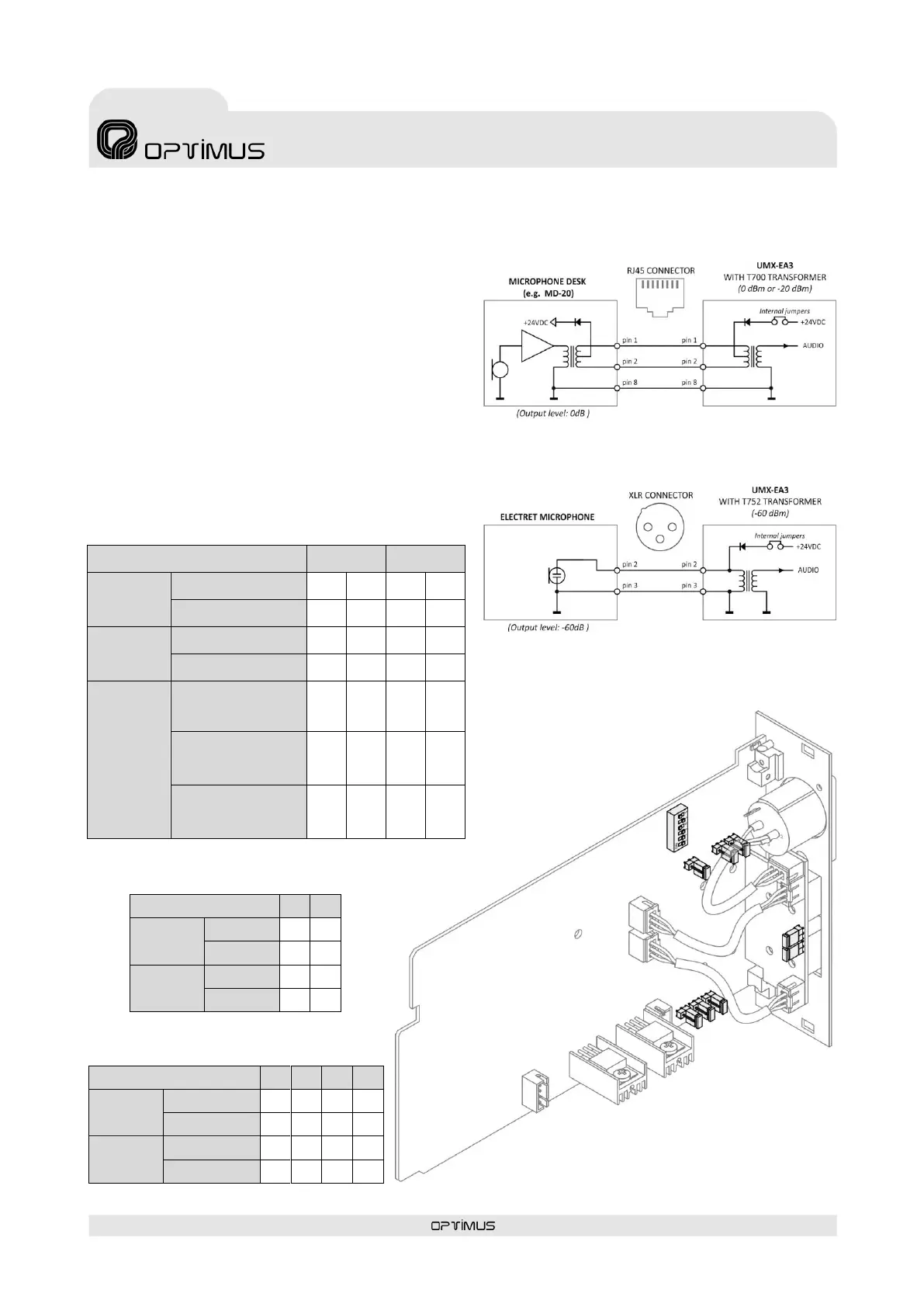
8.2. UMX-EA3. Internal settings
Using internal jumpers J1 to J8, we can configure the following
parameters:
Input impedance (If the input has a transformer it must be
configured in LOW IMPEDANCE).
Separation of the cable shield from the circuit ground.
Each one of the two inputs incorporates a jumper that
allows separating the cable shield from the circuit ground
connection.
PHANTOM power supply. Optional. When ordered, the
inputs may be separated to supply 24 VDC PNANTOM type
power. Model T700 transformer is used for sensitivities
between 0 dB and -20 dB. For sensitivities of -60 dB,
Transformer T752 is used along with an XLR connector for
the input.
The VOX priority control is configured via DIPswitch SW200.
PHANTOM
POWER
SUPPLY
(24VDC)
ENABLED
(Transformer T752 and
sensitivity of -60 dB)
ENABLED
(Transformer T700 and
sensitivity 0 dB /-20 dB)
SW200. VOX CONTROL PRIORITY ON/OFF
SW200. DEACTIVATION TIME
OF THE VOX CONTROL PRIORITY
CONFIGURATION JUMPERS J1 to J8
PHANTOM POWER SUPPLY WITH T700 (0 dB/-20 dB)
PHANTOM POWER SUPPLY WITH T752 (-60 dB)



 To Next Page