Modular audio matrix
with IP connection
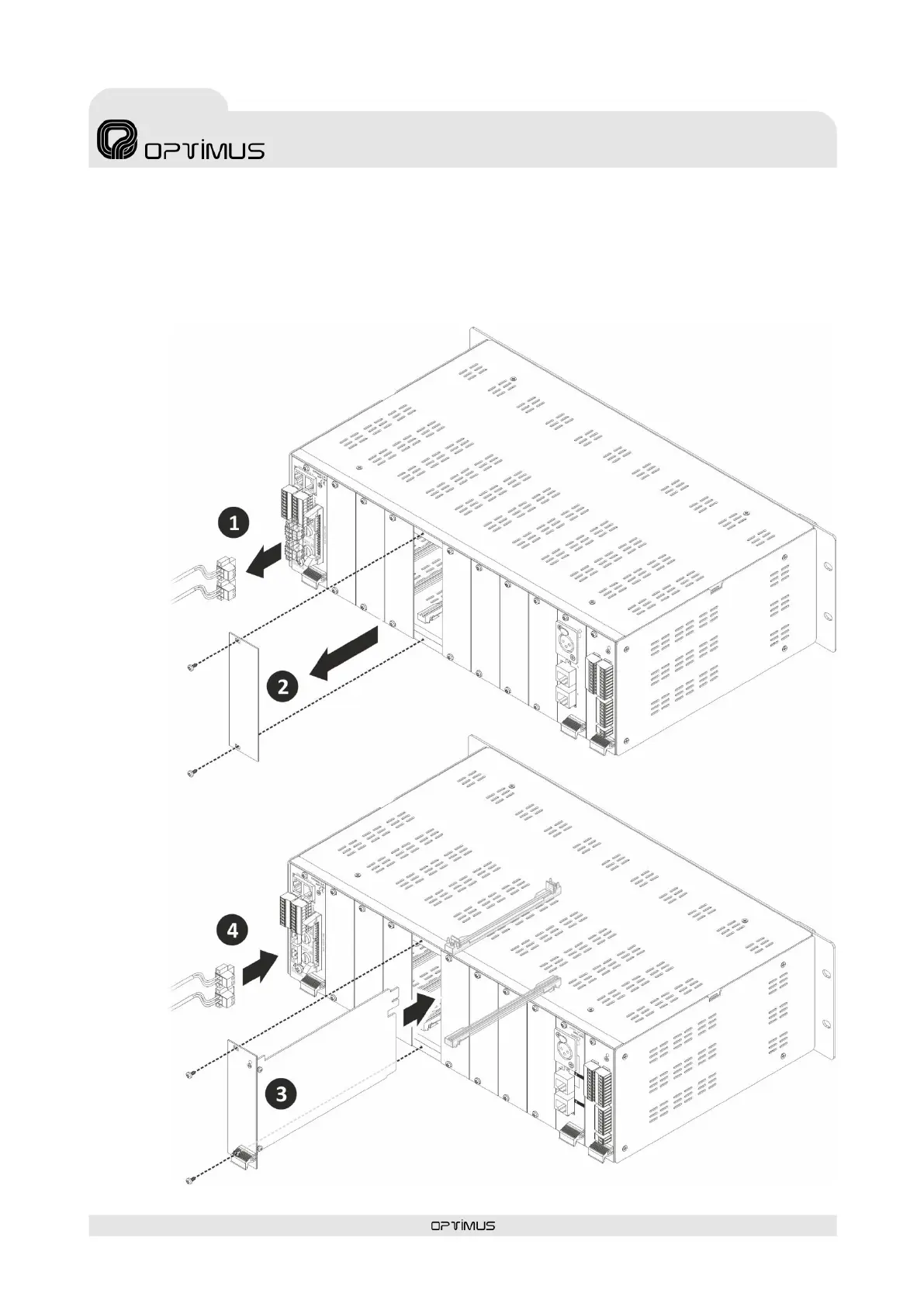
To insert a card proceed as follows (to insert the UMX-2SB card consult the specific manual of said model):
1) Disconnect the power supply to the unit (POWER SUPPLY 1 and POWER SUPPLY 2 strips).
2) Remove the rear blank plate for the slot where the card is to be inserted. All cards occupy a slot except model UMX-2SB which
occupies 4 slots (refer to the UMX-2SB manual prior to installing it in the COMPACT).
3) Insert the card by fitting it into the slot guides and fasten it by means of the fastening screws.
4) Reconnect the power.



 To Next Page