Chapter 3 - Getting to know the device
3 Getting to know the device
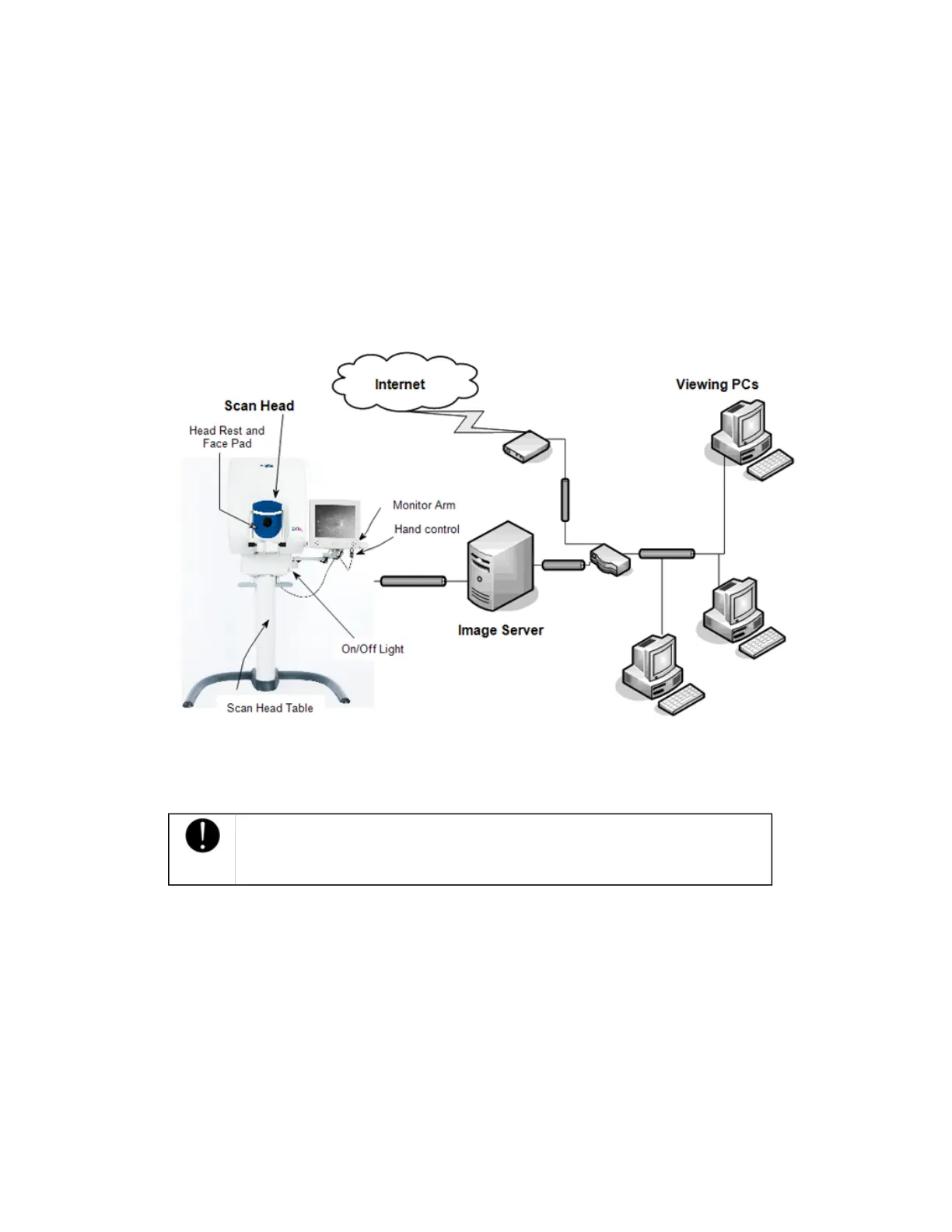
The device comprises the scan head module, Image Server PC, and Viewing PC. For more information,
please refer to the Technical Data Specification supplied with the device.
Images are captured on the scan head. The scan head runs the Capture application. The Image Server PC
runs the Storage application. Admin application, and Scheduler application. The Review application is run on the
Viewing PCs. In a typical installation, the images and database will be stored on the Image Server PC. You
can review captured images at any Viewing PC that is connected to the Image Server PC across the
network.
Understanding the equipment
The device is part of a system of networked PCs.
Scan Head Module
The Scan Head module runs the Capture application. This application lets you select and perform the
required patient imaging procedure.
Caution
The scan head monitor should not be used to review images for diagnostic
purposes.
l
Scan Head – Comprises the lasers and electronics used to capture patient images.
l
Scan Head table – Supports the adjustment of the scan head height. The table can be raised or
lowered using the hand control.
l
Face Pad – The face pad supports the patient’s face when the patient is being imaged. The face
pad can be removed for cleaning.
l
Scan Head monitor arm – Links the monitor to the scan head.
l
Scan Head monitor – Displays the Capture application. The touch screen monitor is used to interact
with the Capture application. It displays alignment feedback and captured images.
l
Hand Control – Comprises buttons used to raise and lower the scan head table, align the patient,
and capture images.
l
Head Rest - Comprises the head support and adjustable chin cup. The head rest can be removed
for cleaning.
7 of 100



 To Next Page