Chapter 6 - About the Patient History view
6 About the Patient History view
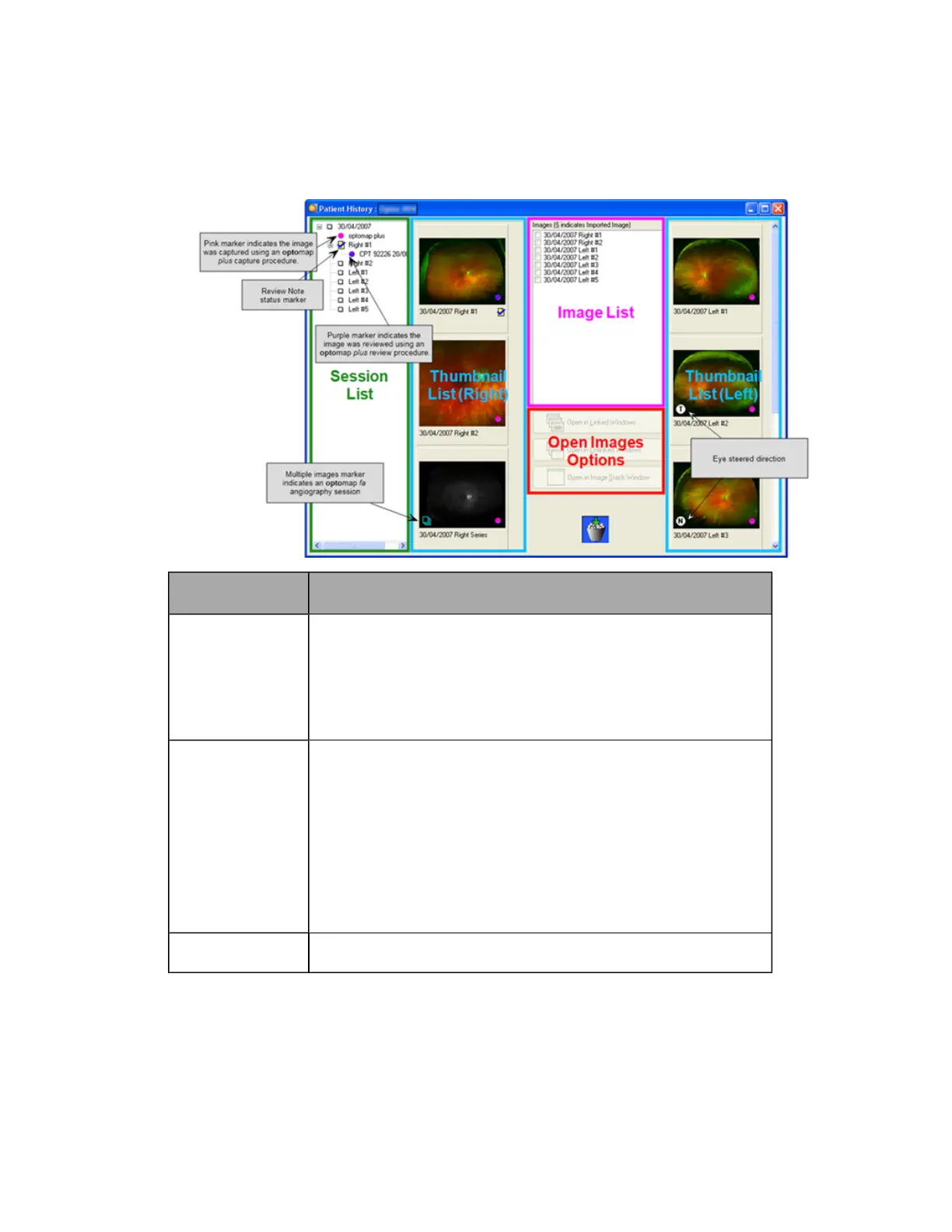
The Patient History view provides easy access to all the images for the selected patient. Select images from
the image list and then choose option you want to use to open them.
To select images
from the...
Description
Session list
Each session is identified by its date. Double-click the date to expand
the session to show all the images that were saved.
A pink marker indicates sessions which were captured using an
optomap® plus capture procedure. In countries where reimbursement
procedures are applicable a purple marker and the procedure code will
be displayed next to the procedure name, see Using procedure codes
on page 56.
Left and right
thumbnail image
lists
You can mark the images to be opened by clicking the image
thumbnail.
optomap® fa image series are represented by a single thumbnail
image. Selecting this thumbnail will open all the images in the Image
Series view where you can choose how you want the images to be
opened, see Image Comparison Methods on page 88.
Eye steered images are shown individually.
Pairs of Stereo Images are shown as one thumbnail. When you open the
image, both left and right Stereo Images are displayed, see Setting User
Preferences on page 15.
Image list
All the images, for both eyes, are listed in date order, with the most
recent image at the top. Click each image you want to select.
Once all the images have been selected you can choose how the images should be opened. If you select
one image the Open in Image Stack Window is enabled. If you select more than one image all window buttons are
enabled. Click the appropriate button to select the most suitable way of comparing the images. You can
open images in different ways depending on how you want to review them, see Image Comparison
Methods on page 88.
35 of 100



 To Next Page