Chapter 5 - About capturing an image
l
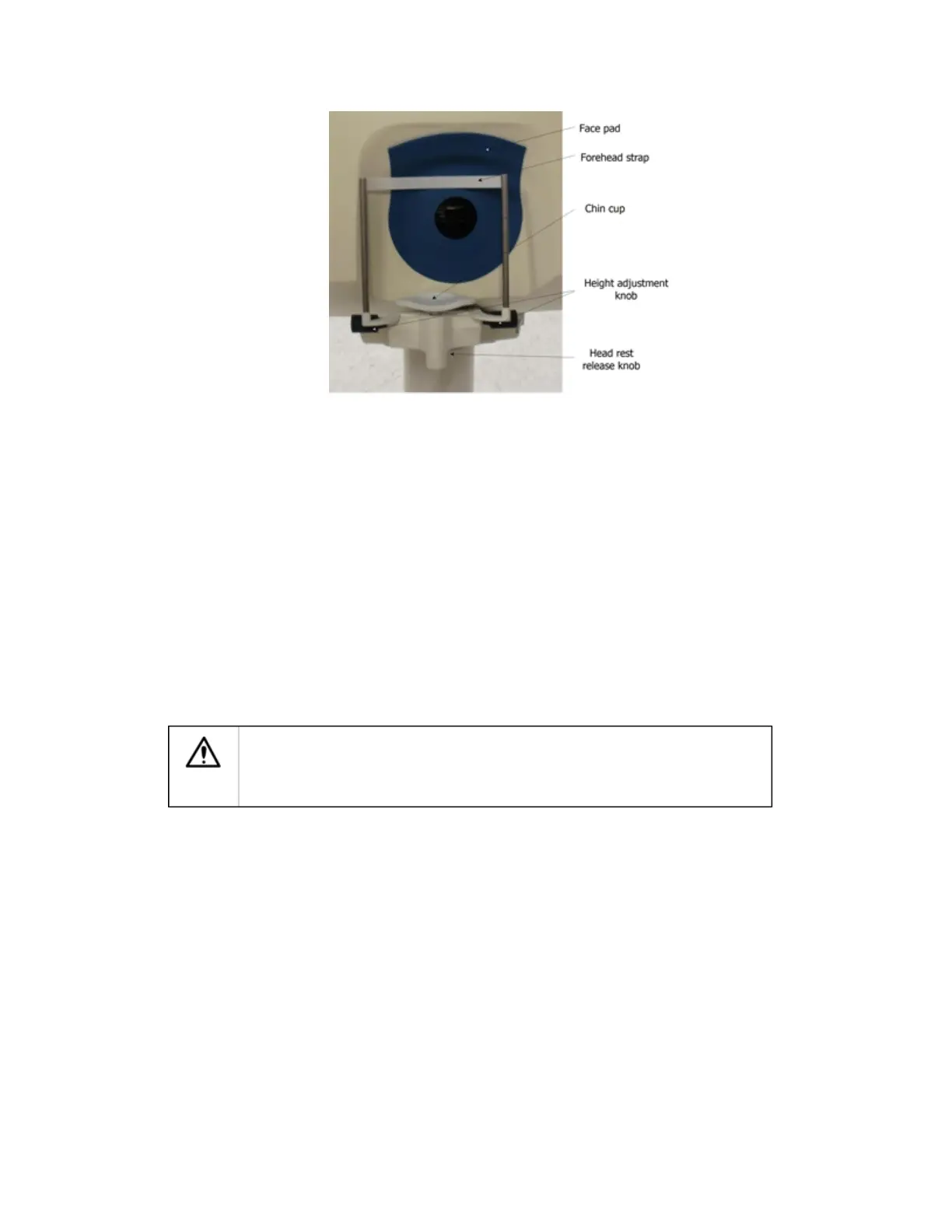
The face pad and head rest must be cleaned with an individually sealed, 70% isopropyl alcohol
wipe and allowed to air-dry between patients. The head rest can be removed for cleaning.
l
The patient arm support should be cleaned with an individually sealed, 70% isopropyl alcohol wipe
and allowed to air-dry between patients.
l
Do not use tissues or other material to dry the areas that have been cleaned as this could create
dust. Dust could collect on the scan head mirror and optical components and impair image quality.
Always allow cleaned areas to air-dry.
l
Do not let the cleaning wipes come into contact with the inside of the instrument.
l
The wipes should be checked periodically to ensure that they are within their marked expiration
date.
Patient instructions
Take a minute to put the patient at ease. Explain the following to the patient:
l
Explain that a set of digital images will be captured during the procedure.
l
The imaging process is not invasive and there is no contact with the patient's eye.
l
The procedure is similar to having a photograph taken, so there will be a flash when each image is
captured.
Warning
Guidance for use on patients with Epilepsy
The device uses flashes of laser light. Some patients with epilepsy may be
sensitive to flashes of light. Caution should be exercised for patients who have a
history of reaction to camera flashes or strobe lighting.
l
The operator will guide the patient throughout the procedure. The patient should follow all
instructions given by the operator.
l
Explain that the patient will be asked to look into the instrument with ONE eye. The process will
then be repeated for the other eye. It may be beneficial to image the patient's best eye first.
l
Explain that the patient should look directly at the green ball.
l
Explain that you will monitor their position on the screen and let them know when you are going to
capture the image.
l
The patient should maintain fixation on the light at all times and hold the direction of gaze even if
the light disappears.
l
The patient should keep their eyes open as wide as possible throughout and keep their head in
position.
l
Explain that the patient will see a flash when the image is captured.
Capturing images
Aligning the patient accurately is the key to capturing good images. It is essential that the patient
understands what to do and presents their eye to the device in the correct manner.
21 of 100



 To Next Page