Chapter 5 - About capturing an image
Some Capture procedures allow the capture of eye steered images, How to do eye steering on page
29.Eye Steered Images are images of the same eye where the patient is asked to make a slight change in the
direction they are looking. You can select from four directions; Inferior, Superior, Nasal and Temporal. The
direction of gaze is marked on the thumbnail image. Always capture a central, on-axis image first and
before capturing the required eye steered directions.
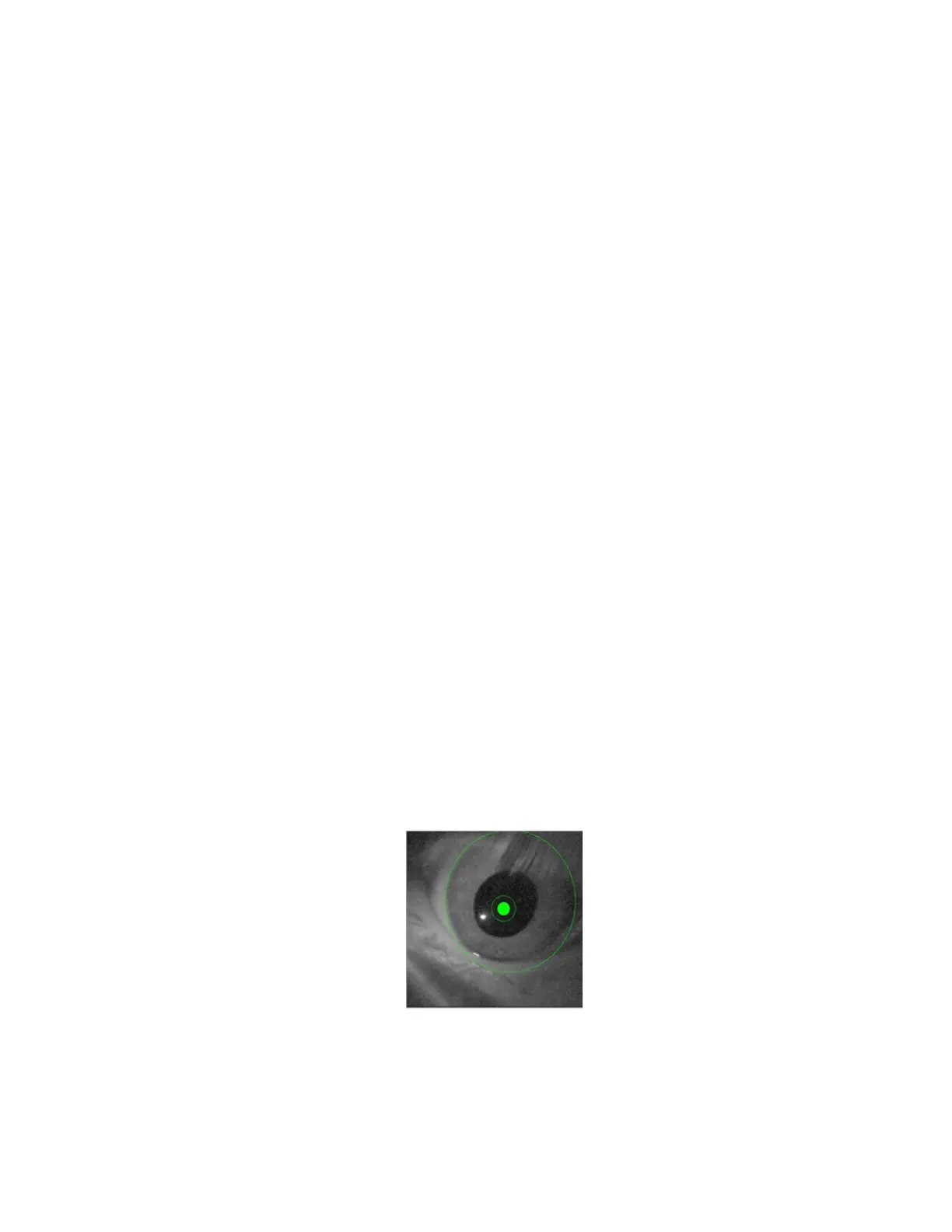
In normal imaging the patient's iris should fit just inside the outer circle (limbus ring) shown on the External
Eye Camera view. When the patient is in the correct position, press the hand switch button to capture the
image. Contact Optos if you think the limbus ring position needs to be altered, see Contact us on page 93.
To help guide the patient to see the fixation light, the operator can view the patient's eye in the Capture
Right/Left Eye dialog box, see Good Quality Image example on page 30.
1. Prepare to capture an image
l
Check the device has warmed-up and that the device is ready to capture.
l
Clean the relevant parts of the device, see Cleaning before each patient on page 20.
l
Work through the dialog boxes and select the patient, procedure and eye to be imaged.
Some devices are configured to capture optomap® af images. If you want to capture an
optomap® af image you should select the option when selecting the procedure.
l
Lower the chin cup to the lowest height, see About the head rest on page 8.
l
Dim the lighting in the room to achieve maximum natural dilation of the pupils before
attempting to capture an image.
2. Position the chair
l
Explain to the patient what is about to happen, see Patient instructions on previous page.
l
Ask the patient to sit in the chair.
l
Move the chair forwards until the patient's face is approximately 15 cm (6 inches) from the
front of the scan head.
3. Position the scan head table height
l
Adjust the scan head table height so that the tip of the patient's nose is aligned with the
center of the limbus ring shown on the External Eye Camera view, How to use the hand control
on page 11.
4. Position the Patient
l
Ask the patient to look at the green ball.
l
Ask the patient to keep their teeth together.
l
Ask the patient to place their chin fully in the chin cup with their nose outside the hole in the
face pad.
l
Position the patient against the forehead strap. The patient should be leaning towards the
scan head.
l
Use the External Eye Camera view as a guide, adjust the chin cup height to align the pupil with
the center ring.
5. Position the Patient's Eye
How to position the patient manually
l
Align the patient's eye so that the center ring is in the center of the pupil and that the 3 and 9
o'clock sides of the limbus ring cover the patient's limbus.
l
Move the patient closer to the device when a (+) is displayed in the center ring, and further
from the device when a (-) is displayed. Use the buttons on the hand control to align the
patient's eye with the rings.
l
The system is aligned with the patient's eye when the rings change color from red to green
and the center ring is filled.
22 of 100



 To Next Page