range Pi 用户手册 深圳市迅龙软件有限公司版权所有
www.orangepi.cn
14
www.xunlong.tv
Orangepir1plus_2.1.0_ubuntu_bionic_server_linux5.8.18.img: Success
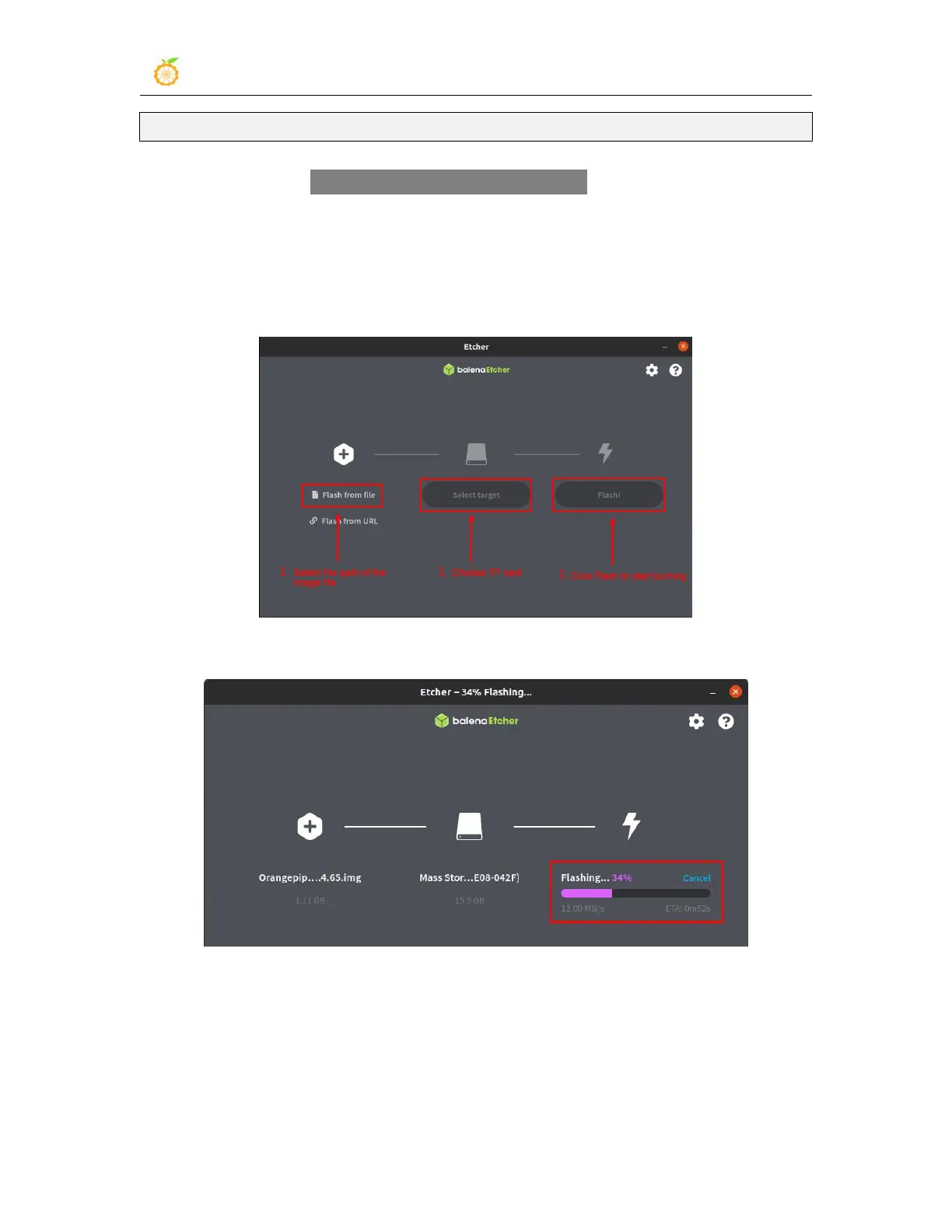
9) Then double-click balenaEtcher-1.5.109-x64.AppImage on the graphical interface of
Ubuntu PC to open balenaEtcher (no installation required), the opened interface is shown
in the figure below
a. First select the path of the linux image file
b. Then select the device number of the TF card
c. Finally click Flash to start burning
10) The writing speed and remaining time will be prompted during the burning process
11) After burning, the following interface will be displayed. At this time, you can unplug
the TF card from the computer and insert it into the development board to start.



 To Next Page