range Pi 用户手册 深圳市迅龙软件有限公司版权所有
www.orangepi.cn
65
www.xunlong.tv
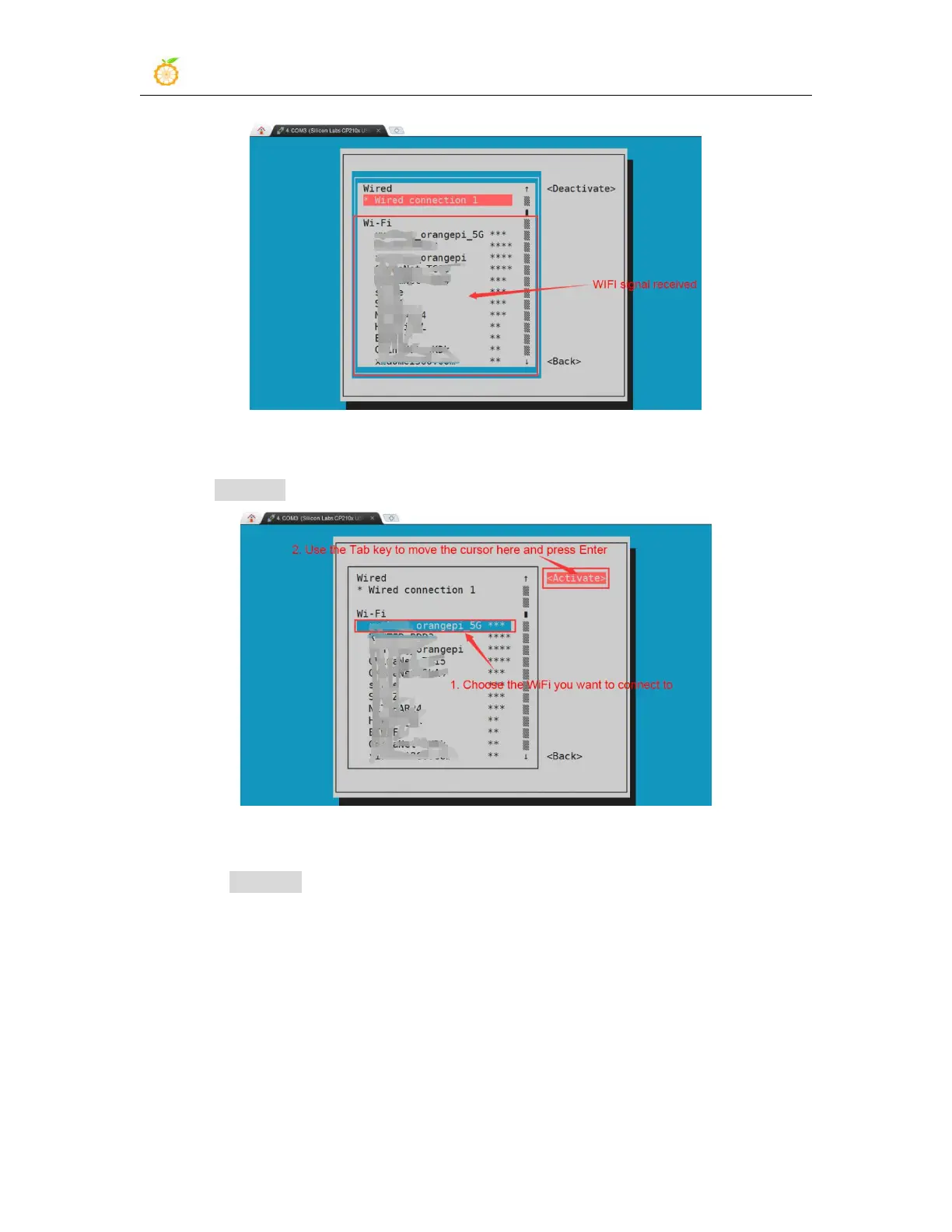
6) Select the WIFI hotspot you want to connect to, then use the Tab key to position the
cursor on Activate and press Enter
7) Then a dialog box for entering the password will pop up, enter the corresponding
password in Pssword and press Enter to start connecting to WIFI



 To Next Page