range Pi 用户手册 深圳市迅龙软件有限公司版权所有
www.orangepi.cn
66
www.xunlong.tv
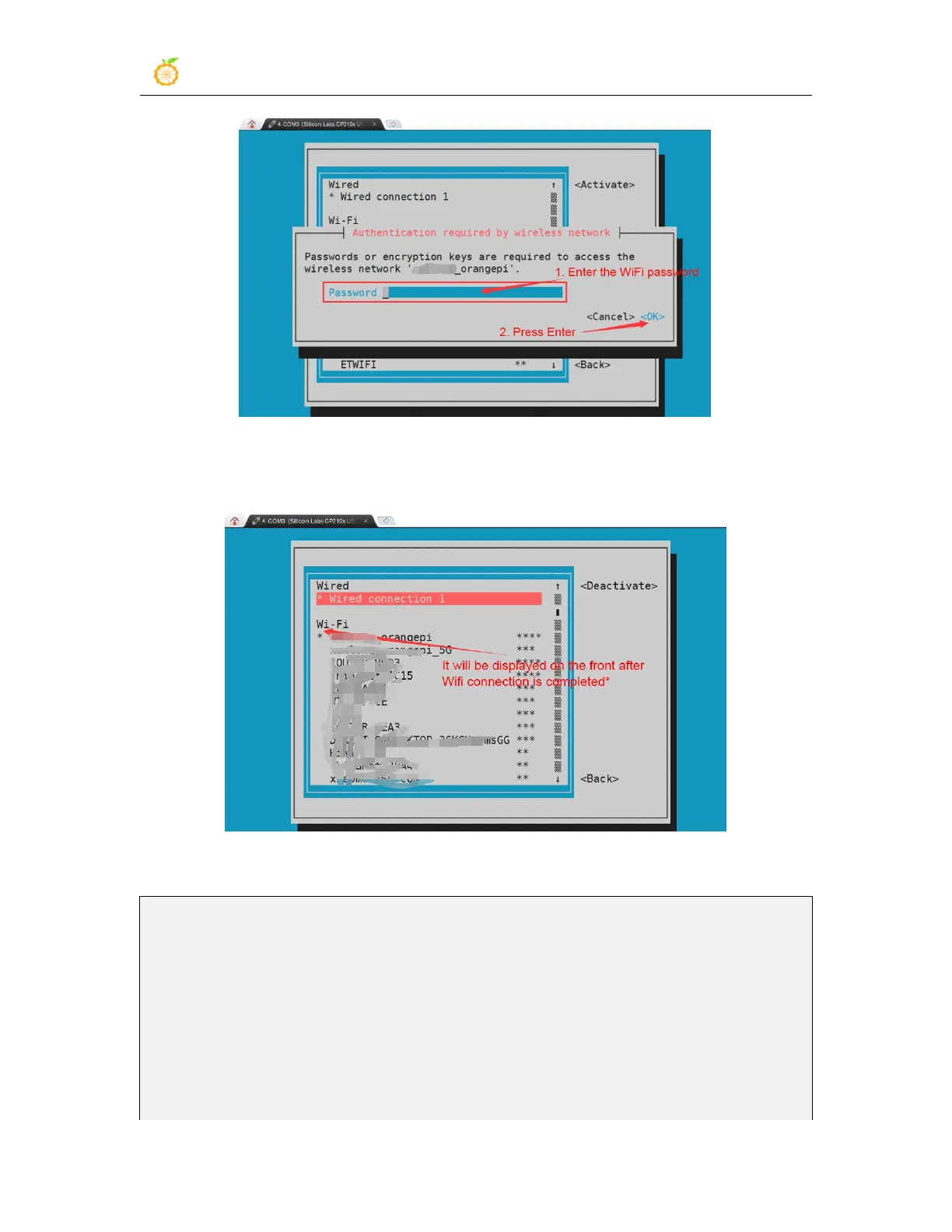
8) After the WIFI connection is successful, a "*" will be displayed before the connected
WIFI name
9) The IP address of wifi can be viewed through the ifconfig command
root@orangepir1plus:~# ifconfig wlxd0c0bf8742cd
wlxd0c0bf8742cd: flags=4163<UP,BROADCAST,RUNNING,MULTICAST> mtu
1500
inet 192.168.1.198 netmask 255.255.255.0 broadcast 192.168.1.255
inet6 fe80::db3a:3ea6:b98d:3fc9 prefixlen 64 scopeid 0x20<link>
ether d0:c0:bf:87:42:cd txqueuelen 1000 (Ethernet)
RX packets 528 bytes 91350 (91.3 KB)
RX errors 0 dropped 0 overruns 0 frame 0



 To Next Page