13
Part Arming your Security System
The part arming mode only protects predefined detection zones. The system has 3 ‘Part arm’
modes which allows for flexible arming configurations, e.g., ‘Part arm 1’ could be configured to
arm only downstairs zones, whereas ‘Part arm 2’ could be configured to arm only perimeter
zones. To part arm your area(s), please proceed as follows:
1. Enter code or present tag to select the user menu.
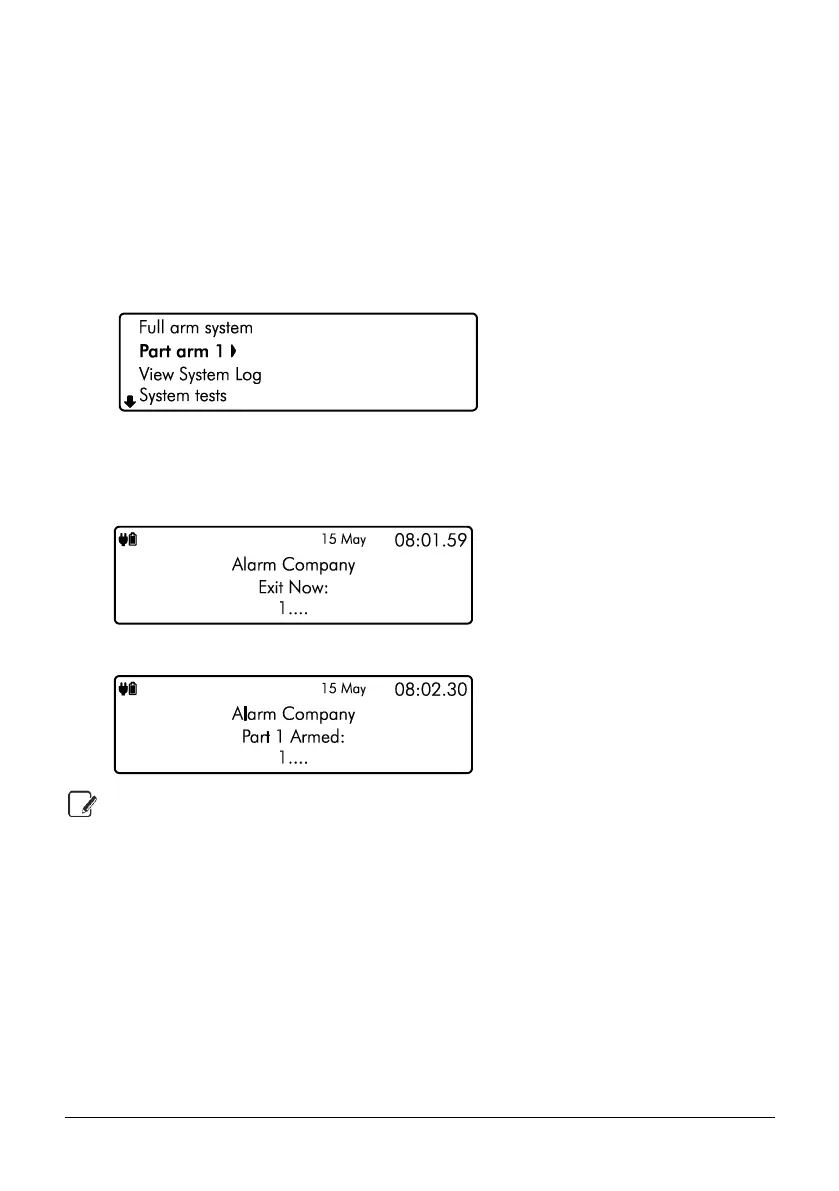
2. From the user menu, use the U/ u and D/ p keys to scroll to ‘Part arm
1’:
3. Use the L/ o and R/ r keys to change the part arm mode (1, 2 or 3), then
press E or k to part arm.
4. The exit tone will start and the keypad will instruct you to exit the protected area:
5. The keypad will then indicate that the system is part armed:
Part arm settings will be pre-programmed by your installation company.



 To Next Page