49
A valid Service Set Identifier (SSID) must be assigned to the module. It must be entered as
shown on the provider’s documentation. This is the network name e.g. BThomehub217.
Most Providers show the SSID on the router (BT, Virgin etc.)
1 Password
This is the password used to log into the wireless network.
2 IP Address
The IP address used on the network must be assigned to the module. It must be entered in
dot-decimal notation, e.g. “192.168.0.1”.
3 Port
A valid port number must be assigned to the module. It must be entered as a decimal number,
e.g. “10001”.
About
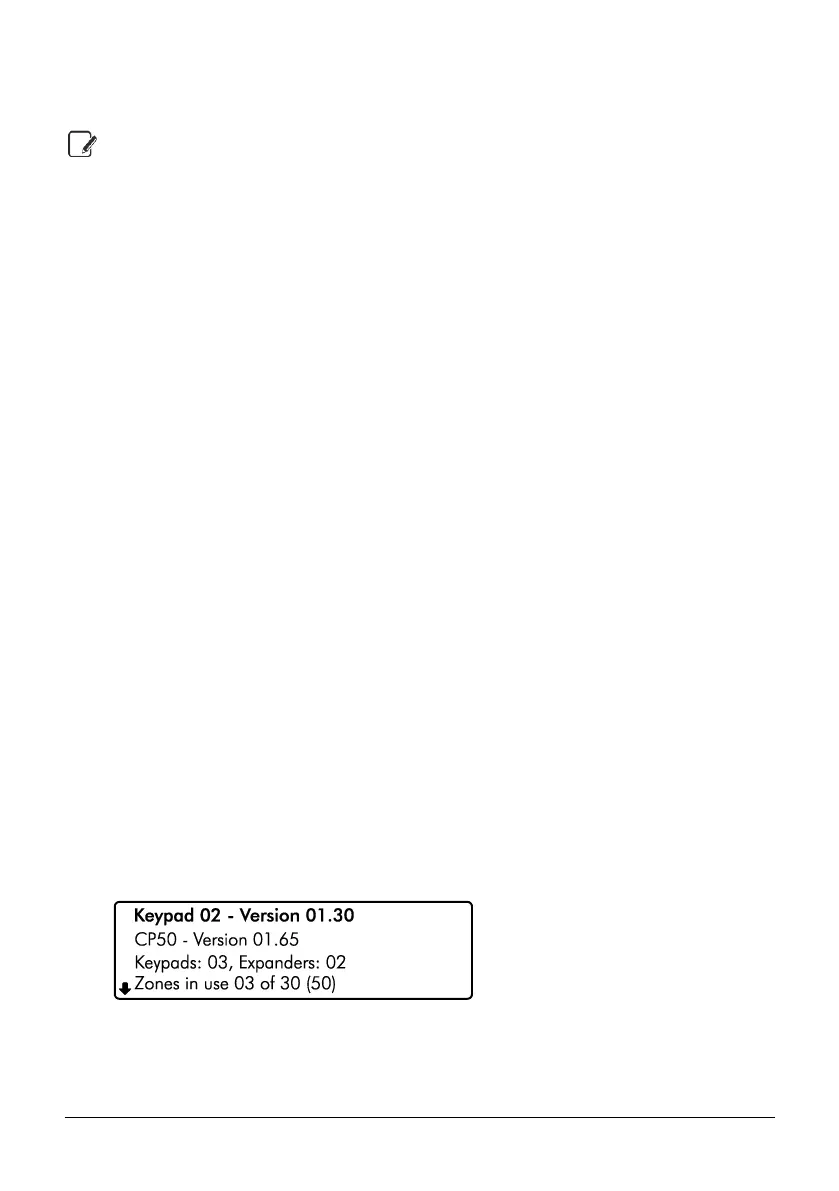
This menu option displays the following information about your security system:
Keypad in use and its software version
Control model and its software version
Number of keypads and zone expanders connected to your system
Number of zones in use and the maximum zones available
User codes in use
PSTN module fitted or not fitted
CM2 Module (CK-20, CT-20, CK-60, CT-60, CP-20, CP-60 only)
ZX-5C and its software version (CP-30, CP-50, CP-100 & CP-200 only)
Wi-Fi signal, IP address and port number
Ethernet IP address and port number
GSM signal and module fitted or not fitted
1. Ensure that the ‘About’ menu is selected, see page 39:
2. Use the U/ u and D/ p keys to scroll through the system information.
3. Hold the B / o or @ key for 2 seconds to exit the menu.



 To Next Page