24
View event log
All system events such as arming, disarming, alarm and faults are recorded in the system log
along with the date and time.
1. Ensure that the ‘View event log’ option is selected from the ‘System Event Logs’ menu:
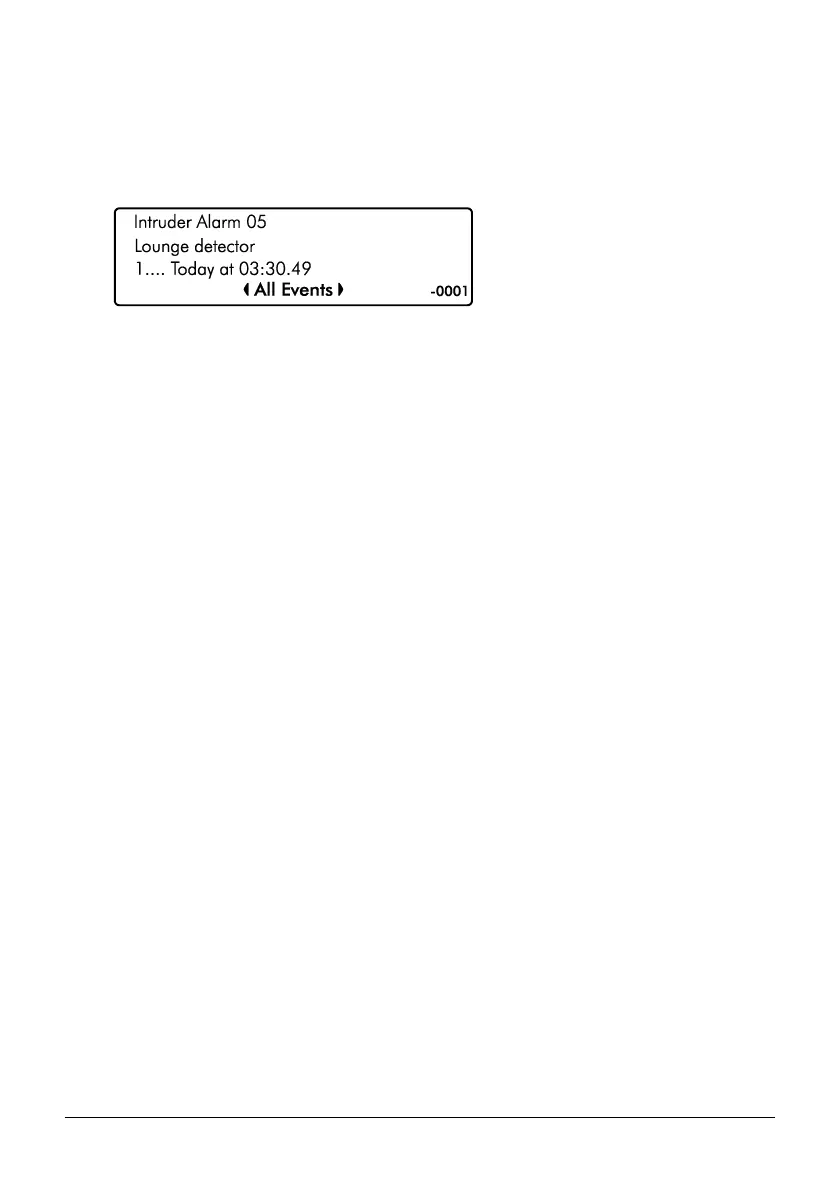
2. Scroll back and forward through the log using the U/ u and D/ p keys.
View Log Screen Information
Line 1: Event type, see page 26 for a complete list of event type and descriptions.
Line 2: Zone or user text.
Line 3: Event Area(s) then date and time.
Line 4: Event Type Filter, use the L/ o and R/ r keys to change the
event filter type:
• All Events
• Alarms
• Tampers
• Faults
• Open & Close
• Tests
• Restore
• Custom
Then event number is displayed far right.
View mandatory log
All mandatory events as defined in EN50131-1 are recorded in the mandatory event log.
Information displayed is as per the system event log above.



 To Next Page